






Apple Music Converter
Rating: 
Recommended by:
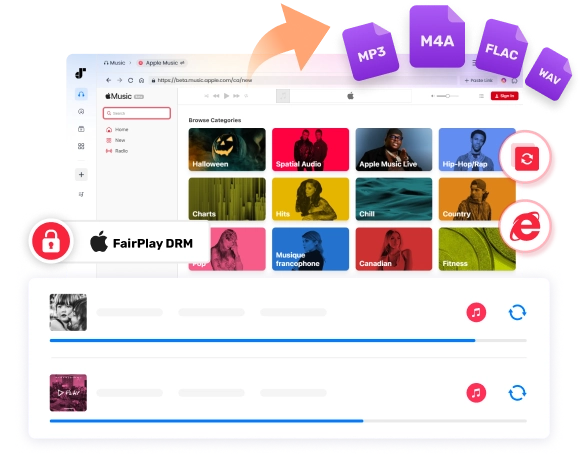
More than music lovers join TuneFab!
Why TuneFab Makes Apple Music Downloads More Flexible
Need a simpler way to save Apple Music for offline use? Compare the best methods to keep your library as files you can use across devices.
| Feature | TuneFab Apple Music Converter | Recording Tools | Apple Music Downloaders Online | Other Common Converter |
|---|---|---|---|---|
| Permanent Offline Access |  Yes, no restrictions Yes, no restrictions |
Yes |
Yes |
Yes |
| Playlist Batch Download | Yes |
Manually one by one | Limited or No Batching | Yes |
| Output Quality | Original 320kbps MP3 or lossless FLAC/WAV | Quality loss | Compressed or low bitrate | 256–320kbps |
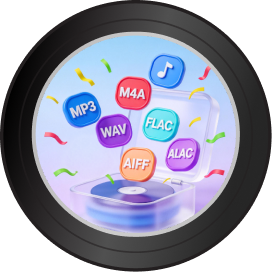
| Output Formats | MP3, M4A, WAV, FLAC, ALAC, and AIFF | Varies by software | Mostly MP3 only | MP3 + limited options |
| Conversion Speed | High-speed local conversion | Slow | Server-dependent | Varies (often moderate) |
| Stability | Smooth & stable | Not supported | Link failures common | Moderate |
| Built-in Apple Music Web Player |
Yes (no iTunes or extra apps needed) |
 Not supported Not supported |
Not supported |
 Varies by tool/version Varies by tool/version |
| ID3 Tag Preservation | Full |
Manual editing required |
Partial |
Usually |
| Security | Clean & safe installer | Risk of bundled ads | Unknown server risk | Generally safe |
If you want more detail before you decide, these two reads make it simple:
Once you see the limits and the side-by-side comparison, picking gets a lot easier.

What Can TuneFab Apple Music Converter Do for You?
TuneFab Apple Music Converter helps you download and convert Apple Music into local audio files you can keep, move, and play offline. It’s made for people who want more control—especially when playlists are big, devices are mixed, or you need clean files for everyday use.
-

 Offline Files
 -

 Big Playlists
 -

 Formats
 -

 Quality
 -

 Easy Workflow
 -

 Clean Library
How to Download Apple Music as MP3 in 3 Simple Steps
After a 3-step conversion: launch TuneFab Apple Music Converter, add songs, and start converting, you will get unlimited & high-quality Apple Music tracks forever!
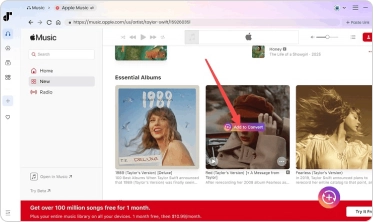
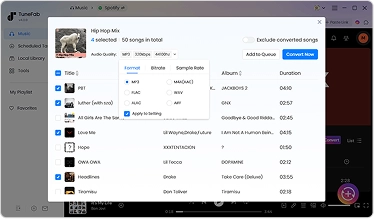
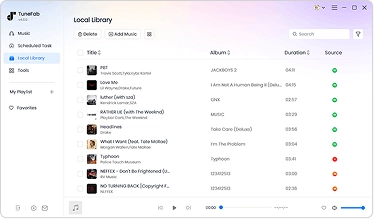
Want more details? Keep reading:
When Do You Need Apple Music Converter?
You don’t always need an Apple Music Converter. But if you want music files you can keep, move, and use offline, a converter is the cleanest way to do it.

You want a local music library on your computer
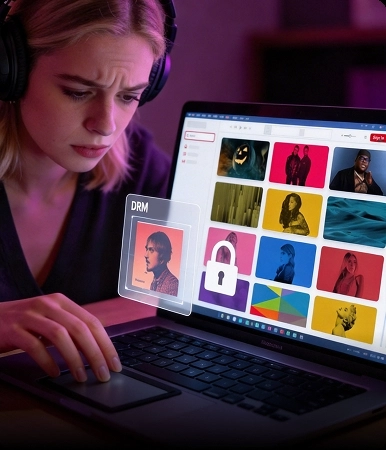
Your downloads are locked inside the Apple Music app

You want to play Apple Music on the devices you actually use
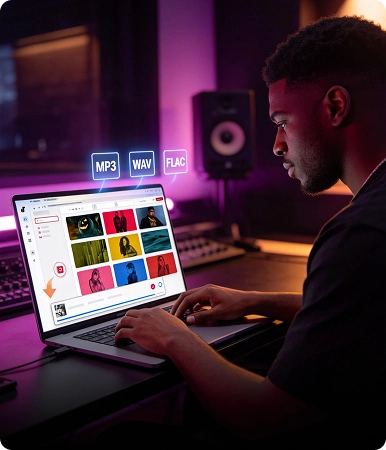
You’re saving big playlists and don’t want to do it track by track
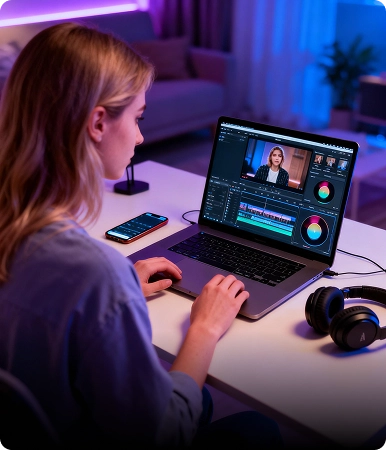
You want to use Apple Music in creative projects

You still want music when Apple Music has issues
In a word, if you’re trying to get out of “app-only” listening, converting makes everything simple.
Mini Guide for iTunes Users
TuneFab Apple Music Converter does NOT use iTunes.
If you need help with iTunes music, TuneFab iTunes Music Converter is the right tool. For iTunes library management or backups, you can use these guides:
· Save iTunes music to your computer → · Back up and manage your iTunes library →Explore More Apple Music Download Tips & Guides

Download Guides

Tool Reviews

Troubleshooting

Apple Music Usage

Frequently Asked Questions
1. Is TuneFab Apple Music Converter free?
2. Do I need an Apple Music account/subscription to use TuneFab Apple Music Converter?
3. What are the supported formats of TuneFab Apple Music Converter?
Supported content: Apple Music songs, playlists, albums, etc.
Supported output formats for Windows/Mac: MP3, WAV, FLAC, AIFF, M4A (AAC and ALAC codecs)
4. Can I improve the quality of Apple Music output?
5. What conversion speed does TuneFab Apple Music Converter support?
6. How to activate TuneFab Apple Music Converter?
7. How to upgrade to the web player version if I am using the older version of TuneFab Apple Music Converter? Do I need iTunes?
8. Can I use TuneFab to download Apple Music to MP3 online?
What TuneFab Have Achieved
What Our Users Say


Trust by 100+ Industry Experts

"TuneFab has created software that is an all-in-one solution, comes with a plethora of features, results in no loss of quality, and offers great value for money for its customers."

"It is a dedicated app that has a solid reputation for removing protection from Apple Music songs, playlists, and albums"

"Try out TuneFab Apple Music Converter for Mac and Windows PC, if you want to have a more seamless music conversion experience. Three features make it a worthy contender: Versatility, Top Speed, and High Competency."

"TuneFab allows the users to get the MP3 version of their purchased media, in order to let them listen to it anytime and anywhere, on whichever device they prefer. In this context, TuneFab claims that their Apple Music Converter is one of the best out there."

"TuneFab Apple Music Converter can be your perfect solution for audio conversion of Apple Music files. It's a fairly simple application that takes just a few clicks to convert one or a bunch of files. "
"TuneFab has created software that is an all-in-one solution, comes with a plethora of features, results in no loss of quality, and offers great value for money for its customers."
"It is a dedicated app that has a solid reputation for removing protection from Apple Music songs, playlists, and albums"
"Try out TuneFab Apple Music Converter for Mac and Windows PC, if you want to have a more seamless music conversion experience. Three features make it a worthy contender: Versatility, Top Speed, and High Competency."
"TuneFab allows the users to get the MP3 version of their purchased media, in order to let them listen to it anytime and anywhere, on whichever device they prefer. In this context, TuneFab claims that their Apple Music Converter is one of the best out there."
"TuneFab Apple Music Converter can be your perfect solution for audio conversion of Apple Music files. It's a fairly simple application that takes just a few clicks to convert one or a bunch of files. "
Try TuneFab Apple Music Converter Today
A truly must-have audio converter for every Apple Music subscriber. Try it now!


