


"Where can I find reliable DRM removal software that still works for music, videos, audiobooks, or eBooks? I just want to play my purchased media files on another device or player."
If you have ever tried to move Apple Music songs, iTunes purchases, audiobooks, Kindle books, or protected videos to another player, you may have found that some files simply cannot be opened. This usually happens because of DRM protection, which is still used by platforms like Apple, Spotify, Amazon, Adobe, and more to limit how protected media files can be copied, converted, or played.
The tricky part is that not every DRM remover is safe, up to date, or suitable for every media type. Some free DRM removal software is outdated, while some tools only work for music, videos, audiobooks, or eBooks. In this tested review, we compare the 13 best DRM removal software and freeware options for different media files, so you can quickly find the right tool for your own needs.
Note: DRM removal software should only be used for personal backup or private playback where allowed. Do not distribute converted DRM-free media files, share them with others, or use them for commercial purposes. Always follow local copyright laws and the terms of the platform you use.
- How to Choose Safe DRM Removal Software in 2026
- Best Paid DRM Removal Software for Streaming Music and iTunes
- - #1 TuneFab Apple Music Converter
- - #2 TuneFab Spotify Music Converter
- - #3 TuneFab Amazon Music Converter
- - #4 TuneFab Deezer Music Converter
- - #5 TuneFab Pandora Music Converter
- - #6 TuneFab YouTube Music Converter
- - #7 TuneFab SoundCloud Music Converter
- Best Paid DRM Removal Tools for Online and Streaming Videos
- - #8 MovPilot All-in-One Video Downloader
- - #9 VideoHunter
- Best Free DRM Removal Software for Audiobooks and eBooks
- - #10 TuneFab Audible Converter
- - #11 Calibre eBook Manager
- - #12 ePUBee eBook Converter
- - #13 Kindle AZW DRM Removal
- Freeware & Paid DRM Removal Software: Which Should You Choose?
- Final Verdict
- FAQs About DRM Removal Software
How to Choose Safe DRM Removal Software in 2026
Before choosing a DRM removal tool, the first thing to check is not just whether it is free, but whether it is safe, updated, and suitable for your media type. Many tools that once worked for iTunes, Kindle, or streaming videos may become outdated after platform updates, while some unknown freeware may come with unstable performance, poor output quality, or potential security risks.
Here are a few things to check before downloading any DRM removal software:
- Supported media type: Make sure the tool is designed for the file you want to handle, such as streaming music, iTunes songs, audiobooks, videos, or eBooks.
- Compatibility: Check whether it still works with the latest version of Windows, macOS, iTunes/Music app, Kindle app, or the target streaming platform.
- Output quality: A good DRM remover should keep clear audio or video quality instead of simply recording playback in real time with quality loss.
- Ease of use: Freeware can be useful, but some tools require old app versions, plugins, command-line setup, or extra configuration.
- Security and privacy: Be careful with tools from unknown sites, especially those that ask for account credentials, browser cookies, or unnecessary permissions.
- Legal boundary: Use DRM removal software only for personal backup or private playback where allowed, and avoid sharing or redistributing converted files.
With these points in mind, we tested and compared the following DRM removal software by media type, including streaming music converters, video downloaders, audiobook tools, and free eBook DRM removal freeware. This should help you choose a tool that matches your actual use case instead of wasting time on outdated or unsafe options.
You May Like:
Classic Christmas Music: How to Choose & Top Playlists 2026
Romantic Music for Love, Date Nights & Beautiful Moments
Best Paid DRM Removal Software for Streaming Music and iTunes
Here, TuneFab All-in-One Music Converter is what we found to be the best integrated streaming music DRM removal tool that combines converters for major music platforms into one program. Instead of installing separate services and pasting links one by one, you can use one tool to get DRM-free music from almost all popular streaming platforms through built-in music web players. To make it clear, check the video guide below.
Editor's Note: TuneFab Music Converter users can get 10% off with the code TFWELCOME.
100% Secure
100% Secure
As you may only need to deal with one specific platform, we will break down the individual TuneFab music converters, so you can choose the most suitable DRM removal software based on where your music files come from.
#1 TuneFab Apple Music Converter
Best for: those who want to play Apple Music songs, albums, or playlists outside the Apple Music app or iTunes.
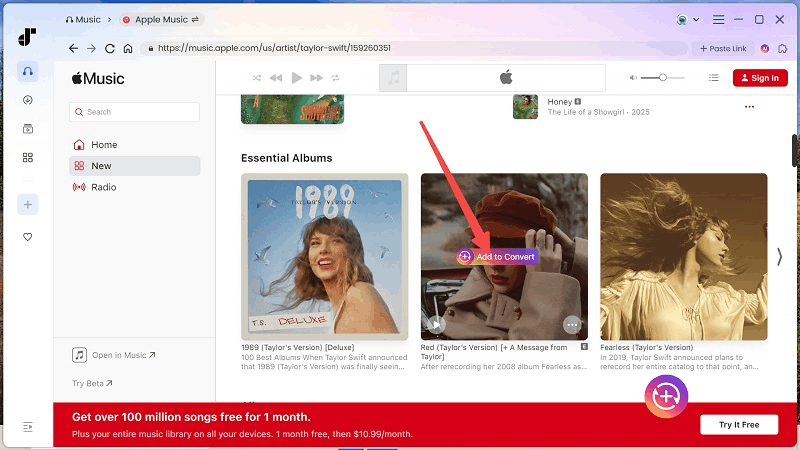
TuneFab Apple Music Converter is the most practical option in this list for FairPlay DRM removal. During use, the built-in Apple Music web player makes the workflow straightforward: log in, search for songs or playlists, add them to the conversion list, choose an output format like MP3, M4A, WAV, AIFF, or FLAC, and start to remove DRM from Apple Music. You do not need to manually import downloaded Apple Music files from the official app.
In actual use, it is more suitable for users who want a stable batch conversion workflow rather than a complicated freeware setup. It can convert Apple Music tracks at up to 35X faster speed, keep ID3 tags and metadata, and let you adjust output settings like bitrate and sample rate before conversion. After conversion, the songs are saved as local audio files, so you can transfer them to MP3 players, USB drives, SD cards, or other media players for personal offline playback.
Pros
- Ensure efficient Apple Music DRM removal at a 35X faster batch conversion speed.
- Save DRM-free Apple Music in original high audio quality.
- Supports multiple output formats, including MP3, M4A, WAV, AIFF, and FLAC after DRM removal.
- Preserve original ID3 tags for easier management.
Cons
- You can only remove DRM from 3 Apple Music songs with the free trial.
Further Reading:TuneFab Apple Music Converter Review: Is It Worth It?
#2 TuneFab Spotify Music Converter
Best for: those who want to save Spotify songs, playlists, albums, or podcasts as local audio files for offline listening.
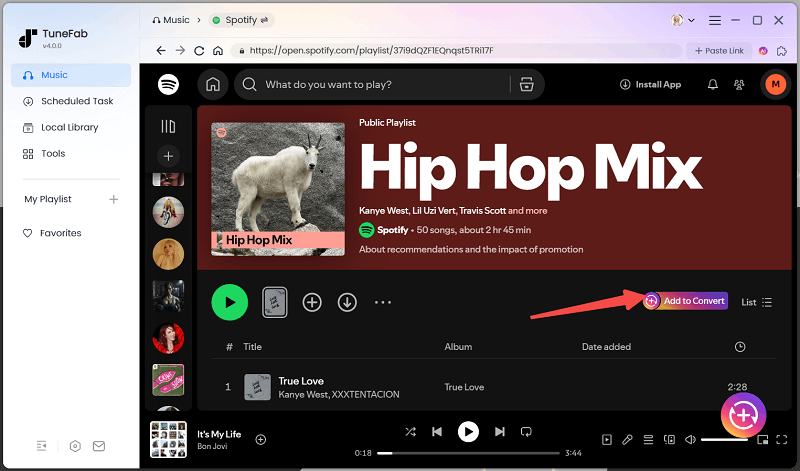
TuneFab Spotify Music Converter is designed for users who want a more flexible way to keep Spotify music as DRM-free files outside the Spotify app. In use, it works better for batch tasks: you can add Spotify tracks, playlists, albums, or podcasts, then removing DRM from Spotify and convert them to MP3, M4A, WAV, FLAC, AIFF, AAC, or ALAC for personal offline playback.
Additionally, it retains all ID3 info from Spotify content to keep your library organized. Moreover, this DRM removal software also lets you customize output presets for audio file titles to automatically archive downloaded songs into folders based on album, artist, playlist, or your preferred rules. All of these features make it easy to manage the files afterward.
Pros
- Useful Spotify DRM removal to convert Spotify songs/playlists/albums/podcasts at 35X speed.
- Ensure high-quality output (up to 320Kbps), matching the original quality.
- Save Ogg Vorbis Spotify songs as MP3, M4A, WAV, FLAC, AIFF, AAC, and ALAC files.
- Offer useful customization settings to adjust output presets for audio file titles and folder archives.
Cons
- The free trial version is limited to saving only three DRM-free songs from Spotify.
Further Reading:TuneFab Spotify Music Converter Review: Is It Good & Safe?
#3 TuneFab Amazon Music Converter
Best for: those who want to download Amazon Music songs, albums, or playlists as local files for playback on different devices.
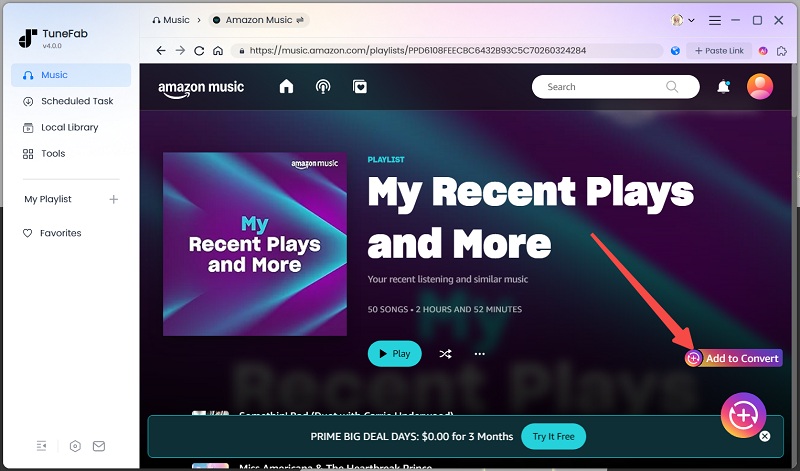
Amazon Music is one of the well-known online music streaming platforms similar to Spotify, and songs on Amazon Music are protected by DRM, too. Fortunately, this is where the Amazon DRM removal freeware called TuneFab Amazon Music Converter comes in handy. Instead of being limited to the Amazon Music app, you can use it to unlock encrypted Amazon Music songs and save them locally for personal use.
It allows you to download Amazon Music to MP3 and other frequently used formats at a 35X faster conversion speed, store the music locally, and enjoy high-quality playback offline. What's more, TuneFab Amazon Music Converter will retain all the ID3 tags and metadata info of your Amazon songs after conversion, which makes your music management an easy task. You can even adjust parameters such as bitrate and sample rate for a better listening experience.
Pros
- Remove DRM from songs, albums, and podcasts from Amazon Music HD, Prime & Unlimited.
- Convert Amazon songs to multiple output formats, including MP3, M4A, WAV, AIFF, and FLAC in lossless quality.
- Batch conversion of music and podcast episodes at 35X faster speed.
- Keep ID3 metadata and customizable audio parameters (including sample rate & bitrate).
Cons
- The free trial only allows you to remove DRM from three Amazon songs for free.
Further Reading:TuneFab Amazon Music Converter Review: As Good as It Can Get
#4 TuneFab Deezer Music Converter
Best for: those who want to download DRM-free original Hi-Fi Deezer music for free offline playback on most devices.
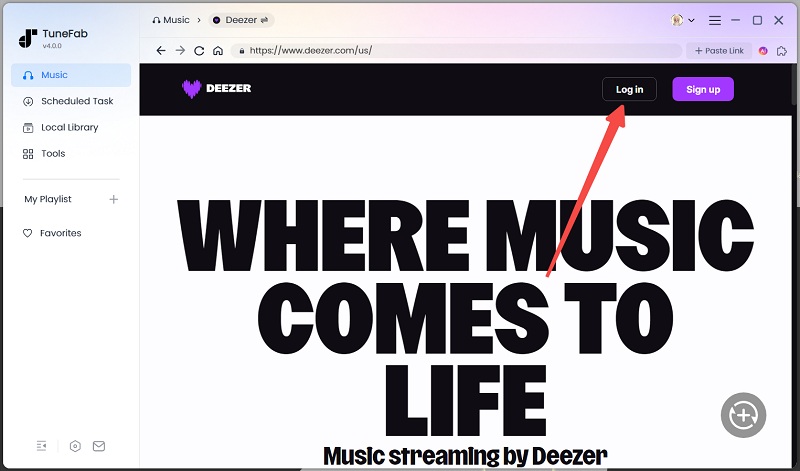
Finding a dedicated DRM removal software for platforms like Deezer can sometimes be challenging, but TuneFab Deezer Music Converter handles this perfectly. It embeds the official Deezer Web Player, letting you log in, browse, and select any songs/playlists/albums from the Deezer library without the Deezer app. With simple clicks, you can easily download Deezer music to MP3, FLAC, M4A, AIFF, and WAV at 35X faster speed, with the original 320kbps or HiFi quality.
Moreover, all ID3 tags and metadata are preserved, so you don't need to spend countless hours manually organizing your music collection. Overall, these powerful features make it stand out as an assistant for listening to Deezer Music offline in a better way, not just helping you to remove DRM from Deezer.
Pros
- Download Deezer music, albums, playlists, and podcasts at 35X faster speed.
- Batch converts content from Deezer to 320kbps or HiFi Quality.
- Output DRM-free Deezer music as MP3, FLAC, AIFF, M4A, or WAV local files.
- Preserve original ID3 tags for simpler management.
Cons
- The free DRM removal software version lets you download only 3 songs.
Further Reading:TuneFab Deezer Music Converter Review: Out of Expectation
#5 TuneFab Pandora Music Converter
Best for: those who want to rip music from Pandora Music in DRM-free files for free offline playback.
Pandora's unique "radio station" is a great choice for users to discover new music based on their personal taste, but all its streaming content is locked with Pandora DRM. Free users face ads, and even Premium users can't save tracks outside the Pandora app. In this case, a Pandora DRM removal tool becomes necessary.
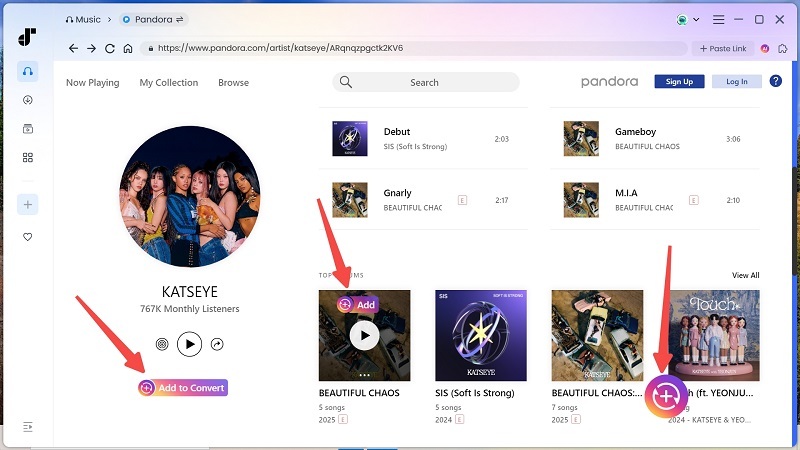
TuneFab Pandora Music Converter is the one you need. It can easily batch convert Pandora songs, podcasts, albums, and playlists without quality loss. Also, it supports multiple formats, including MP3, M4A, AIFF, FLAC, and WAV, and boasts a 35X faster speed to rip music from Pandora. These powerful features make it one of the best DRM removal software options available. If you are still unsure, it is recommended to start with its built-in DRM removal freeware to explore all its features before making the decision.
Pros
- Easily remove DRM from Pandora songs, playlists, albums, and podcasts at a 35X faster speed.
- Save Pandora songs in MP3, M4A, WAV, FLAC, AIFF, AAC, and ALAC without quality loss.
- Support customizable options for bitrates, sample rate, and ID3 tags.
- Retain the original quality, metadata, lyrics, and more.
- Integrate the official Pandora web player to streamline the DRM removal process.
Cons
- Free DRM removal tool limits 3 songs.
Further Reading:TuneFab Pandora Music Converter Review: Superior Experience
#6 TuneFab YouTube Music Converter
Best for: those who want to save DRM-free YouTube Music songs, playlists, albums, or music videos for offline playback.
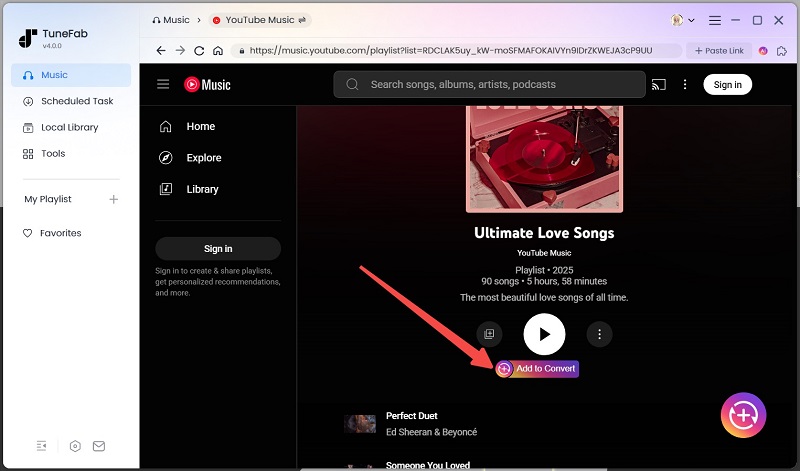
For YouTube Music fans, TuneFab YouTube Music Converter is a convenient option to collect music from YouTube Music. In use, it supports batch conversion of YouTube Music songs, playlists, and albums to common audio formats such as MP3, M4A, WAV, FLAC, or AIFF. One practical advantage is that you can start converting without logging into a YouTube Music account, which makes the workflow lighter than many platform-based tools.
Besides audio tracks, it can also save YouTube music videos as MP4 files, which is useful if you want to keep both the song and the video version locally. It supports up to 35X faster conversion speed and can preserve the original sound quality and ID3 tags, which makes it easier to manage and rip songs from YouTube to save them as DRM-free local files for offline playback on various devices.
Pros
- Its built-in YouTube Music Web Player makes it easier to remove DRM from YouTube.
- Convert YouTube tracks, playlists, albums, music videos, etc., as DRM-free common local files without a YouTube account.
- Batch converts YouTube Music you selected into MP3, M4A, WAV, AIFF, and FLAC DRM-free formats.
- Keep audio in lossless quality with ID3 tags preservation.
Cons
- The free trial version only supports saving 3 DRM-free songs.
#7 TuneFab SoundCloud Music Converter
Best for: Music lovers who want to easily download and convert SoundCloud tracks for offline listening on any device.
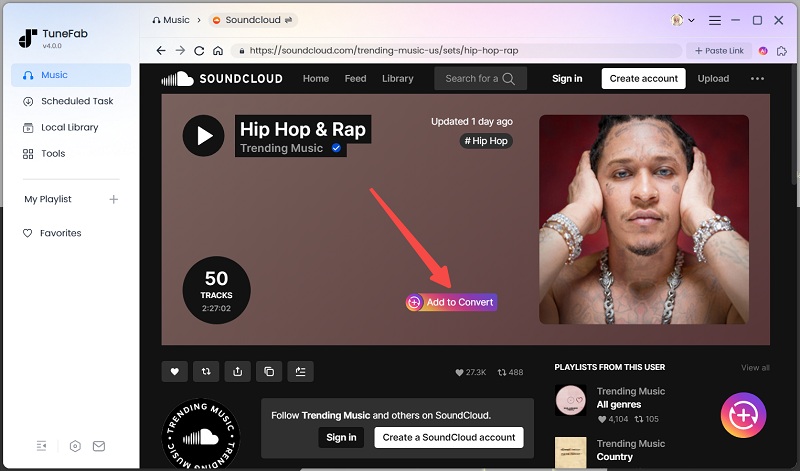
TuneFab SoundCloud Music Converter is a user-friendly DRM removal tool for Windows and Mac that lets you convert SoundCloud songs into popular audio formats like MP3, M4A, WAV, and FLAC. Moreover, it also enables batch downloading of playlists and albums while retaining the original sound quality and preserving metadata.
With its simple interface, even less technical users can navigate this DRM removal software effortlessly. Additionally, it offers fast conversion speeds, making it a trustworthy option to quickly convert SoundCloud songs to MP3 for building SoundCloud music libraries offline.
Pros:
- Supports multiple audio formats (MP3, M4A, WAV, FLAC).
- Batch download for playlists and albums.
- Maintains original audio quality and metadata.
- Easy to use.
- Fast conversion speed.
Cons:
- Requires a paid license for full features.
- Limited to SoundCloud content.
- Occasional download errors on some tracks.
Best Paid DRM Removal Tools for Online and Streaming Videos
DRM removal needs for videos are usually divided into two common cases: streaming movies and online videos. In this section, we will introduce two tested DRM removal software for videos that cover these needs. Depending on the tool, you can either paste video links directly or search for videos through the built-in web browser, then download them as DRM-free local files for personal offline playback without platform restrictions.
#8 MovPilot All-in-One Video Downloader
Best for: Those who want to watch shows and movies from OTT services like Netflix, Amazon Prime, Disney+ offline across any device.
OTT services also lock videos with DRM protection, restricting playback to their official apps. To enjoy videos more flexibly, reliable DRM removal software for videos is essential.
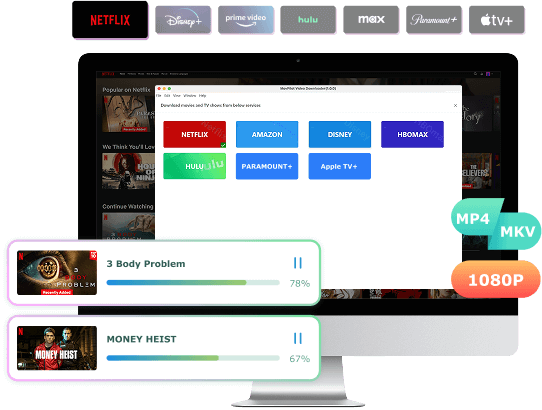
MovPilot All-in-One Video Downloader is exactly what you need. It can serve as an advanced DRM removal tool, enabling you to easily bypass DRM restrictions and download your favorite movies and shows from OTT services to MP4 and MKV at a 5X faster speed. Moreover, it can keep the original video quality after conversion, ensuring you a HD 1080P viewing experience.
Thanks to its built-in web players, you can directly access the video libraries from various streaming platforms and finish the download process without the need to install separate apps. This ensures you can easily download Netflix videos on Mac and transfer the DRM-free files to any external player or device for restriction-free viewing.
Pros
- Provide DRM removal software for Windows and Mac.
- Support unlimited DRM removal of online videos.
- Remove DRM from Netflix, Amazon Prime, Disney+, HBO Max, Hulu, Paramount Plus, Apple TV+, and more online sites.
- Preserve DRM-free 1080P MP4 and MKV files with Dolby Atmos 5.1 audio.
- Offer audio tracks and subtitles in multiple languages.
- Batch download videos up to 5× faster.
Cons
- Its free DRM removal software can only handle the first 6 minutes of a movie or show.
#9 VideoHunter
Best for: Those who want to save 4K videos from YouTube, OnlyFans, and 1,000 more sites for offline playback or device transfer.
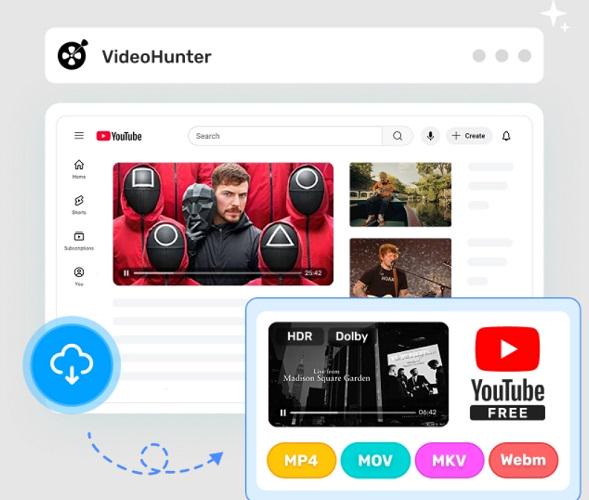
What if you want to save DRM-free videos from any online sources? VideoHunter, a professional DRM removal software for Mac and Windows, is ready to help. It can remove DRM from protected videos and save them in MP4, MKV, MOV, and WEBM formats.
The best part? This tool supports over 1,000 online sites, covering the most popular platforms like YouTube, Instagram, TikTok, and more. If you want to download OnlyFans videos to MP4, this DRM removal tool is a great option. Plus, similar to MovPilot, it also supports saving DRM-free videos from OTT platforms, letting you enjoy your favorite movies and shows offline in a more flexible and convenient viewing experience.
Pros
- Serve as one of the best DRM removal software for videos on Windows 11 and Mac.
- Save DRM-free videos in Ultra HD 4K.
- Support removing DRM from over 1,000 online streaming sites and multiple OTT platforms.
- Deliver an 8X faster speed to handle multiple videos in batches.
- Retain original video quality, audio, and subtitles.
Cons
- Provide DRM removal freeware for 10 days only.
Best Free DRM Removal Software for Audiobooks and eBooks
DRM removal freeware for audiobooks and eBooks is still worth considering, especially if you need to handle a small personal library. However, many tools in this category are quite old, and some have not been updated for a long time, so they may not work with every audiobook format, eBook type, app version, or computer system. In this section, we will go through several commonly mentioned options and explain what they are best suited for.
#10 TuneFab Audible Converter
Best for: Those who want to enjoy AAX/AA audiobooks from Audible or local folders on any players with original chapters and ID tags kept.
Audible, like iTunes Store and Spotify, also uses DRM protection for its audiobooks in the AAX format. This limits playback to supported devices. For a more flexible audiobook experience, consider a free DRM removal software to remove those restrictions.
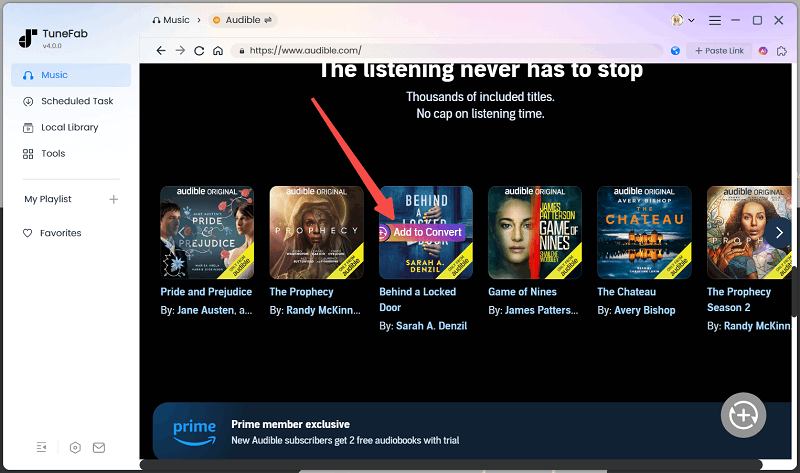
TuneFab Audible Converter specializes in converting Audible audiobooks to common formats, including M4A, MP3, FLAC, and WAV, to help you remove Audible's DRM protection with ease. Additionally, this DRM removal tool also includes a powerful AA/AAX Converter, enabling you to handle your local audiobooks for more flexible playback on any player. Plus, it features an audiobook splitter that preserves chapters and lets you customize ID3 tags, ensuring a better reading experience.
Pros
- Unlock DRM from Audible AA / AAX audiobooks easily.
- Keep chapter info.
- Convert AAX/AA audiobooks to MP3, M4A, WAV, and FLAC with original sound quality.
- Flexible ID3 editor to organize your converted audiobooks.
- 60X conversion speed to convert and export AA/AAX audiobooks.
- Support handling local AA/AAX audiobooks.
Cons
- Offer free DRM removal for 3 Audible books only.
#11 Calibre eBook Manager
Best for: people who want to convert or manage eBooks flexibly without paying a buck.
Calibre is an outstanding and easy-to-use e-book manager. And speaking of the DRM removal tool for e-books, a little-known fact is that you can use Calibre to remove DRM. As it is free and open-source software, you can find many useful plugins on the Internet. Apprentice Alf's DeDRM plugin for Calibre is stunning. Books bought from platforms such as Amazon can be decrypted by this plugin. All pages can be kept easily, and after the DRM removal process, you can watch ebooks on several devices and apps.
Pros
- Completely open source and FREE DRM removal software for eBooks on Windows and Mac.
- Comprehensive e-book viewer and manager.
- Can download news and magazines.
- Useful editing features.
Cons
- Could be complex for some users to use.
- Sometimes the loading speed is slow.
#12 ePUBee eBook Converter
Best for: those who want to convert e-books to other formats like PDF or TXT for free.
Reading e-books on various platforms is actually possible. ePUBee is a piece of e-book, especially PDF, DRM removal software for free. It supports converting ebooks to PDF, MOBI, EPUB, and TXT. You can also batch-convert your e-books, and the whole process won't take you long. With only a few clicks, you can convert and keep a DRM-free e-book without loss in quality.
Pros
- Simple to use.
- Provide a free eBook DRM removal tool for Windows 10, 11.
- Supports batch conversion in high quality.
Cons
- Limited customization features.
- Does not support conversion in some formats.
#13 Kindle AZW DRM Removal
Best for: those who wish to make Kindle e-books unrestricted to be freely read on other e-readers.
If you are using Kindle to read e-books, Kindle AZW DRM Removal will help you easily and quickly remove DRM from your Kindle e-books. In addition to this, it also supports "Scan" and "Batch processing" features, which help you easily find Kindle books on your computer and add more than 50 Kindle book files at a time to convert. With this free DRM removal software, you can read converted DRM-free Kindle books on comparable e-readers without compromising file quality.
Pros
- Its operating process is easy and user-friendly.
- It helps you to scan Kindle files on your PC for batch converting them to DRM-free formats.
Cons
- The main interface is a little complicated for those non-techies.
- The conversion speed is not very fast.
Freeware & Paid DRM Removal Software: Which Should You Choose?
After checking the best DRM removal tools above, you may notice that freeware and paid software usually serve different types of users. Free tools like Calibre, ePUBee, or some old iTunes DRM removal freeware can be useful if you only need to handle a few eBooks or legacy files and do not mind extra setup. Paid tools, such as TuneFab, MovPilot, or other dedicated converters, are generally more suitable if you want a smoother workflow, regular updates, batch conversion, and fewer compatibility issues.
To make the choice easier, here is a quick comparison based on real user needs.
| User Need | Recommended Tool | Free or Paid | Why It Fits |
| I want to remove DRM from Apple Music or iTunes audio | 1. TuneFab Apple Music Converter 2. TuneFab iTunes Audio Converter |
Paid with free trial | Better for users who want a guided workflow, batch conversion, and common output formats like MP3, M4A, WAV, and FLAC. |
| I want to save music from Spotify, Amazon Music, or other streaming platforms | 1. TuneFab All-in-One Music Converter 2. Single-platform TuneFab converters |
Paid with free trial | More practical for playlist-level downloads and users who do not want to install separate tools for every platform. |
| I need to download streaming movies or online videos | 1. MovPilot All-in-One Video Downloader 2. VideoHunter |
Paid with free trial | Suitable for users who want to paste video links or search videos inside the software and save them as local files. |
| I mainly want to remove DRM from Kindle or other eBooks for free | Calibre with DeDRM Plugin | Free | A common freeware choice for eBooks, but it may require plugin setup and may not support every Kindle version or file type. |
| I want an easier eBook DRM removal workflow | 1. ePUBee eBook Converter 2. Kindle AZW DRM Removal |
Free or freemium | Useful for simpler eBook tasks, though compatibility can vary because some tools are old or not frequently updated. |
| I want to convert Audible audiobooks | TuneFab Audible Converter | Paid with free trial | Better for users who need to convert audiobooks in batches and keep chapter information or metadata. |
| I only have a few old legacy files | Requiem, old freeware, or platform-specific free tools | Free | Worth trying only if you are comfortable with outdated software, older app versions, and possible compatibility issues. |
Final Verdict
The best DRM removal software depends on what type of media you want to handle. If you listen to music across several streaming platforms and save DRM-free music for further use, TuneFab All-in-One Music Converter may save more time than installing separate tools. For streaming movies and online videos, MovPilot and VideoHunter are better suited to video-based needs. At the same time, Calibre with the DeDRM Plugin is still worth trying first if you mainly want a free eBook DRM removal solution.
Free DRM removal software can be useful for small tasks, older files, or users who do not mind technical setup. However, if you need batch conversion, regular updates, clearer output settings, or support for a large media library, a dedicated paid tool is usually more practical. Choose the tool based on your media type, device, and comfort level, and use DRM removal only for personal backup or private playback where allowed.
100% Secure
100% Secure
FAQs About DRM Removal Software
Is there any free DRM removal software that still works?
Yes, but the choices are limited and usually depend on the file type. Calibre with DeDRM Plugin is still one of the most commonly used free DRM removal software options for eBooks, though it may require manual setup and may not work with every Kindle version or file format. Older freeware like Requiem may still be mentioned online, but it is outdated and usually depends on old iTunes environments. Many free online DRM removal tools are unstable or only work with files that are already DRM-free.
What is the best DRM removal software in 2026?
The best DRM removal software depends on the media type you want to handle. For Apple Music and iTunes audio, TuneFab Apple Music Converter or TuneFab iTunes Audio Converter is easier for most users to start with. For multiple streaming music platforms, TuneFab All-in-One Music Converter is more convenient. For streaming videos, MovPilot and VideoHunter are better suited, while Calibre with DeDRM Plugin is still a common free option for eBooks.
Can I remove DRM from iTunes music?
It depends on what kind of iTunes music you have. Many iTunes Store purchases after 2009 are already DRM-free AAC files, so you may not need iTunes DRM removal software at all. If you still have old protected M4P songs, iTunes audiobooks, or legacy downloads, tools like TuneFab iTunes Audio Converter may help convert them for personal playback. For Apple Music subscription tracks, you need an Apple Music converter instead, because they are different from purchased iTunes songs.
Is DRM removal legal?
DRM removal laws vary by country and region, so there is no one-size-fits-all answer. In general, you should only use DRM removal software for personal backup or private playback where allowed, and you should not share, sell, upload, or redistribute converted files. This article is for informational purposes only and does not offer legal advice. Always follow your local copyright laws and the terms of the platform you use.
Does VLC remove DRM?
No, VLC is mainly a media player, not a DRM removal tool. It can play many common audio and video formats, but it usually cannot unlock DRM-protected Apple Music songs, iTunes movies, Audible audiobooks, Kindle books, or protected streaming videos. If a file is encrypted by DRM, VLC may fail to open it, show an error, or play only a blank file.
Can a VPN bypass DRM?
No, a VPN cannot remove DRM from media files. A VPN may change your IP location and help access region-based online content in some cases, but DRM restrictions are usually tied to account authorization, device verification, app encryption, or platform licensing. Therefore, even if you use a VPN, protected music, videos, audiobooks, or eBooks will still need proper authorization or a compatible DRM removal tool.
Why do some DRM removal tools no longer work?
DRM removal tools often stop working because streaming platforms, Kindle apps, iTunes, or media services update their encryption systems. Some older tools also rely on outdated app versions, old plugins, or discontinued software environments, so they may fail on newer computers or newer media files. This is why a tool that worked years ago may no longer work in 2026, especially if it has not been maintained.
Are online DRM removal tools safe?
Online DRM removal tools should be used with caution. Some websites may ask you to upload protected files, install unknown extensions, provide account information, or accept suspicious downloads, which can create privacy and security risks. In many cases, online tools also fail to handle real DRM-protected files and only convert files that are already unprotected. For safer results, choose tools from official websites, check their update history, and avoid any service that asks for unnecessary permissions or login credentials.

