


SoundCloud offers a massive music library with millions of tracks, but it’s frustrating that free users can’t download their favorite songs for offline listening. Even with a premium subscription, the official SoundCloud app only lets you download music for use within the app, and once you cancel, all downloaded songs are gone.
In this guide, we’ll show you 6 ways (9 tools) to download songs from SoundCloud to MP3 so you can truly own your music. Whether you’re a free or premium user, these methods will help you download SoundCloud tracks and enjoy them offline forever, without the limitations of SoundCloud’s official features.
-
- 1. Download MP3s from SoundCloud Website Directly (Partial Songs)
- 2. Download Songs/Playlists from SoundCloud to MP3 320kbps
- 3. Download SoundCloud Link to MP3 128kbps Online (3 Tools)
- 4. Download SoundCloud Song to MP3 256kbps with Telegram Bot
- 5. Record and Convert SoundCloud to MP3 320kbps with Recorder
- 6. Get MP3 Files from SoundCloud with Android App
- Comparison and Conclusion
1. Download MP3s from SoundCloud Website Directly (Partial Songs)
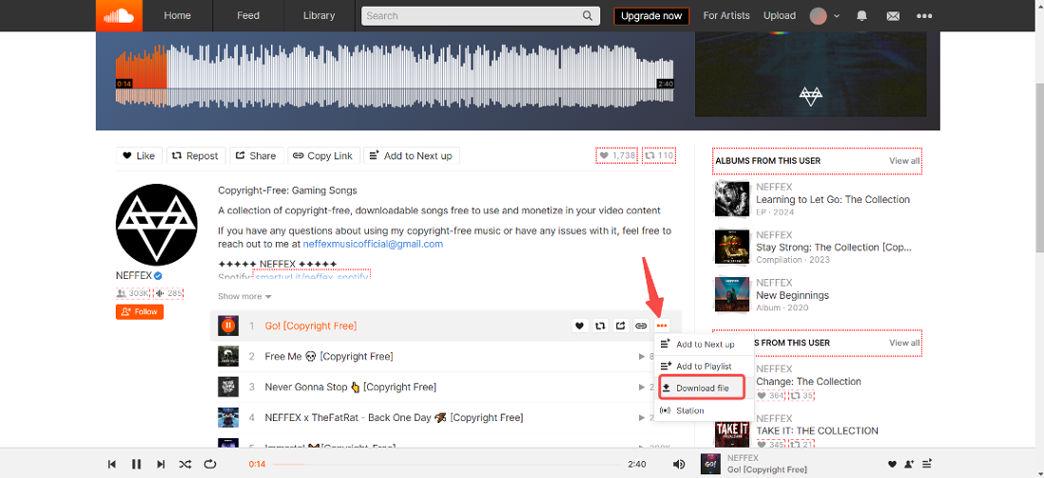
SoundCloud allows users to download some tracks directly from the website on a computer, but only if the uploader has enabled the download option. You can download individual tracks by signing in to your SoundCloud account and clicking the download button under the waveform of the song.
What's the Catch? If the song was uploaded in MP3, what you download is in MP3 format. While many users upload their content in WAV format to ensure the best sound. If you end up downloading a SoundCloud WAV file instead of an MP3, you’ll need to convert it to MP3 format, especially if you don’t need a large, lossless file and just want something that works on most devices.
However, it’s important to note that not all tracks are downloadable. If you don’t see the download button, it means the uploader has disabled this feature for that track.
Here’s how to download MP3s from SoundCloud directly:
Step 1: Log in to your SoundCloud account on the website to access the tracks you want to download.
Step 2: Browse through your favorite tracks. If the uploader has allowed downloads, click the three dots beneath the track’s waveform, and you’ll see a download button. Click on it to download SoundCloud to MP3.
2. Download Songs/Playlists from SoundCloud to MP3 320kbps
If you're looking for an easy and reliable way to download songs from SoundCloud library to MP3, TuneFab SoundCloud Music Converter is the perfect solution. This tool allows you to download any SoundCloud tracks directly to your computer in multiple formats, including MP3.
Whether you want to save your favorite tracks or playlists as MP3 320kbps or preserve the full audio quality with WAV or FLAC, this SoundCloud to MP3 converter provides the flexibility you need for offline listening.
Key Features of TuneFab SoundCloud Music Converter:
- Multiple Formats: Download songs as MP3, WAV, FLAC, and more.
- High-Quality Audio: Retain original sound quality, with options to download in 320kbps MP3 or lossless formats.
- Batch Downloading: Download multiple songs, playlists, or entire albums at once.
- Easy-to-Use: Simple drag-and-drop interface for quick conversions.
- Fast Speed: Download tracks up to 35X faster than traditional methods.
- ID3 Tag Preservation: Save songs to MP3 with ID3 information retained.
Here’s how to use TuneFab SoundCloud Music Converter to download music from SoundCloud to MP3:
Step 1. Get TuneFab SoundCloud Music Converter Ready on Your Computer
Download, install, and open TuneFab SoundCloud Music Converter on your macOS or Windows computer.
Step 2. Access the Embedded SoundCloud Browser
Select the SoundCloud platform to enter the built-in browser. Then, Search for the singles, playlists, and albums that you want to download to MP3.
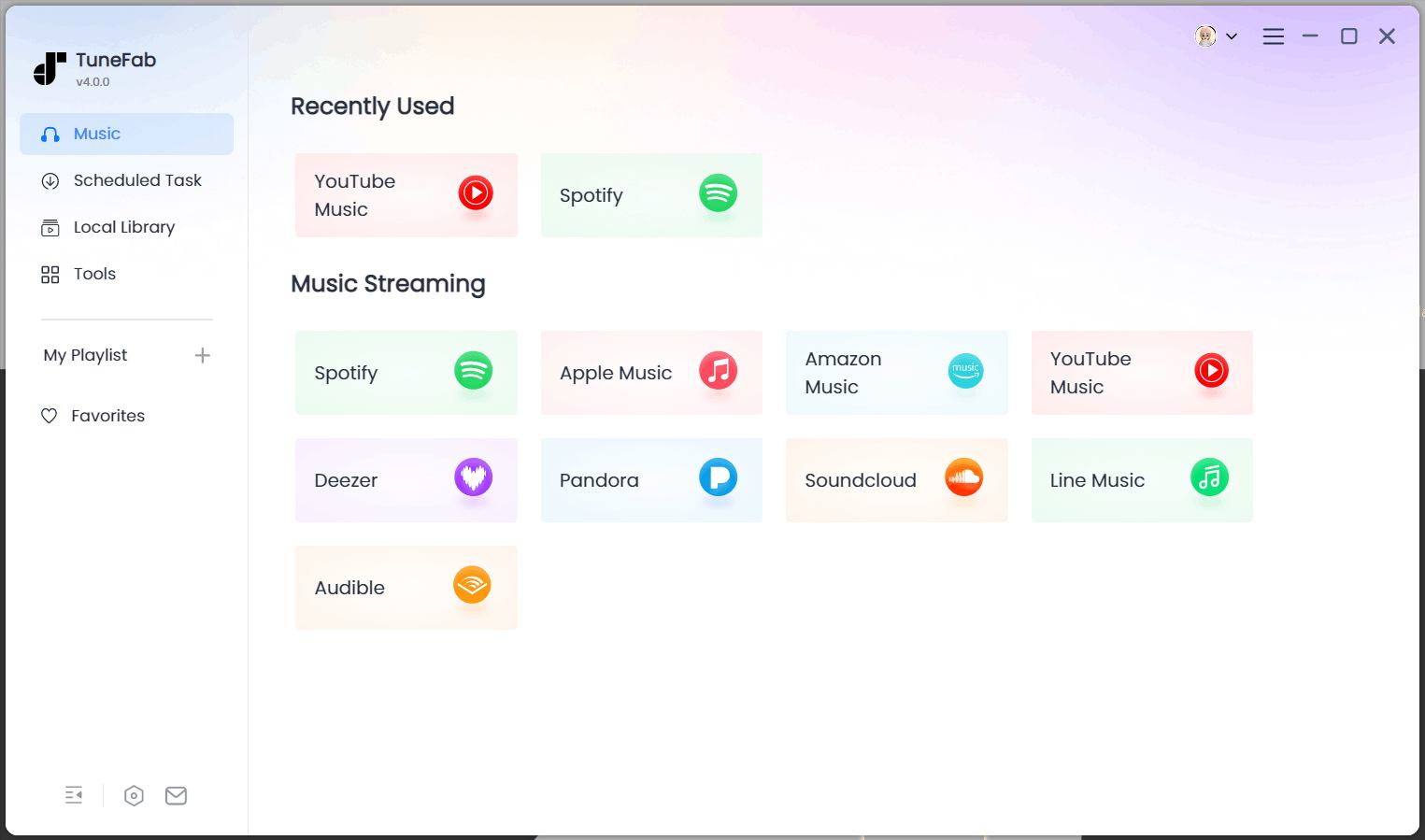
Note: It's fine if you don't have a SoundCloud account, but logging in will increase the success rate.
Step 3. Add SoundCloud Music to Convert
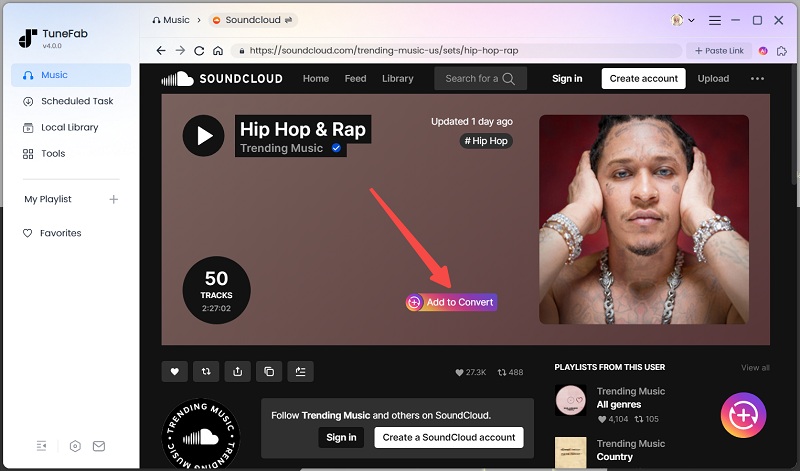
Click "Add" or "Add to Convert" to add your selected items to the conversion list. If you add a playlist, the software will analyze it and list all the songs in batch.
Step 4. Select the Audio Settings
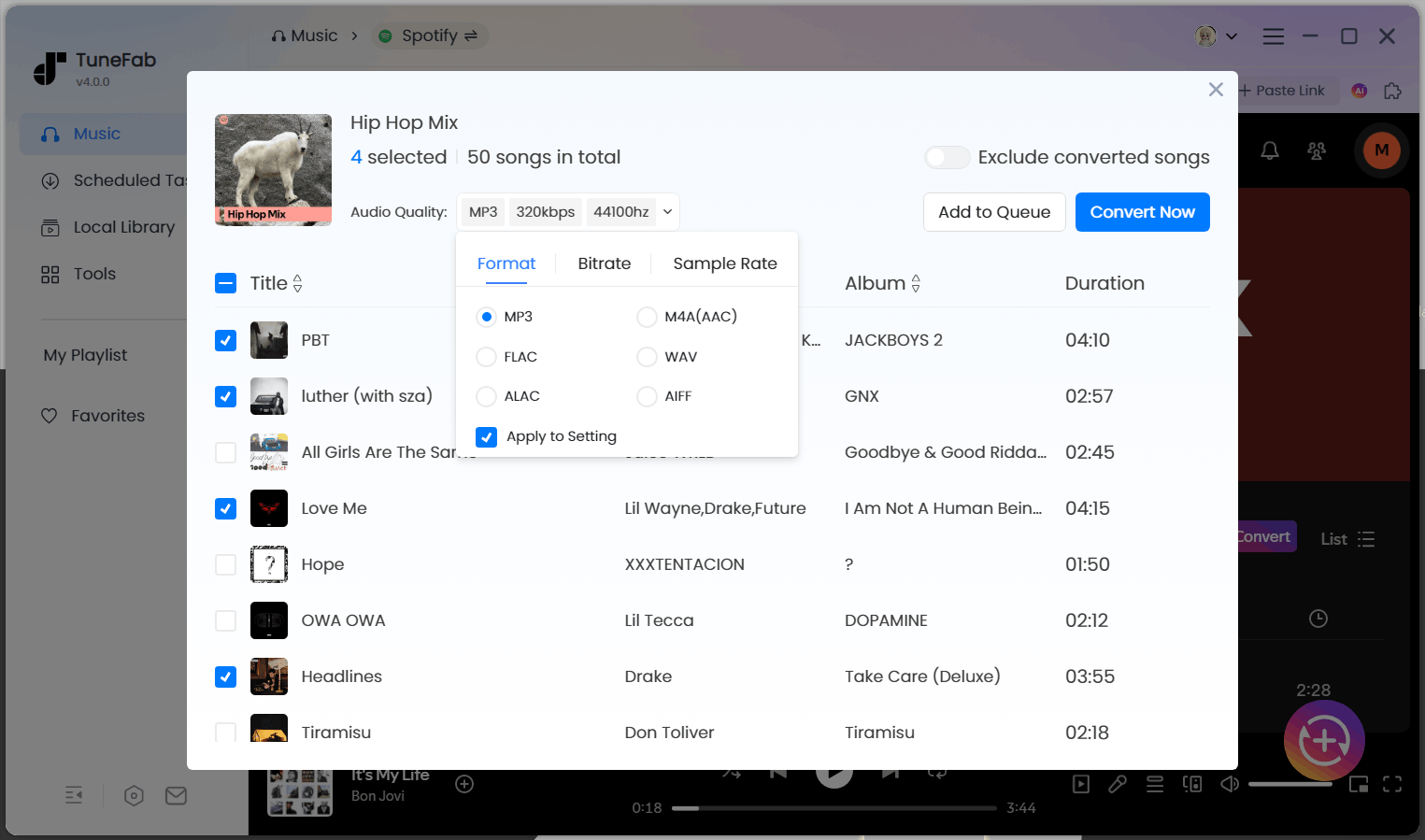
The converter will output downloads in MP3 format by default, with a bitrate of 256kbps and a sample rate of 44100Hz. If you need a different audio quality, change the bitrate and sample rate before converting.
Step 5. Start the Conversion
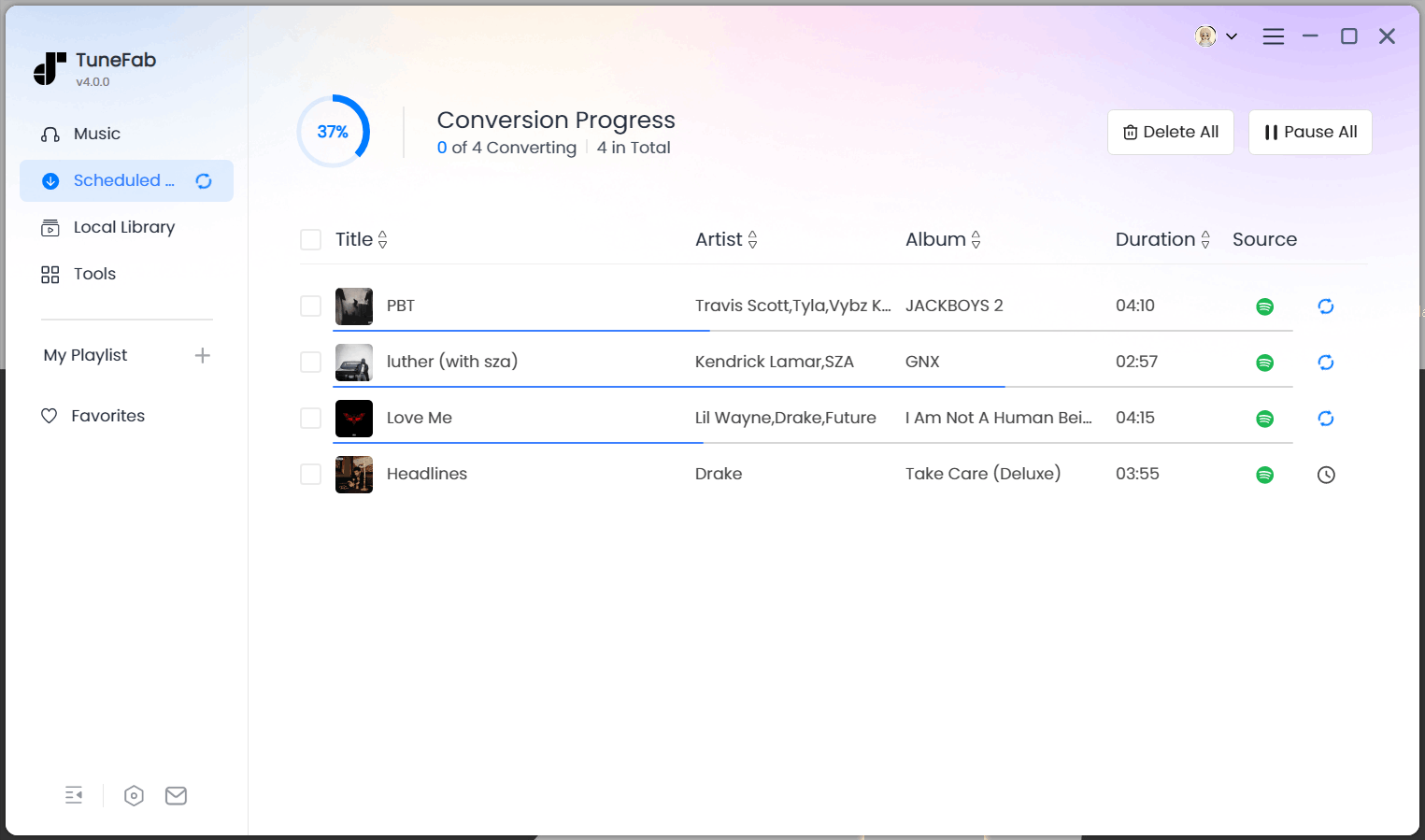
Click the "Convert Now" button to start the conversion. The progress will be shown in the "Scheduled Task" section where you can also initiate the conversion of songs by clicking "Convert All."
3. Download Music from SoundCloud to MP3 128kbps Online (3 Tools)
Using online services is one of the most straightforward ways to save SoundCloud songs as MP3 files. These platforms do not require installation, making them accessible on both computers and mobile devices. Most of them generate 128kbps MP3 downloads, which may not offer the best audio quality but are still sufficient for casual listening.
They are especially useful when you want to grab a single track quickly without relying on desktop software. Below are three of the most popular online SoundCloud to MP3 downloaders.
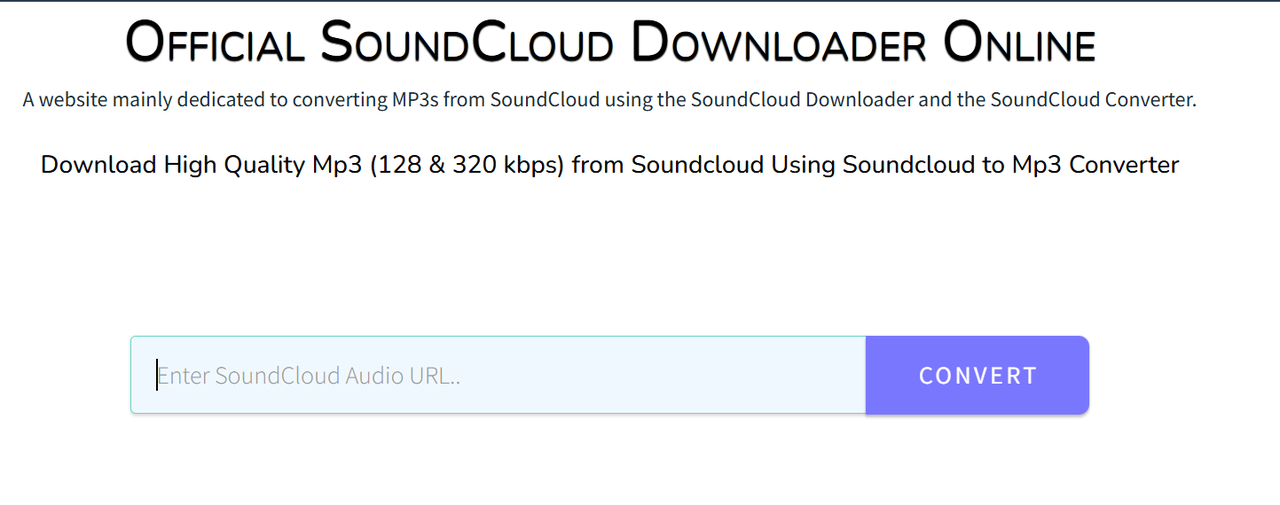
Via Klickaud
Klickaud is a long-standing online tool that has been widely used for downloading SoundCloud music to MP3. Its main appeal lies in its simple interface and fast conversion process. Users only need to copy and paste the SoundCloud URL, and the tool generates a download link within seconds. However, the audio quality is limited to 128kbps MP3, no matter what the site shows on the screen.
Playlist downloads are not supported either, so it’s best suited for those who want to download a few songs rather than entire collections. Another advantage is that it runs directly in your browser, so you can use it without installing any software.
Step 1: Visit the SoundCloud website and find the track you want to download. Once you’ve located the song, copy the URL from the browser’s address bar.
Step 2: Navigate to Klickaud. Once there, paste the copied SoundCloud URL into the search bar on the website. Then hit "Convert".
Step 3: After pasting the URL, click "Download the Song". The tool will process the link and generate an option to download the song in MP3 format.
Via SoundCloudMe
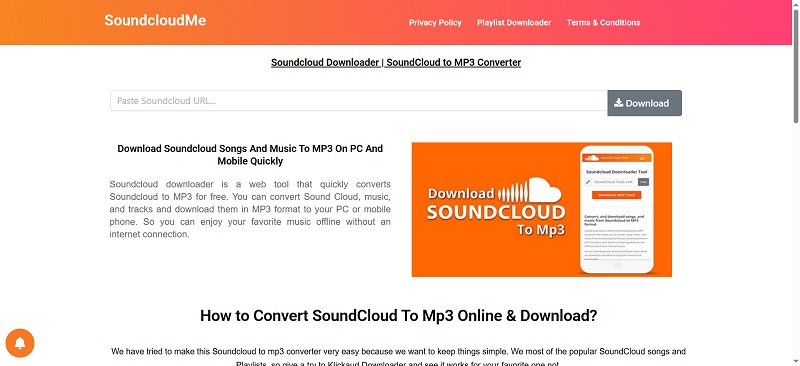
SoundCloudMe is another online SoundCloud to MP3 downloader that provides a clean experience with fewer ads compared to other free tools. It allows you to extract MP3 audio from SoundCloud tracks quickly, which makes it appealing for users who want a hassle-free option. Like Klickaud, the maximum quality you can get is 128kbps MP3, and it only works for single tracks. Another drawback is that the downloaded MP3 files come without ID3 tags, so you will need to organize the song information manually if you care about metadata such as artist or album.
One advantage is its relatively stable performance, meaning you are less likely to encounter broken links or failed conversions. While it does not support playlists or higher audio resolutions, it remains a reliable option for those who just need to save individual SoundCloud songs in MP3 format for offline listening.
Step 1: Copy the link of the SoundCloud track.
Step 2: Visit SoundCloudMe.com and paste the URL into the box.
Step 3: Click the "Download" button, then hit "Download Track", and the file will be saved in MP3 format.
Via SoundCloudMate
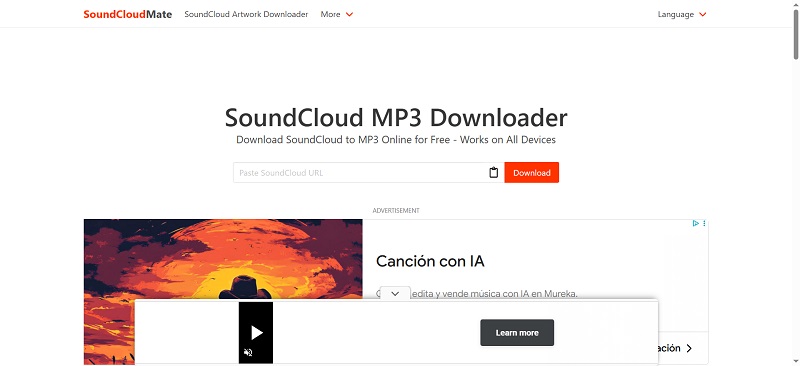
SoundCloudMate is a lightweight web-based SoundCloud to MP3 downloader that converts songs into MP3 files within seconds. It has an uncluttered design and focuses on speed, making it attractive to users who just want to get a track without dealing with confusing features.
While it shares the same limitation as other online downloaders—offering only 128kbps MP3s and no playlist support—it has the advantage of preserving ID3 tags in the downloaded files. This means details such as the song title and artist name are retained, saving you the trouble of editing metadata manually.
It also performs consistently across different browsers and devices. Many users appreciate its ease of use because it doesn’t overwhelm you with pop-ups or unnecessary steps. For listeners who want a simple and fast way to save SoundCloud songs for offline playback, SoundCloudMate remains a handy tool.
Step 1: Copy the SoundCloud track URL you want to download.
Step 2: Go to SoundCloudMate and paste the link in the input field.
Step 3: Press "Download" to generate the download link. Hit "Download" and then you'll be brought to a redirect ad page. Go back and hit the download button, and the MP3 file will be downloaded.
4. Download SoundCloud Songs to MP3 256kbps with Telegram Bot
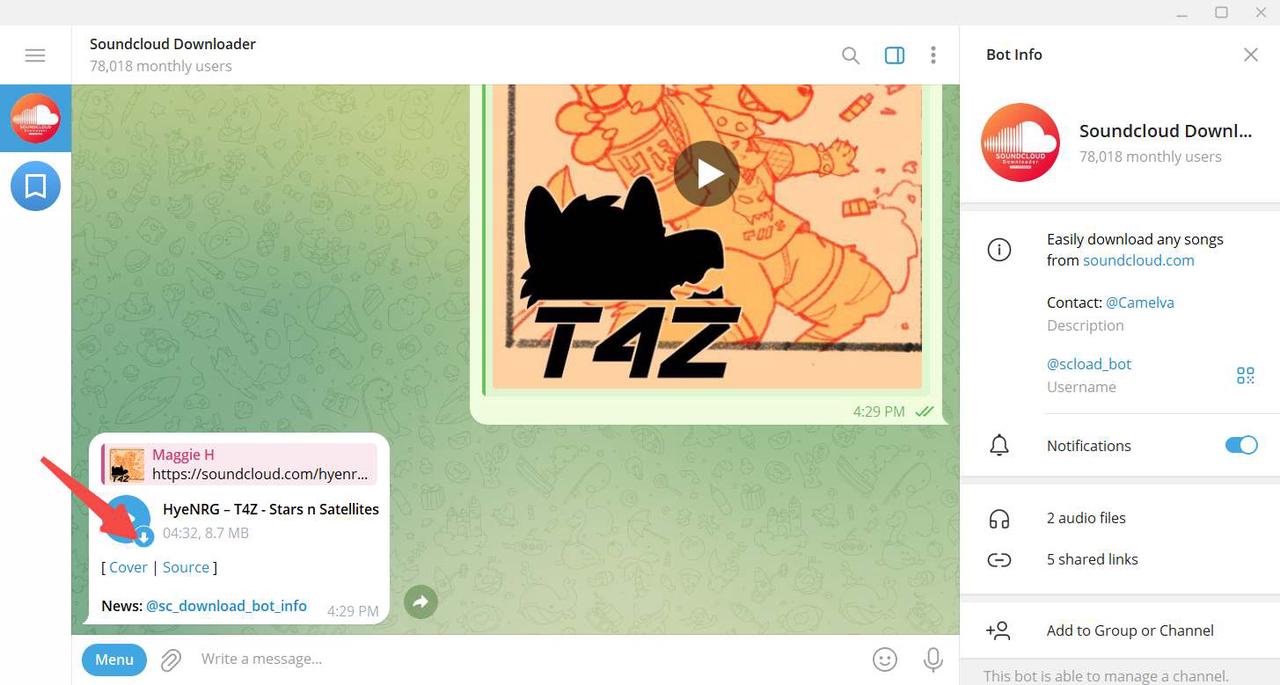
There's another free and convenient way to download MP3 from Soundcloud, using a Telegram bot like "@scload_bot" can be an excellent solution. Telegram, a popular messaging app available on Windows, macOS, Linux, Android, and iOS, supports various bots that perform different tasks, and one of them allows you to download SoundCloud tracks in MP3 format.
@scload_bot is a free bot that lets you download individual SoundCloud tracks as MP3 files with ID3 tags. The maximum bitrate it supports is 256kbps, which is a good balance between quality and file size.
Here’s how you can use this bot to download your favorite SoundCloud songs:
Step 1: Search for @scload_bot on Telegram and click Start to add it to your contacts. This bot will help you download tracks from SoundCloud directly into your chat.
Step 2: Copy the URL of the song and paste it into your chat with @scload_bot.
Step 3: Once you've sent the link, the bot will process the song and reply with a download link. Hit the down-arrow button to download the SoundCloud track.
To find the file, right-click on the audio message in the bot’s chat, and select Show in Folder. This will open the folder containing the downloaded song.
5. Record and Convert SoundCloud to MP3 320kbps with Recorder
The methods above help you download the full SoundCloud track. But if you want to clip just a section of a SoundCloud song and save it as an MP3, using an audio recorder like Audacity is a great option. It is a powerful open-source tool that can be used on Windows, Mac, and Linux.
It allows you to record SoundCloud audio playing on your computer and save it in MP3 format. Although it's not as straightforward as other methods, it's a reliable tool for those who want to capture high-quality sound from SoundCloud and convert it to MP3.
Here's how you can use Audacity to record and convert SoundCloud to MP3 320kbps:
Step 1: First, download and install Audacity on your computer. Once installed, open the application, and go to Edit > Preferences. In the preferences window, set the recording device to Windows WASAPI (for Windows users) or Core Audio (for Mac users). This ensures the software captures the audio playing from your computer.
Step 2: Next, click on Transport > Transport Options and make sure Software Playthrough is turned off. This prevents feedback and distortion during recording. Now, hit the red Record button and immediately start playing the SoundCloud track you want to capture.
Step 3: Once you've recorded the entire track, click the Stop button (the yellow square) to end the recording.
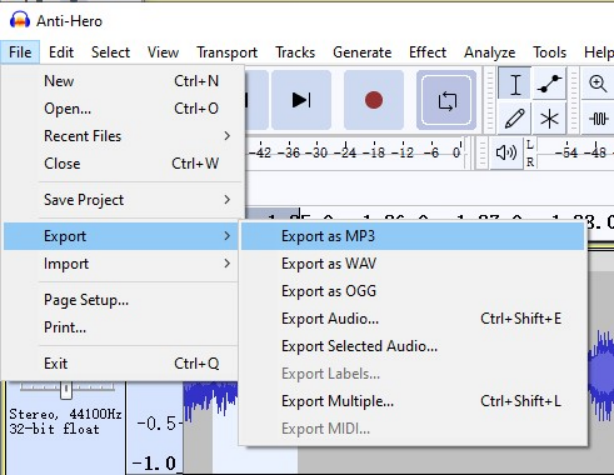
Step 4: To save your recorded audio, go to File > Export > Export as MP3. Choose where you want to save the file, name it, and click Save. Your SoundCloud track will now be saved as an MP3 file.
6. Download SoundCloud Music to MP3 with Android App
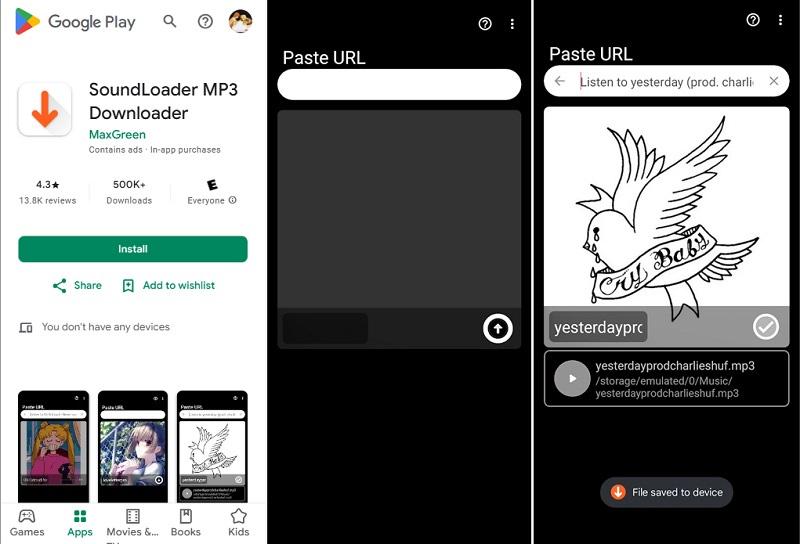
When it comes to mobile devices, the number-one option is SoundLoader MP3 Downloader by Green Mobile LLC. Android users can use this app to download single tracks from SoundCloud to their device queue and listen to them offline, with no login required.
The app claims to allow MP3 downloads with the bitrate up to 320kbps, but this is limited by the source. While very useful, it is more admixed with advertisements, and the majority of users report hearing an ad after pretty much every download. Others have commented-reporting bugs or download mismatches.
Here's how to download MP3 from SoundCloud using SoundLoader:
Step 1: Go to Google Play SoundLoader MP3 Downloader page and install the package on your Android device.
Step 2: Go to the SoundCloud app or site, select the track you will download, and hit the Share button. Copy the URL of the track.
Step 3: Launch SoundLoader and paste the copied link in the input box. The app will resolve the song info and present a download option.
Comparison and Conclusion
| Method | Playlist Support | Output MP3 Quality | Ease of Use | Platform | Clip Section Support |
| Direct Download from SoundCloud Website | ❌ No | Up to 320kbps | ⭐ Very Easy (If downloadable) | Web browser | ❌ No |
| TuneFab SoundCloud Music Converter | ✅ Yes | Up to 320kbps | ⭐⭐ Easy | Windows / macOS | ❌ No |
| KlickAud | ❌ No | 128kbps | ⭐⭐ Easy (with ads) | Web browser | ❌ No |
| SoundCloudMe | ❌ No | 128kbps | ⭐⭐ Easy (with ads) | Web browser | ❌ No |
| SoundCloudMate | ❌ No | 128kbps | ⭐⭐ Easy (with ads) | Web browser | ❌ No |
| Telegram @scload_bot | ❌ No | Up to 256kbps MP3 | ⭐⭐ Easy | Windows / macOS / iOS / Android | ❌ No |
| Audacity | ✅ Yes (manual recording) | Up to 320kbps | ⭐⭐⭐ Medium | Windows / macOS / Linux | ✅ Yes |
| SoundLoader MP3 Downloader | ✅ Partial (but unstable) | Up to 320kbps | ⭐⭐ Easy (with ads) | Android | ❌ No |
To sum up, we've explored several ways to download SoundCloud to MP3, including using direct downloads, online tools, and recording software like Audacity. While online tools are quick and easy, they often come with limitations like low audio quality and ads. Audacity is free, but it may pick up background noise and doesn’t always provide the best results.
For a smoother, faster, and higher-quality experience, we recommend using TuneFab SoundCloud Music Converter. It allows you to download full tracks, playlists, and albums in high-quality MP3 and other formats with ease.

