

Listen to Music Offline Anywhere No Internet Needed


Perfect for Offline Music on Planes,
Subways, Road Trips
No matter where you go, your music goes with you.

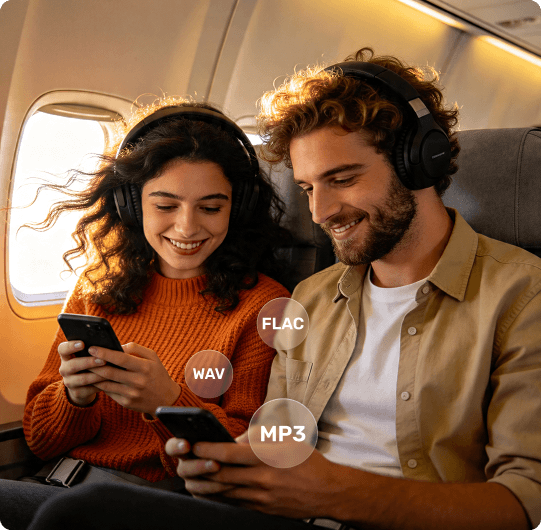
Offline Music for Flights - No Wi-Fi Needed
Long flights often mean limited or no internet access. Even when in-flight Wi-Fi is available, streaming music can be unstable, slow, or restricted. Many travelers prepare their music in advance to avoid interruptions.
With TuneFab All-in-One Music Converter, you can select your favorite playlists from streaming platforms and convert them into MP3, WAV, or FLAC files before your trip.
- Store music directly on your phone, tablet, or laptop
- Listen without any internet connection
- Avoid buffering, ads, or playback restrictions
This allows you to enjoy your full music library during flights, from takeoff to landing, without relying on streaming apps such as Spotify, Apple Music, Amazon Music etc.

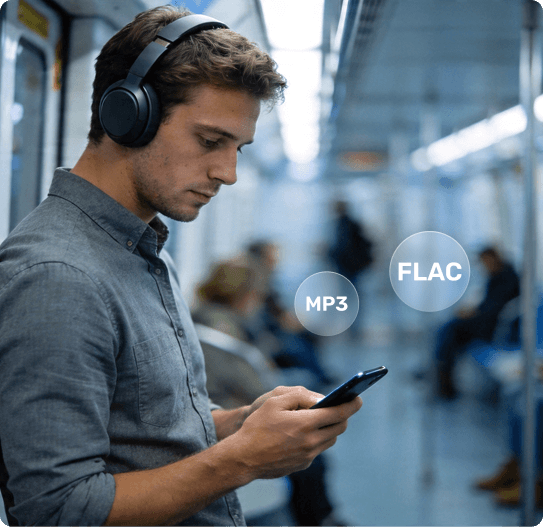
Offline Music for Commuting - No More Buffering
Daily commutes often involve unstable network conditions — especially in subways, tunnels, or crowded urban areas. Streaming music may pause, buffer, or drop in quality, interrupting your listening experience.
By converting your music with TuneFab Music Converter, you can create a fully offline music library that works anywhere.
- Play music instantly without waiting for loading
- Avoid signal-related interruptions
- Keep a smooth listening experience during your entire commute
Whether you're on the subway, bus, or walking through low-signal areas, your music plays consistently without relying on mobile data.

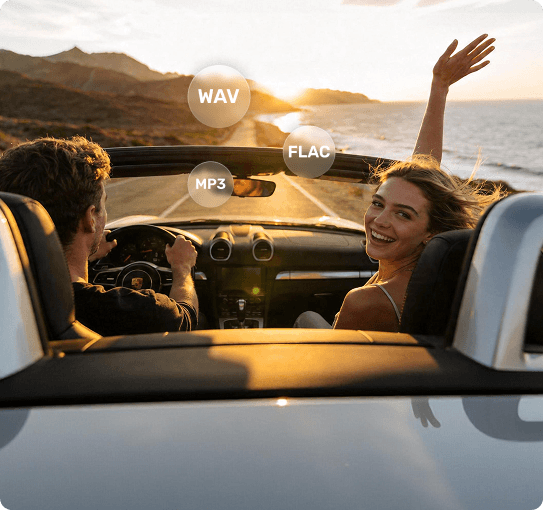
Offline Music for Travel - Perfect for Road Trips & Remote Life
When traveling, especially on road trips, camping, or van life journeys, internet access can be limited or inconsistent. Streaming music may not be reliable in remote areas, mountains, or highways.
With TuneFab, you can prepare your music before your trip and take it anywhere.
- Store music on USB drives, laptops, or mobile devices
- Play it through car audio systems or portable speakers
- Enjoy uninterrupted music even in areas with no signal
This makes it ideal for long road trips, camping, outdoor travel, and digital nomads working in remote locations. Your music becomes fully portable — no network required.
 Flying without Wi-Fi
Commuting through low-signal areas
Traveling in remote locations
Flying without Wi-Fi
Commuting through low-signal areas
Traveling in remote locationsOffline Music Files vs Streaming Offline Mode
Many streaming platforms such as Spotify, Apple Music, YouTube Music etc. offer offline playback through downloads inside their apps. However, these downloads are often limited to the app environment and come with certain restrictions. Converting music into standard audio files gives you a different level of control and flexibility.
 Yes
Yes
Yes
Yes No
Yes
No
Yes
No
Yes
No
Yes Limited
Full compatibility
No
Yes
No
Yes
App-dependent
Fully stable
Limited
Full compatibility
No
Yes
No
Yes
App-dependent
Fully stableStreaming offline gives you temporary access. Offline music files give you full control. Convert streaming tracks into MP3, WAV, or FLAC and listen anywhere, anytime.
What Is the Best Format for Offline Music?
The best format for offline music depends on how and where you listen.
Different situations, such as flights, commuting, or using car audio systems, require different balances between audio quality, file size, and device compatibility.
With TuneFab All-in-One Music Converter, you can convert your music into formats like MP3, WAV, or FLAC, depending on your needs.
MP3 - Best for Daily Use & Travel
MP3 is the most widely supported audio format and works on almost any device, including smartphones, car audio systems, and portable players.
It offers smaller file sizes, making it ideal for storing large music libraries without taking up too much space.
 Best balance of compatibility and storage efficiency
WAV - Best for Maximum Audio Quality
WAV is an uncompressed audio format that preserves the full quality of the original track. It is commonly used in professional environments such as DJ mixing and music production, where audio precision matters.
However, WAV files are significantly larger in size, which means they require more storage space.
 Best for sound quality and professional use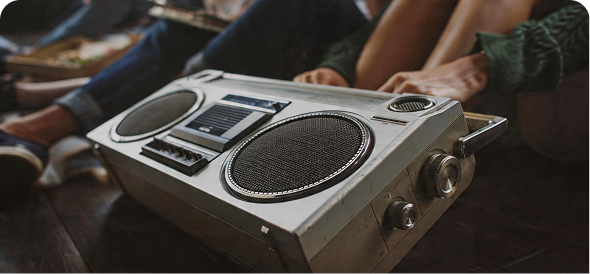
FLAC - Best Balance of Quality & Size
FLAC is a lossless compressed format that keeps high audio quality while reducing file size compared to WAV.
It is a good choice for users who want better sound quality than MP3 but still need to manage storage space efficiently.
 Best balance between quality and storage
Which Format Should You Choose?
Play Offline Music on Any Device
Once your music is converted into standard audio formats like MP3, WAV, or FLAC, it’s no longer limited to a single app. Your music becomes fully portable — ready to be played across different devices and environments, even without internet access.

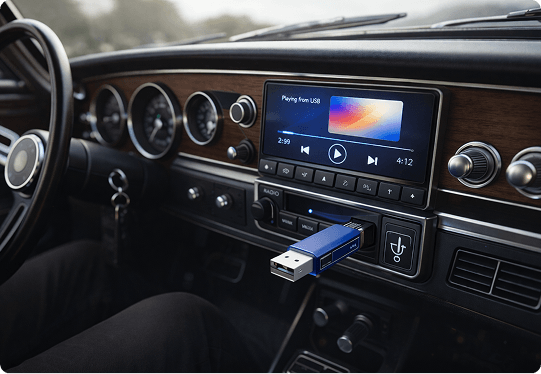
Car Audio
Listening to music in the car often depends on mobile data or streaming apps, which can be unreliable during long drives or in remote areas.
By converting your music with TuneFab, you can transfer tracks to a USB drive, SD card, or your phone, and play them directly through your car audio system.
- Enjoy uninterrupted music during road trips
- Play music without using mobile data
- Use older car systems that do not support streaming apps

Mobile Devices
Streaming apps often require subscriptions and may limit offline playback.
After converting music with TuneFab All-in-One Music Converter, you can store tracks directly on your phone and play them using any music player app.
- No internet streaming apps
- No subscription restrictions
- Instant playback without buffering


Home Audio Systems
For home listening, audio quality matters more than portability.
By converting music into FLAC or WAV, you can enjoy richer sound quality on home stereo systems, speakers, or media players.
- Home stereo systems
- Smart speakers (via local playback)
- Desktop or media players


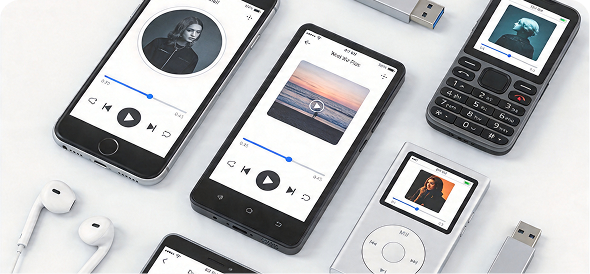
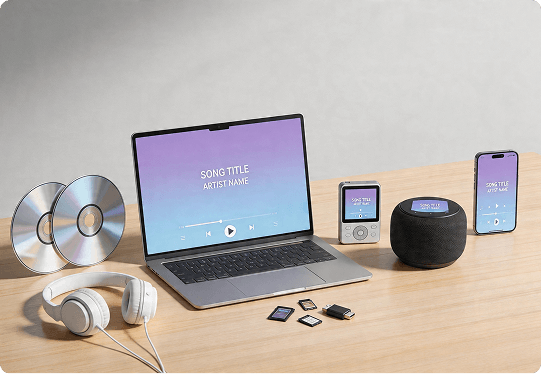
Portable Devices / Offline Players
Offline music files can be stored on a variety of portable devices, making them ideal for travel, outdoor activities, or low-connectivity environments.
You can play converted tracks on:
- MP3 players
- USB drives
- Laptops or tablets
- Portable speakers
This gives you complete flexibility to listen anywhere without relying on internet access.
Prepare Music for Offline Listening in 3 Simple Steps
Whether you’re getting ready for a flight, daily commute, or a long trip, you can convert and access your music in just a few steps with TuneFab All-in-One Music Converter. Let’s take a look at how it works.

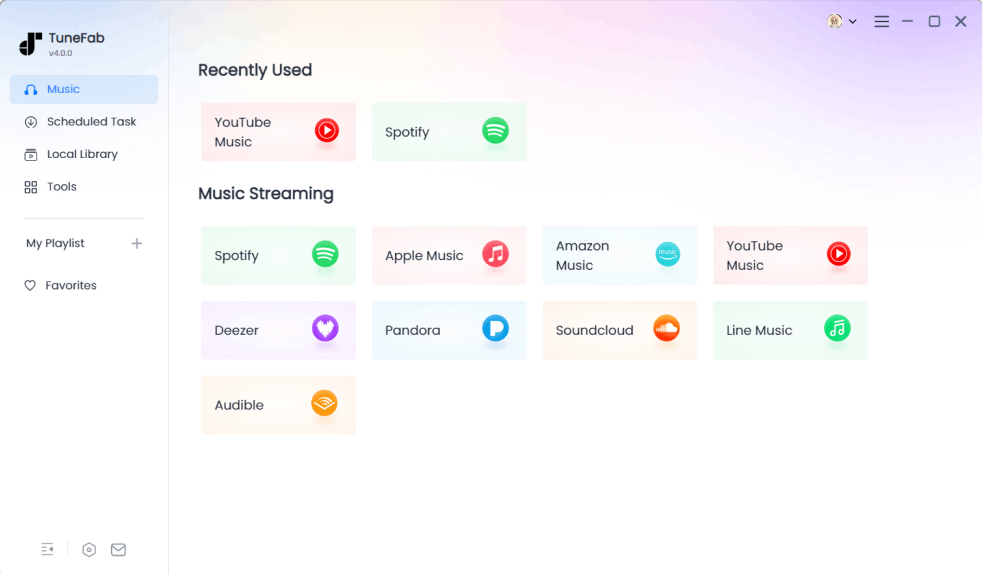
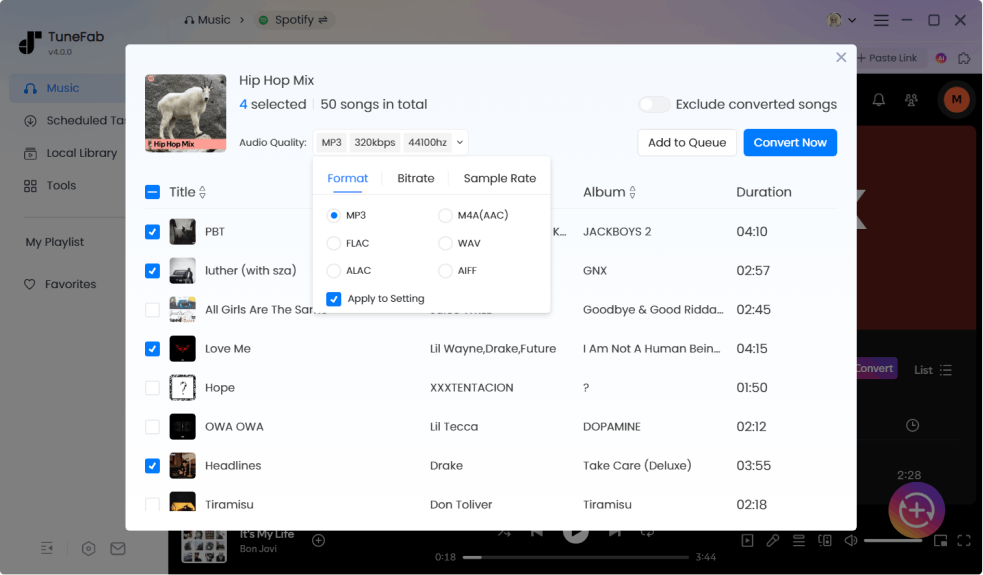
Choose Your Music From Streaming Platforms
You can browse playlists, albums, or saved tracks on your preferred streaming platform such as Spotify, Apple Music, or Amazon Music etc., whether you're preparing a relaxing playlist for a flight, daily commute, or a road trip.

Tip: Create a dedicated playlist for your trip or commute to make conversion easier.
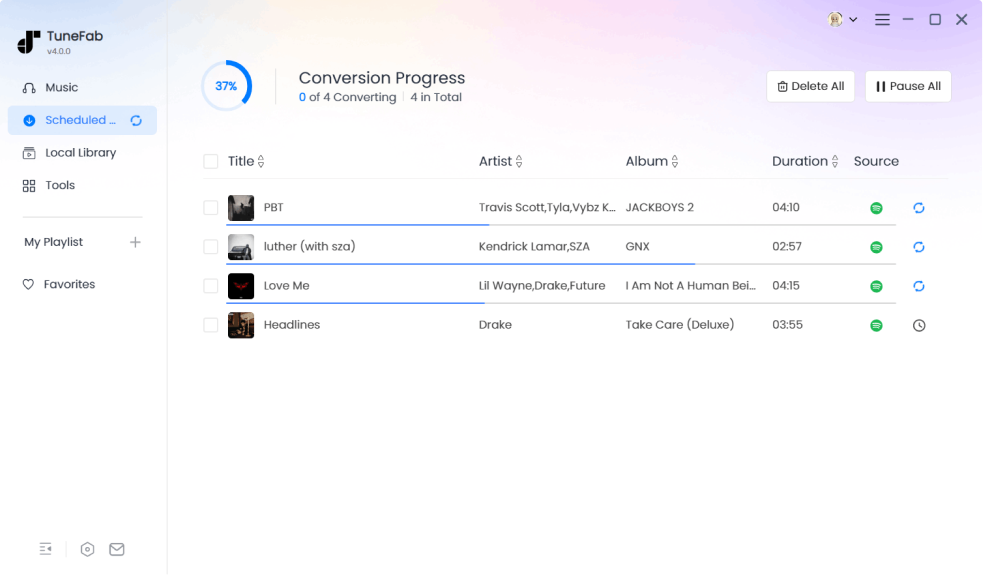
Convert Music with TuneFab for Offline Listening
Once you've selected your favorite tracks, use TuneFab All-in-One Music Converter to batch convert them into standard audio formats such as MP3, WAV, or FLAC, which helps remove platform restrictions and allows you to use your music freely across devices.
Transfer and Play Your Music on Any Device
After conversion, your music files are ready to be transferred to any device for offline listening. Enjoy your music anytime, anywhere, without an internet connection.
- Transfer files to your phone for commuting
- Copy them to a USB drive for car audio systems
- Store them on your laptop or tablet for flights
- Use them with portable speakers during travel
- ......
Your music is now fully offline and independent from streaming apps!
How People Use Offline Music Every Day

Use Case 1: Flight Traveler
Emma travels frequently for work and often spends long hours on flights.
Before each trip, she creates playlists on streaming platforms and uses TuneFab All-in-One Music Converter to convert them into MP3 files. She then transfers the music to her phone and tablet, so she can listen throughout the entire flight without relying on Wi-Fi.

Use Case 2: Daily Commuter
Daniel spends over an hour commuting every day on the subway.
He converts his playlists using TuneFab Music Converter into MP3 format and stores them locally on his phone, which allows him to listen without interruptions, even when the train goes underground.

Use Case 3: Road Trip Driver
Jake travels across the country in a van and often drives through areas with no signal.
He converts playlists using TuneFab and stores them on a USB drive. He plugs the USB into his car audio system and plays music continuously during long drives.

Use Case 4: Remote Worker
Sofia works remotely and often stays in areas with unstable internet.
She converts her playlists into FLAC format using TuneFab, stores them locally on her laptop, and listens while working or relaxing.
FAQs About Listening to Music Offline in Real Life
Yes. As long as your music is stored as local audio files on your device, it will play normally in airplane mode. Unlike app-based downloads, local files don’t require any background verification, making them more reliable during flights or in no-signal environments.
During daily commutes, especially in subways or tunnels, internet signals can be unstable. Instead of relying on streaming, such as Spotify, Apple Music, Amazon Music etc., many users convert their playlists into MP3 or FLAC files and store them locally. This allows instant playback without buffering or connection issues, making your commute smoother and more reliable.
For travel, camping, or road trips, offline music files are the most reliable option. Using TuneFab, you can convert your playlists and store them on USB drives for car audio systems, mobile devices, laptops or portable players etc., which ensures your music is always available, even in areas with no signal.
The best format depends on your use case:
- MP3 – best for travel and storage efficiency
- WAV – best for highest audio quality
- FLAC – best balance of quality and file size
With TuneFab All-in-One Music Converter, you can choose the format that fits your listening needs.
Yes. Once your music is converted into standard formats like MP3, WAV, or FLAC, it can be played on:
- Smartphones
- Car audio systems
- Home stereo systems
- USB drives and portable players
- ......
This gives you full flexibility across devices without relying on streaming apps.
It depends on the format and number of tracks. Compressed formats like MP3 take up less space and are suitable for large libraries, while higher-quality formats like WAV or FLAC require more storage. Most users choose formats based on their balance between storage capacity and sound quality.
Yes. With TuneFab All-in-One Music Converter, you can batch convert full playlists instead of processing tracks one by one, which is especially useful when preparing music for travel or offline listening.
Yes. Once your music is stored as local files, it can be reused anytime without needing to download it again. This makes it convenient for frequent travelers or users who want to maintain a stable music library over time.
Start Preparing Your Offline Music
Convert your playlists now with TuneFab and listen anywhere — no internet required!

