




Why Streaming Music Often Slows Down Creative Work

Not Ready for Editing
Streaming tracks are not always in creator-friendly formats, which makes direct use in editing software less practical.

Official Offline Mode Is Limited
Offline listening is built for platform playback, not for exporting local files you can organize and use in project timelines.

Workflow Friction Adds Up
Wrong formats, extra conversion steps, and inconsistent file handling can slow down content production more than expected.

Audio Quality Affects the Result
For intros, vlogs, podcasts, and short-form edits, poor audio output can make finished content feel less polished.
What Content Creators Care About Most
Creators do not just need playback. They need audio files that move cleanly into editing software, fit different project styles, and do not add extra friction to production.
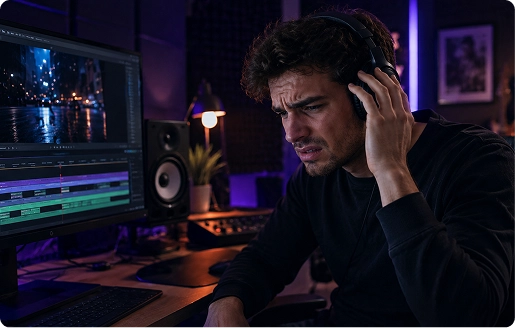
Audio Fidelity
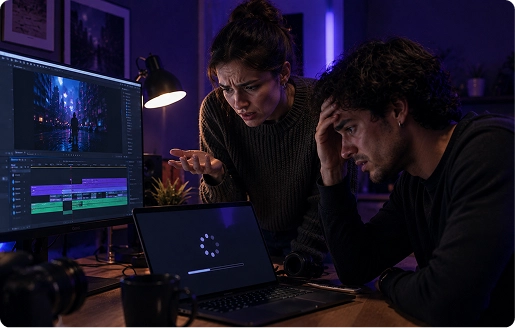
"I hate it when the background music sounds 'muddy' or distorted after I upload my video to YouTube/TikTok."
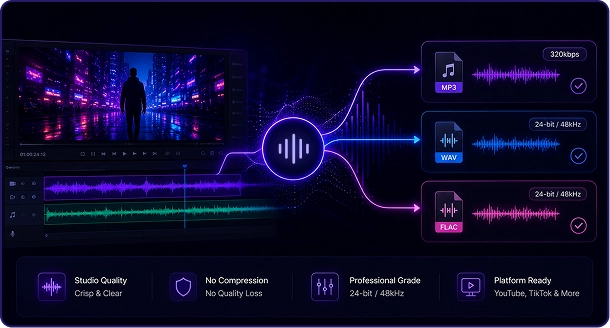
Studio-Grade Lossless Output
Don't let low-bitrate audio ruin your high-definition visuals. TuneFab extracts music in up to 320kbps MP3 or Hi-Fi WAV/FLAC, ensuring your soundtrack remains crisp and professional even after video platform compression.
NLE Compatibility
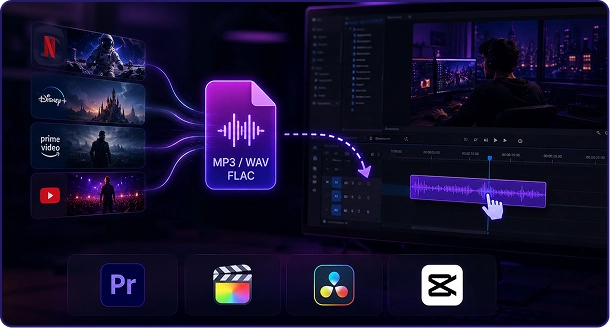
"My video editor (Premiere/CapCut) keeps showing 'File Format Not Supported' or requires slow transcoding."
Native Timeline-Ready Formats
Skip the extra steps. TuneFab converts streaming content directly into formats natively supported by Adobe Premiere Pro, Final Cut Pro, DaVinci Resolve, and CapCut etc. Just drag, drop, and start cutting.

Workflow Speed
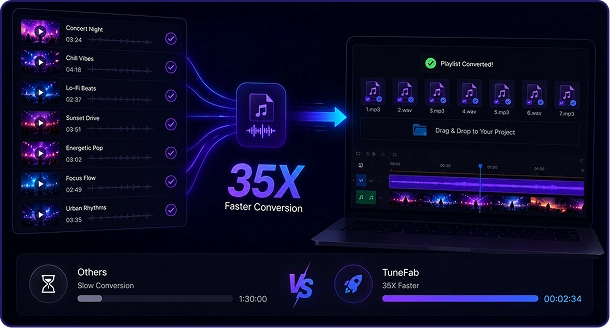
"I don't have hours to wait for tracks to download when I'm on a tight deadline."
35X Batch Processing
Time is your most valuable asset. Our advanced acceleration technology allows you to convert entire playlists at 35X speed. While others are waiting for progress bars, you’re already finishing your first draft.
Metadata Management
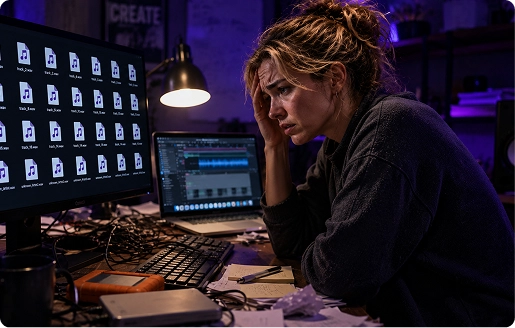
"My music folder is a mess of 'track_1' and 'unknown_artist'. It makes finding the right song impossible."
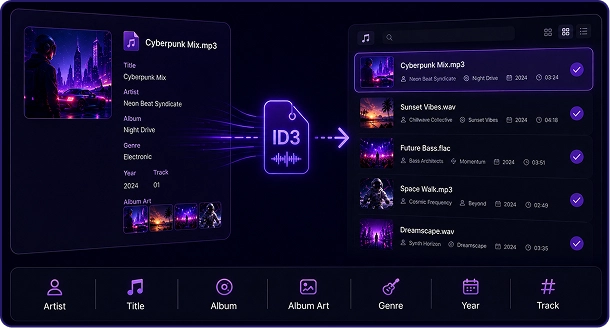
Smart ID3 Tags Preservation
Stay organized effortlessly. TuneFab automatically preserves all ID3 tags, including Artist, Title, and Album Art. Your media library stays clean, searchable, and professional, so you find the perfect beat in seconds.
Tailored for Your Content Type
This is not just about downloading audio. It is about preparing music files that fit the way creators actually edit, publish, and reuse content.
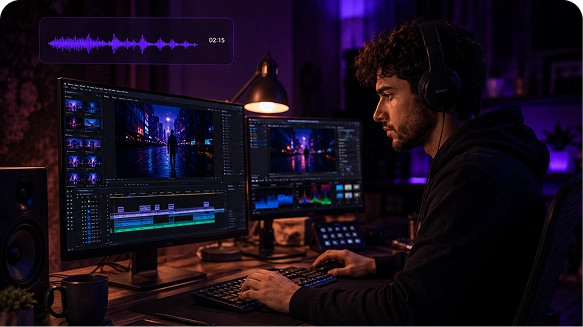
Prepare Intros, Outros, and Background Music
Build more flexible audio assets for long-form videos before importing them into your timeline for pacing, storytelling, or mood control.
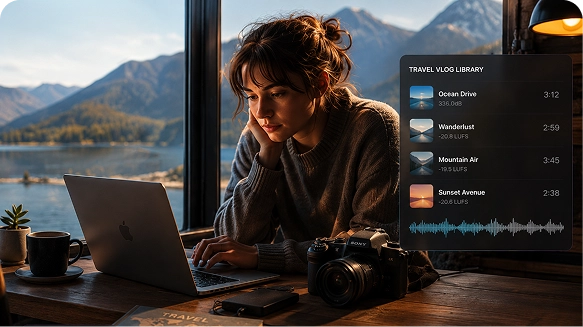
Create a Reusable Music Library for Edits
Keep creator-ready files on hand so you can work faster on recurring vlog formats, cinematic travel content, and story-driven sequences.
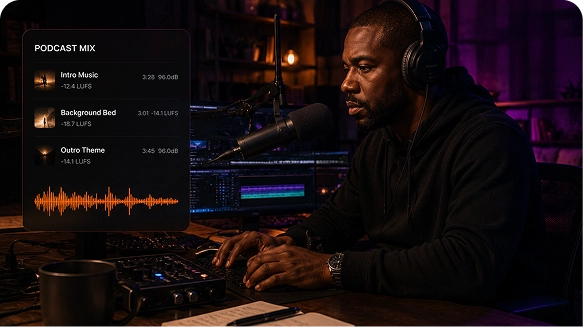
Use Music More Smoothly in Spoken-Word Projects
Export files that are easier to place around dialogue, intros, transitions, and closing segments during podcast or voiceover production.
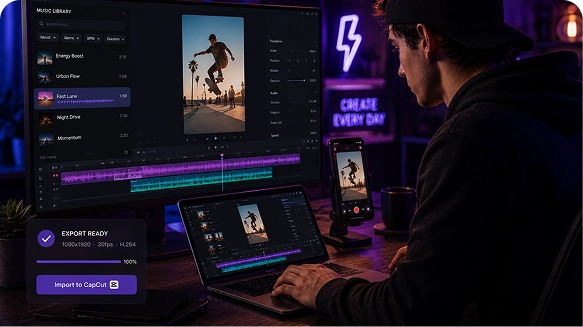
Speed Up Short-Form Content Production
When your output is fast and frequent, having audio files ready to edit can remove repetitive friction from each short-form project.
Works with the Editing Tools You Already Use
Once converted, your music files are easier to manage in common creative workflows for video editing, podcast production, and audio post-processing. That means less time troubleshooting compatibility and more time focused on the creative work itself.


High-fidelity audio assets ready for cinematic color grading and mixing.


High-fidelity audio assets ready for cinematic color editing.

Export lossless formats optimized for detailed waveform editing.
High-fidelity audio assets ready for cinematic color editing.
High-fidelity audio assets ready for cinematic color grading and mixing.
Export lossless formats optimized for detailed waveform editing.
Convert Music for Content Creation in 3 Simple Steps
A clear workflow for creators who want usable audio files without extra setup or unnecessary detours.
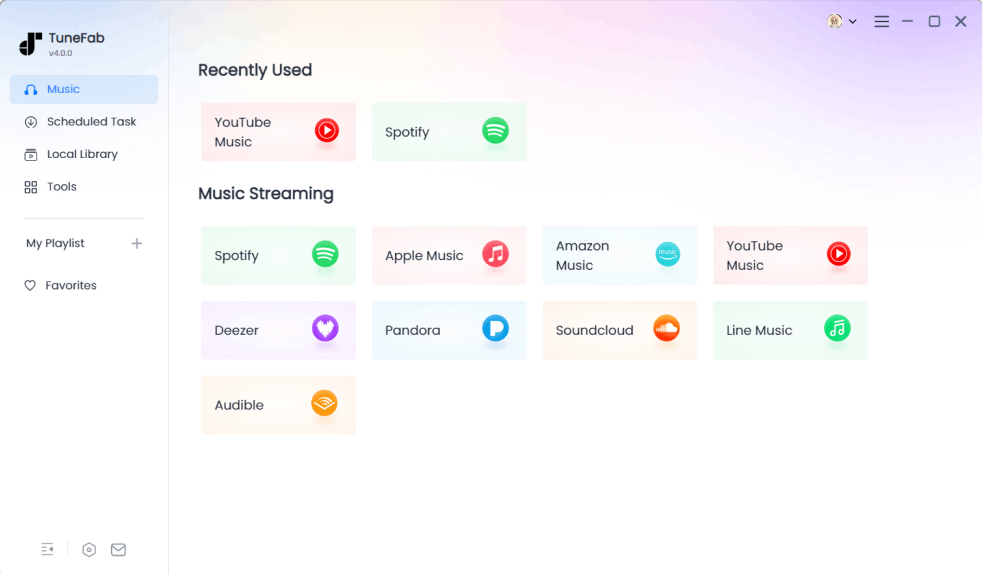
Select Your Music Source
Open the built-in web player and select the tracks or playlists that fit your project's mood. No need to toggle between apps—everything is in one dashboard.
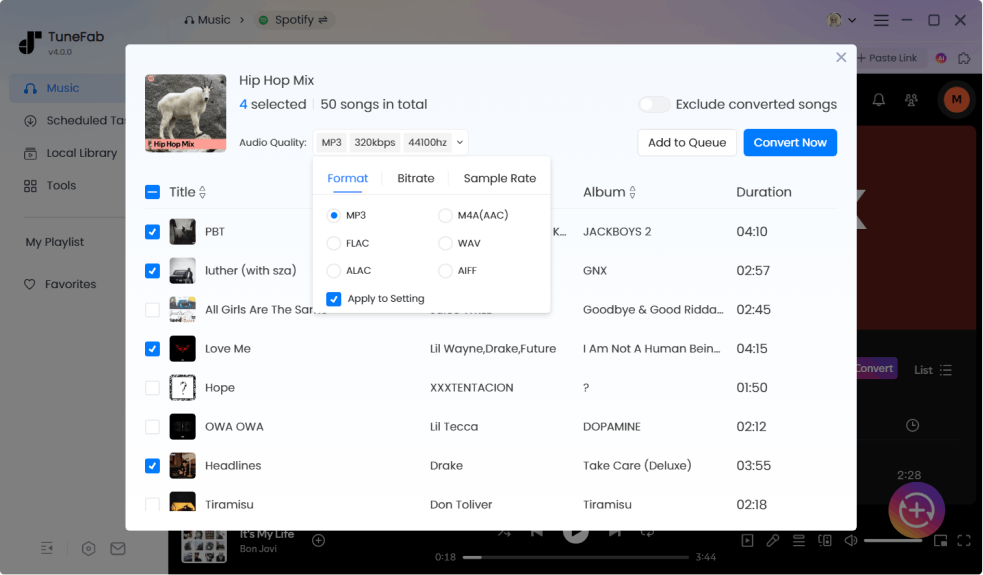
Choose the Output Format
Choose your production-ready format. We recommend WAV for cinematic mixing or 320kbps MP3 for social media content. Hit "Convert All" to process at 35X speed.
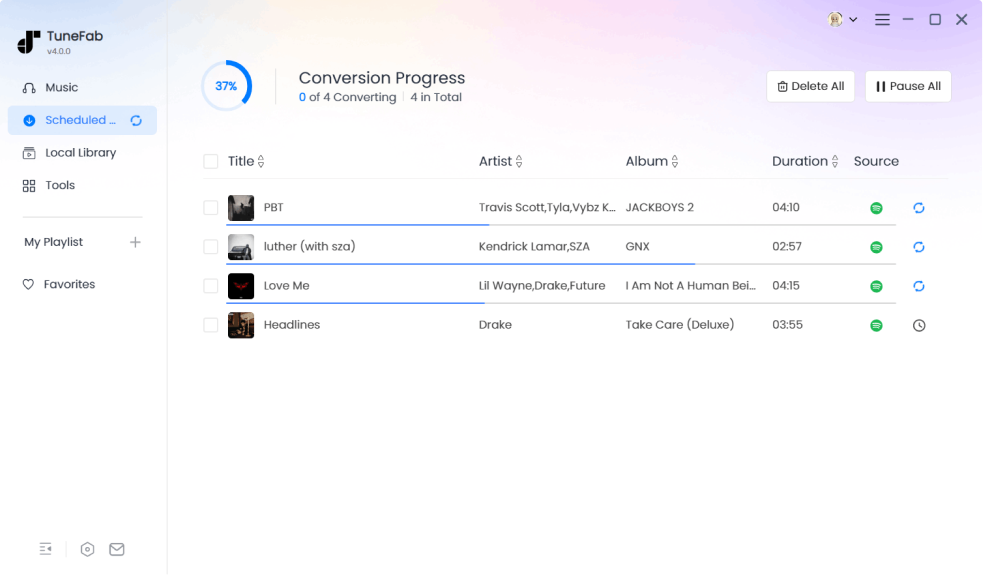
Export and Start Editing
Save your converted files locally and organize them the way you like. Drag your ID3-tagged files directly into your video or audio editing software. Your assets are now ready for the timeline instantly.
TIP:
If you're working specifically with streaming platforms, you can also see how to add Spotify music to a video or use Apple Music in video projects step by step. Need to trim or remix a track? Discover how to edit Spotify songs directly for your audio-visual sync.
Used by Creators Who Need Flexible Audio Files
See how creators turn streaming music into ready-to-use audio for real projects.


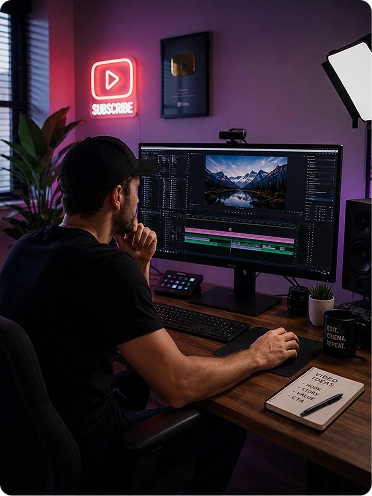
Use Case 01
YouTube Creator
Turn streaming tracks into timeline-ready audio for faster video editing.
Workflow
When working on a new video, Alex usually finds background music from a streaming platform that fits the tone and pacing of his content. Instead of struggling with formats that don't work in editing software, he converts the track into WAV or high-quality MP3, saves it locally, and brings it straight into his Premiere timeline where he can cut, adjust, and sync it with his footage.
Quote

“I used to waste time trying to get tracks into Premiere… now I just convert and drop them straight in. Way smoother.”
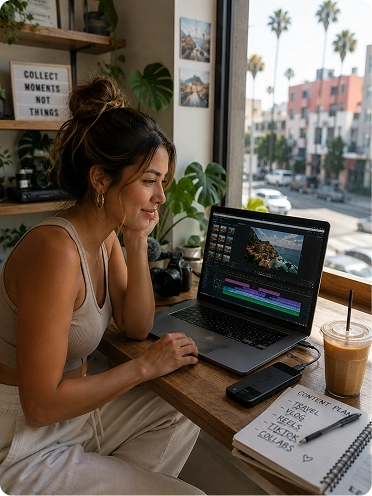
Use Case 02
Vlogger / Shorts Creator
Build a reusable music library instead of repeating the same process every time.
Workflow
Mia constantly comes across music ideas while browsing and creating content. Instead of processing tracks every time she edits a new video, she converts selected songs in batches and organizes them into a local library sorted by mood and style. When it's time to edit, she can instantly pick the right track and drop it into her project without repeating the same steps again.
Quote
“I don't want to redo the same process every time I edit. Having my own music library just saves me so much time.”
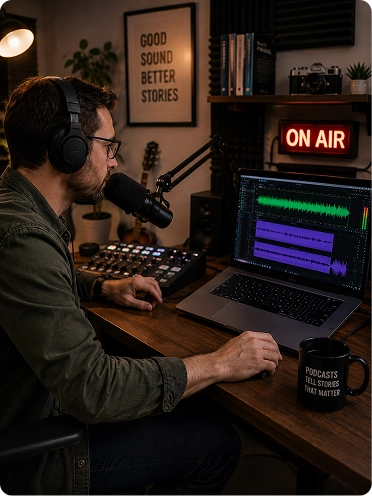
Use Case 03
Podcast Producer
Get clean, editable audio for podcast intros, transitions, and background layers.
Workflow
When producing an episode, Ryan selects music for intros, transitions, or background layers that match the tone of the conversation. Since streaming playback alone isn't enough for production, he converts the audio into WAV format, imports it into his editing software, and fine-tunes it by trimming, mixing, and balancing levels to fit seamlessly into the final podcast.
Quote
“Playback isn't enough. I need actual files I can edit, tweak, and mix properly.”

Use Case 04
Freelance Video Editor
Standardize his workflow across multiple platforms and client projects.
Workflow
Daniel often receives music references from different platforms depending on the client. Instead of juggling multiple tools and formats, he converts everything into consistent MP3 or WAV files in one place, organizes them by project, and brings them into his editing workflow. This keeps his process clean, predictable, and much faster when working on tight deadlines.
Quote
“I just need one reliable way to get usable audio, no matter where it comes from.”
FAQs About Music for Content Creation
Can I convert streaming music to WAV for video editing?
Yes. TuneFab supports output formats such as WAV, which is often a better fit for creators who want more flexibility during editing and post-production.
Which format is best for editing videos?
That depends on your workflow. MP3 is convenient for faster projects and smaller files, while WAV is often preferred when higher-quality editing needs matter more.
Does TuneFab work with more than one music platform?
Yes. The all-in-one music converter is designed for creators who use music from different streaming sources and want one conversion workflow in one tool.
Will the converted files work in my editing software?
Converted local audio files are generally easier to manage in common video and audio editing workflows than restricted streaming playback files.
Why is this better than using official offline mode?
Official offline mode is mainly for platform playback. Creators usually need local files in flexible formats that are easier to organize and use in actual projects.
Will the converted music maintain original Hi-Fi quality for professional editing?
Absolutely. TuneFab supports high-bitrate exports up to 320kbps MP3 and lossless WAV or FLAC. This ensures your background tracks remain crisp and clear, providing enough headroom for professional audio mixing in NLE software like Premiere Pro or Final Cut Pro.





Ready to Elevate Your Content?
Don't let technical barriers slow down your storytelling. Join 50,000+ professional vloggers, editors, and influencers who trust TuneFab for their audio assets.