


Apple Music is available on many modern devices, including phones, tablets, and newer Windows computers. But some users still keep older PCs running Windows XP, which leads to a practical question: can Apple Music still work on such an outdated system?
The short answer is no. Windows XP cannot officially run Apple Music through the web player, the Apple Music app, or a compatible version of iTunes. In this article, we'll explain why Apple Music does not work on Windows XP and walk through the alternative options that may still help you play music on an old XP computer.
Can You Use Apple Music on Windows XP?
For most Windows users, there are usually three ways to access Apple Music:
1. Apple Music Web Player
2. Apple Music App for Windows
3. iTunes for Windows
However, none of these options works properly on Windows XP. Its outdated browsers cannot reliably open the Apple Music web player, there is no Apple Music app version for Windows XP, and although Windows XP can run iTunes 12.1.3 or earlier, those versions do not support Apple Music.
In short, Windows XP does not officially support Apple Music through the web player, the Apple Music app, or supported iTunes versions.
Why Apple Music Doesn't Work on Windows XP?
So why exactly doesn't Apple Music work on Windows XP? The answer lies in several technical limitations of the operating system. Let's take a closer look at the reasons behind each access method.
Why Apple Music Web Player Doesn't Work on Windows XP
The Apple Music Web Player uses modern web technologies and DRM to stream music securely. And that's where XP hits a wall. You can't run any up-to-date browsers on it anymore. The browsers that do work on XP are extremely outdated and lack support for the technologies Apple Music needs. For example, Internet Explorer 8, the latest version officially available for Windows XP, only supports the TLS 1.0 protocol, while Apple Music servers require newer encryption standards such as TLS 1.2 or higher.
If you want to learn more about Apple Music web player, you can read the guide:
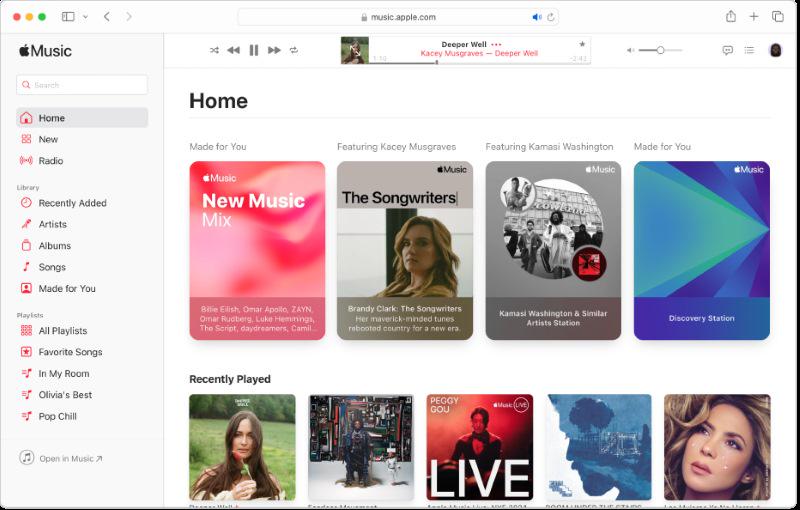
Even if you manage to find third-party browsers for XP, like MyPal, or older versions of Chrome or Firefox, they still cannot handle the modern web APIs and DRM mechanisms that Apple Music uses. As a result, even if the web page loads, music playback will probably fail, showing messages like "decryption failed" or "connection error."
Why New Versions of iTunes Don't Support Windows XP?
iTunes used to be the main way to access Apple Music. When you hear that iTunes 12.1.3 or earlier can run on Windows XP, you might think you could use it to play Apple Music on your old system. But that's not the case.
Apple Music was announced in June 2015. But iTunes 12.1.3 and earlier were released before that. So they were built for a different era, mostly as all-in-one media players for local music. No Apple Music support, no streaming.
The first version to actually bring Apple Music to Windows was iTunes 12.2. That's when Apple moved the FairPlay DRM decryption library to the Windows version of iTunes. This finally allowed Windows users to play Apple Music's encrypted streams, including streaming playback, song purchases, downloads, and cloud synchronization.
You May Also Like:
Since Windows XP is too old, Apple decided not to backport the FairPlay library to it. So even today, Windows XP cannot run the new version of iTunes that supports Apple Music, nor can it play DRM-protected streaming content. If you want to get Apple Music experience, you'll need at least Windows 7.
Why the Apple Music App Cannot Run on Windows XP?
The minimum system requirement for the Apple Music Windows App is Windows 10 or later. Windows XP came out in 2001, and Windows 10 landed in 2015. In those 14 years, the Windows kernel, system architecture, and security mechanisms all went through massive upgrades. So, to put it simply, XP is just too old to meet the requirements for this "modern app."
To get a bit more technical, the Apple Music Windows App is built using Microsoft WebView2, which basically embeds the Microsoft Edge engine inside the app to render web content. WebView2 itself requires system components available only in Windows 10 and Windows 11.
In addition, the Apple Music Windows App is developed using the UWP, a modern application framework introduced with Windows 10. UWP apps follow their own runtime rules and security management system. But the kernel of Windows XP was created nearly a decade before the concept of UWP even existed. Trying to run the Apple Music Windows app on XP is like trying to watch a 4K video on an old CRT monitor from 2001. The signal just doesn't match, and no amount of tweaking will make it work.
Workarounds to Play Apple Music on Windows XP
If you've read this far and are starting to feel a little discouraged, don't close the page just yet. Although direct methods don't work, there are still practical alternatives you can try. Below, I'll introduce three proven workarounds, and you can choose the one that best fits your needs.
Method 1: Use an Older Version of iTunes
First, let's go back to the official tool—iTunes. As mentioned earlier, iTunes 12.1.3 and earlier versions can still run on Windows XP. This means that if you only want to play songs you previously purchased from the iTunes Store, manage a local music library, play DRM-free audio files, or even sync certain older iPod devices, it will still work without problems.
However, when it comes to Apple Music streaming or accessing the Apple Music subscription catalog, which requires newer software and the FairPlay DRM library, it simply won't work, even if you sign in with your Apple ID.
In short, this workaround has very limited use cases. It is only suitable for users who just want to listen to music that is already stored locally on their Windows XP computer.
Method 2: Try a Specialized Third-Party Browser
If you still want to access the Apple Music subscription service, you can try some third-party browsers optimized for Windows XP, such as Mypal Browser, New Moon Browser, and K-Meleon. These browsers are based on newer browser engines that have been ported to work on XP, which means they may be able to load the Apple Music web player.
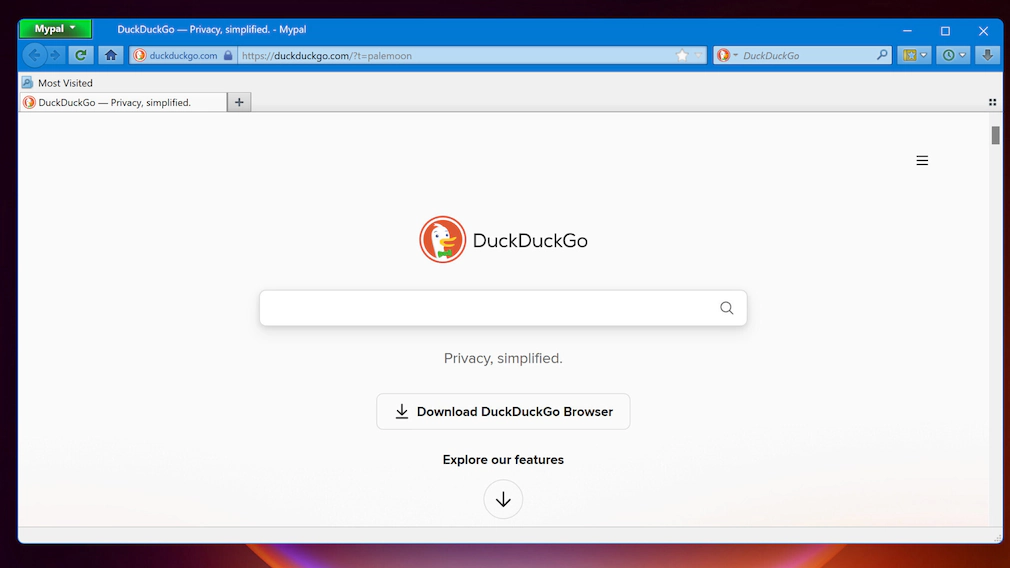
However, this method also comes with several limitations. These browsers are still far behind modern web standards, which may cause page loading failures or playback lag. Even if playback works, certain features may not function properly. Most importantly, many of these browsers no longer receive security updates, which means using them online may expose your system to serious security risks.
Overall, if you have the time and patience, trying a third-party browser optimized for Windows XP can still be worth a shot. At the very least, it gives you a chance to access Apple Music on XP. However, the success rate is quite low, so it's best to try it with reasonable expectations.
Method 3: Convert Apple Music to MP3 for Windows XP Playback
The final method is arguably the most stable and reliable workaround: use TuneFab Apple Music Converter to bypass DRM protections and convert Apple Music to MP3. The converted files can then be transferred to Windows XP for flexible playback.
This tool has a built-in Apple Music web player. After logging in with your Apple ID, you can select songs or playlists and convert them in batches to common DRM-free formats. Compared with the previous two methods, this approach requires some investment but offers a more practical and stable way to make Apple Music playable on Windows XP.
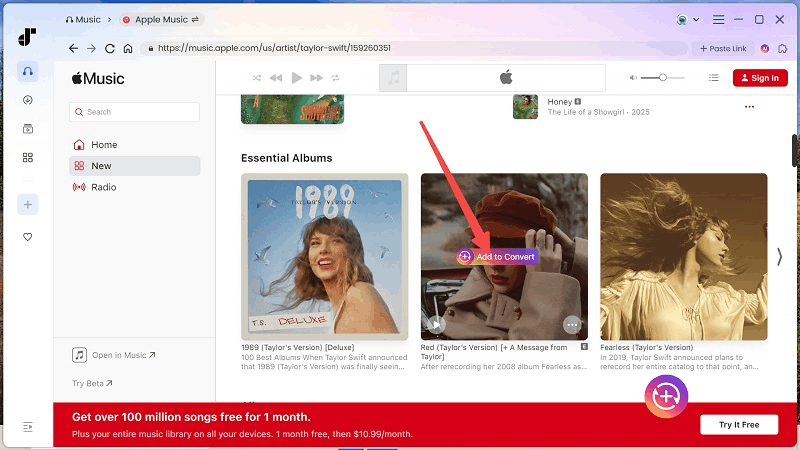
However, this solution is not perfect. Because it bypasses certain technical restrictions, it may involve copyright-related risks depending on your region. Before using this kind of tool, make sure to check the local rules that apply to digital music and use it only for personal playback where permitted.
Conclusion
Windows XP cannot run Apple Music directly through official methods. The web player depends on modern browser support, the Apple Music app is not available for XP, and older iTunes versions do not support Apple Music streaming.
If you only want to play music files already stored on your XP computer, an older version of iTunes may still be enough. If you want to try accessing Apple Music itself, some third-party browsers may be worth testing, but the success rate is limited and the security risks are higher. For users who want a more stable way to make Apple Music songs playable on Windows XP, converting them to common audio formats is the more practical workaround.
TuneFab Apple Music Converter can help with that by converting Apple Music songs into formats such as MP3 for playback on older systems like Windows XP. If your goal is not just to test what works, but to actually keep Apple Music playable on an outdated computer, this option is the more reliable one to consider.

