


Streaming is great, but nothing beats offline playback, especially if you have an unstable network. It is no surprise to see so many users looking for the best music downloader to get MP3s from Spotify, YouTube, Apple Music, or other streaming services.
Fortunately, this is not a big deal, and many tools are working to help. In this 2026 review, we have collected 6 of the best MP3 downloaders for PC and phones to help you save music for offline listening on all devices. Now, keep reading and see who they are.
Quick Look: Comparison of Top Free MP3 Downloaders for Computers & Phones
So, which MP3 music download tool is right for you? To save you time, here is a quick summary.
| Product | Download Method | Resources | Downloading Speed | Output Quality | Output Format | Batch Conversion |
| TuneFab All-in-One | Built-in web players | Spotify, Apple Music, YouTube Music, etc. | Super fast (35X) | Lossless / 320kbps | MP3, M4A, FLAC, WAV, AIFF, ALAC | ✔️ |
| MP3 Juice | Search keywords or URL analysis | YouTube | Fast | 192kbps | MP3 | ❌ |
| AceThinker | URL Analysis | 1000+ streaming sites | Slow | 128Kbps | MP3 | ❌ |
| VideoHunter | Built-in search engine | 1000+ streaming sites | Fast | 320kbps | MP3, MP4 | ✔️ |
| Audiomack | Direct download in app | Internal library | Medium | 160kbps | MP3 | ❌ |
| Fildo | Direct download in app | Podcasts & limited music | Fast | Compressed 320kbps | MP3, FLAC | ❌ |
How We Test MP3 Music Downloaders for PC and Phone
To provide you with the most trustworthy guide on how to download music to computers and mobile devices, our team conducted a 48-hour hands-on lab test on each tool. Our evaluation is based on four factors:
- Supported resources and legality: Reliability and security are our top priorities when picking the best music downloader.
- Output formats: Check safe music converters supporting common formats like MP3, FLAC, and WAV to ensure your downloads work on MP3 players, car stereos, USBs, and more.
- Output audio quality: Prioritize tools that can save streaming music offline while preserving the original 320Kbps bitrate.
- Conversion speed and stability: We tested how each music download tool handles a 100-song playlist. A high-ranking one must support batch conversion to save you hours of manual work.
- User-friendly and device compatibility: The best music downloaders should also offer a clean, intuitive interface that's easy to navigate on both PC and mobile devices.
By considering these factors, move on now to explore our tested MP3 music downloaders for both computers and mobile phones.
Best 4 MP3 Music Downloaders for Windows/Mac
We have tested 10+ tools to help you quickly find the best way to download music to your computer. The following 4 choices stand out for their security, high efficiency, and high output quality for building an offline music library.
1. TuneFab All-in-One Music Converter (Best for 320kbps Lossless MP3s)
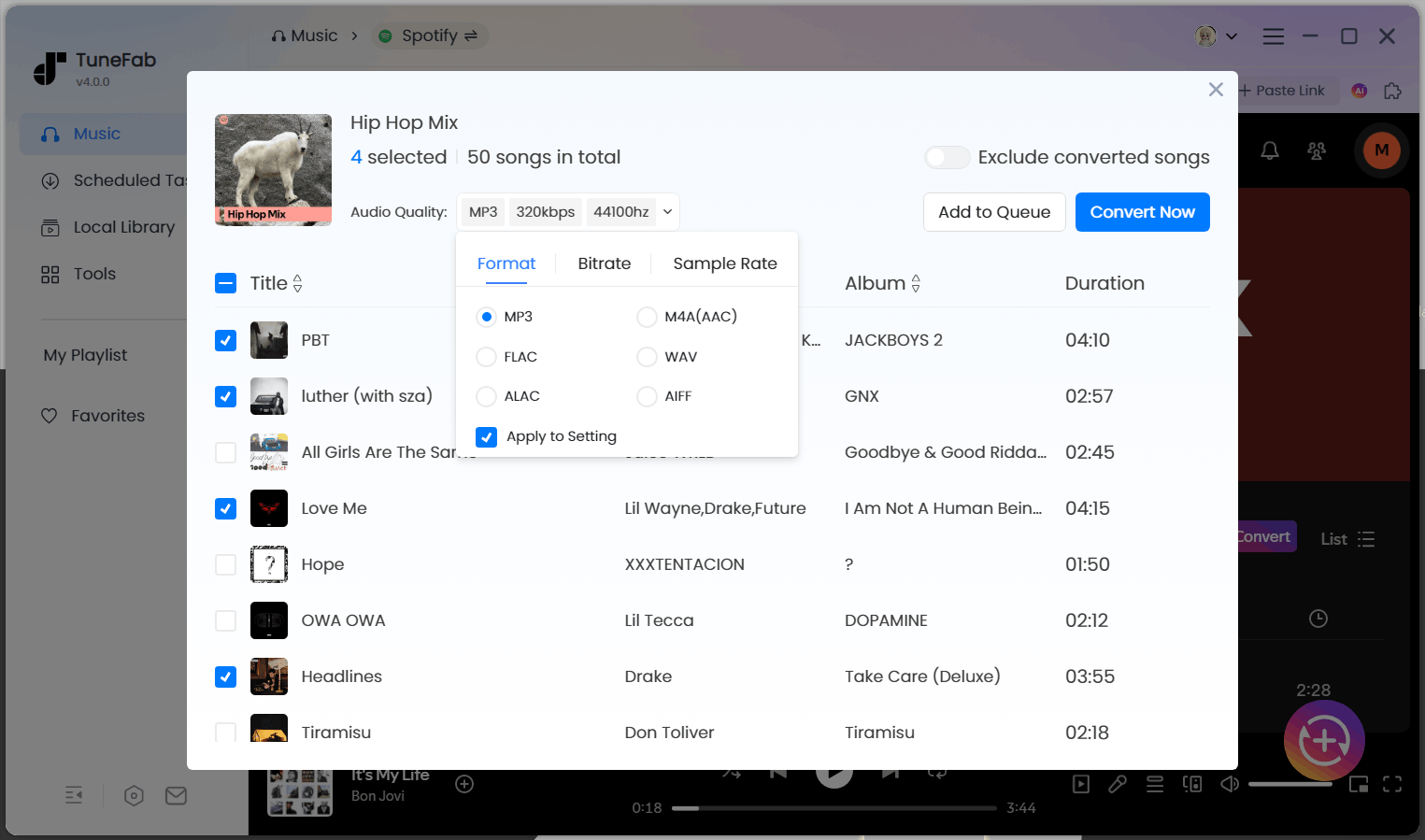
When it comes to the most reliable MP3 music downloader for Windows and Mac, TuneFab All-in-One Music Converter is our top recommendation for 2026. It integrates multi-platform web players directly, providing a seamless way to save music from Spotify, Apple Music, Amazon Music, YouTube Music, Deezer, and Pandora rather than relying on unstable free MP3 music download sites or low-quality sources.
During our test on Windows 11, this download tool successfully processed a batch download of a 100-track playlist in 5 minutes, converting all songs to 320kbps MP3s. The process was entirely crash-free, boasting a near 100% success rate. Also, the original audio quality and ID3 tags are well preserved. Plus, it features a robust security system to prevent malicious attacks and protect user data, ensuring a 100% safe service.
Pros
- Uses embedded web players to maintain the highest conversion success rate.
- Access 9+ top streaming services within one app to save music in MP3, WAV, M4A, FLAC for offline listening.
- Supports batch downloading music playlists at 35X faster speed to save your time.
- Keeps up to 320Kbps/lossless music quality to ensure the best playback experience offline.
- Saves original ID3 tags so that you can manage your offline music library more conveniently.
- No bundled malware or intrusive ads were detected in our 2026 security test.
Cons
- The free trial only converts 3 full songs.
2. MP3 Juice Music Downloader (Best for Quick Free Searches)
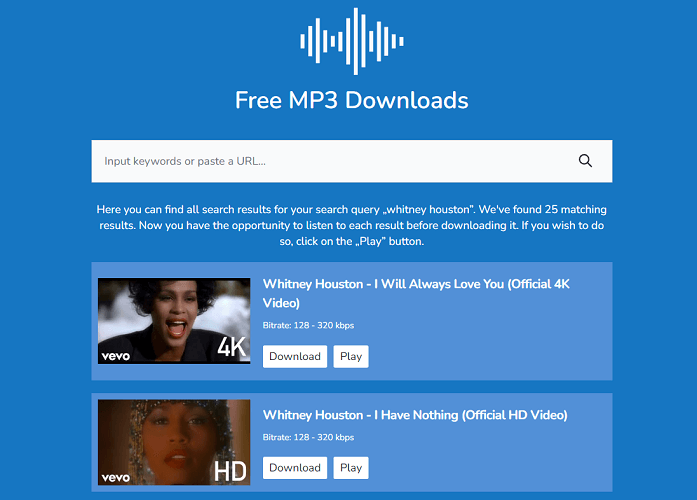
MP3 Juice Music Downloader is one of the most popular free MP3 music download tools online for users who need a quick solution without installing any software. It features a powerful embedded search engine, so you can download MP3 music for free by entering song titles or artist names. However, its music resources are only grabbed from YouTube, and many copyrighted songs can't actually be found.
During our testing, we found its output quality is typically limited to 192kbps, which is decent for casual listening but may not satisfy audiophiles. Also, it is a pity that this tool doesn't support batch download of our playlist with 100 tracks, so it may not be a suitable album downloader if you have a large collection.
Pros
- Accessible on all devices with a web browser
- Convenient searching function to find music to download directly
- Quick resolving and downloading speed
- Completely free to use
Cons
- Ads will pop up while trying to download music offline
- Many resources are missing
- No quality options to select
3. AceThinker Free URL to MP3 Converter (Best for Online Downloads via Links)
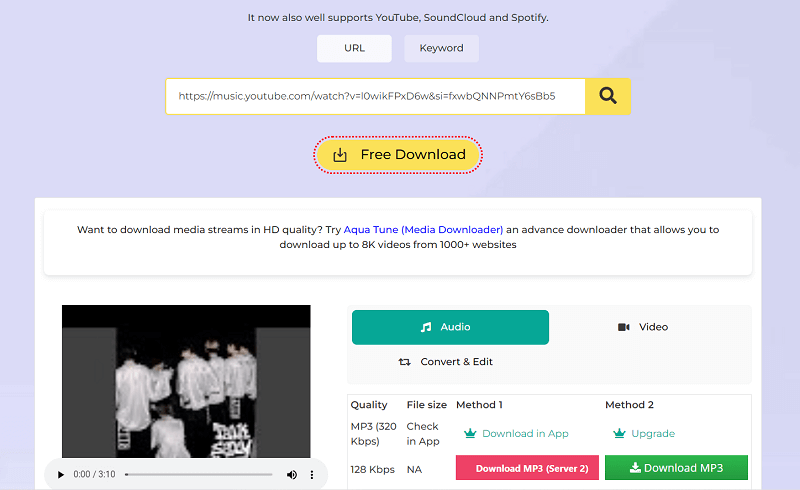
Another free MP3 downloader offering reliable help is AceThinker Free URL to MP3 Converter. Unlike MP3 Juice, this online tool is ad-free and multi-service supported, including YouTube, SoundCloud, and Spotify. This ensures a safer experience when downloading music to MP3, regardless of what devices you are using.
However, we notice that it may contain fake download buttons, so careful attention is needed when clicking. Also, if you need the best 320Kbps, you will need to install the desktop software to help.
Pros
- Offers various formats and quality options to select downloaded video/music
- No messy pop-up ads
- Easy and free to use
- Well compatible with different device systems
Cons
- You can only download MP3 music at up to 128Kbps quality using the online service
- The resolving speed is slow and unstable, with failures occurring sometimes
- Not support downloading playlists at once
4. VideoHunter (Best for Bulk Audio & Video Downloads)
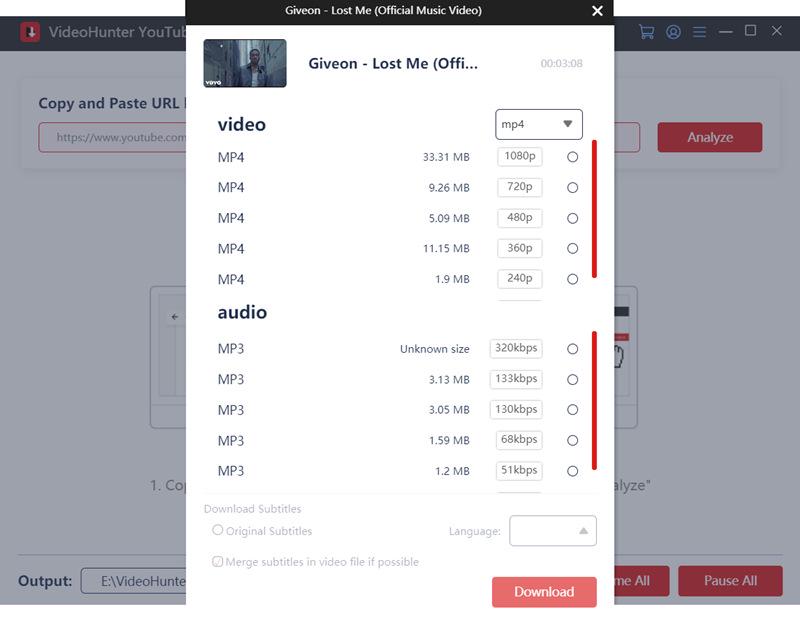
VideoHunter is a versatile tool that supports over 1,000 streaming platforms, letting you download both audio and video. It features an integrated web browser for easy searching and downloading music to MP3 for offline playback without any restrictions.
In our tests, this music downloader maintains the original audio quality for offline listening and allows batch downloads at speeds up to 8X, eliminating the need to record streaming audio one by one. Keep in mind, though, this tool supports MP3 only. So if you need a music downloader for FLAC, WAV, or any audio format, it may not be ideal.
Pros
- Over 1,000 streaming platforms are supported.
- Retain original quality to export music downloads.
- Support output MP4 video and MP3 music downloads.
- Built-in proxy setup unlocks access to global music.
- Speed up the batch downloading process to 8X or even faster
Cons
- Full version requires a subscription for unlimited downloads.
- Offer limited support for audio formats.
Top 2 MP3 Music Downloader Apps for Android/iPhone
Music downloader apps are also widely discussed among community users. Having a reliable app can help with offline listening during commuting and traveling. Below are our 2 picks for Android and iOS.
5. Audiomack (Android & iOS)
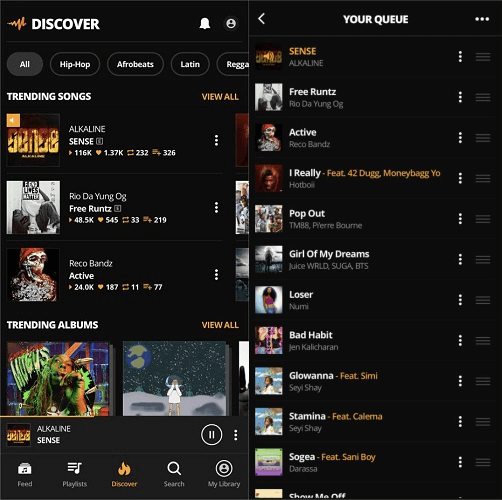
Audiomack is a trending MP3 music downloader available for both Android and iOS devices. The app provides a wide range of music across various genres, allowing you to stream songs online directly. By subscribing to its paid services, you can unlock its download function and save unprotected songs in MP3 format offline legally.
However, we noticed significant limitations: its music library is far smaller than Spotify or Apple Music, with many hot hits missing. As a result, you may not be able to rebuild your entire music library in this app.
Pros
- Support streaming or downloading music for offline playback in one stop.
- Download MP3 music legally on both Android and iOS devices.
- Offer an ad-free experience with a premium subscription.
Cons
- Very limited music resources
- Unstable performance, especially on Android systems
6. Fildo APK (Android Only)
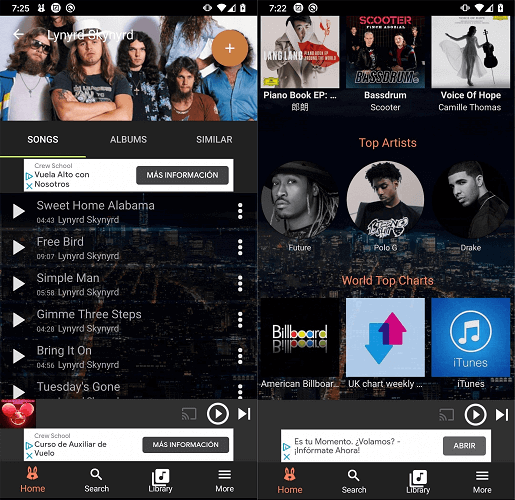
Another free MP3 downloader app for Android devices is the Fildo APK. It focuses on offering free podcast resources covering different categories (also with some music resources), allowing you to search for resources you like and download them as MP3s to enjoy during your spare time.
It is one of the few apps that allows you to download high quality MP3 music (up to 320kbps) or even FLAC directly to your phone. While its music library is smaller, this app is frequently mentioned by Android users.
Pros
- Support streaming and downloading music for free.
- Provides MP3, M4A, FLAC, and more options to download streaming audio resources
- Fast downloading speed equipped
- The app is easy to get started and control
Cons
- Fewer music resources than other streaming services
- Not a verified app, which may have security concerns
- Include on-screen ads
FAQs About MP3 Music Downloads
Is it legal to use a free music downloader for PC/mobile phone?
This depends on where the music source comes from and how you use the downloaded files. In any case, we always recommend keeping downloaded MP3 songs for personal offline listening only, rather than for any commercial purposes, to avoid potential legal issues.
What's the best way to download MP3s legally?
On some official platforms, there are MP3 songs available for direct purchase. For instance, you can go to Amazon Digital to find your favorite tracks and buy MP3s online, then you have the right to download them offline as MP3 files. This is totally legal.
What is the safest way to download MP3s?
To save MP3 music securely, you'd better choose those with strict protection techniques to guarantee 100% safe in-app using experience. For example, TuneFan All-in-One Music Converter and VideoHunter are both developed without bundled add-on required, or fill the programs with messy ads. This greatly enhances security and can give you an interruption-free experience of using them to download music as MP3s offline.
Can you download MP3 songs to computer from streaming services?
Streaming platforms do not provide a direct way to download MP3 songs to computer. To do so, many users choose to use a music converter for PC or audio recording software for music. During our testing, tools with built-in web players showed a significantly higher success rate and better stability compared to traditional MP3 downloader websites.
Final Verdict
Finding the best MP3 music downloader for your offline listening is not an easy task. But the tools above surely offer practical solutions from desktop software to mobile apps.
For a more stable and lossless experience, TuneFab All-in-One Music Converter is our top pick. It can safely download and convert music from multiple platforms to high-quality MP3, FLAC, WAV, and more. Feel free to opt for the right tool for your needs and start building your offline music library today!

