

Music Converter Built for DJs & Live Performance

Compare Free Trial, Online & Desktop
See what you get with the TikTok free trial versus the full online version and the full desktop version.
| Free Trial | Online Full Version | Desktop Full Version | |
| What’s Included |
| Free conversions | 3 online conversions + 10 desktop conversions (TikTok bonus, normally 1 + 3) |
Unlimited, based on your paid license |
Unlimited, based on your paid license |
| Supported Platforms | Spotify |
Spotify |
Spotify, Soundcloud, Apple Music, Deezer, Amazon Prime Music, Pandora, YouTube Music, Line Music |
| Audio quality & ID3 tags | Preview high-quality output and tag keeping |
High-quality output; tag support may vary by browser |
Up to 320kbps, keep ID3 tags reliably |
| Multiple output formats | MP3 only |
MP3 only |
MP3, M4A, FLAC, WAV, AIFF |
| Success rate | Preview high-quality output and tag keeping |
High-quality output; tag support may vary by browser |
Up to 320kbps, keep ID3 tags reliably |
| More useful tools | / |
/ |
Lyrics Download ID3 Editor Playlist Transfer Format Converter Proxy Settings ... |
| Best for | Testing the whole workflow risk-free before deciding what to buy |
Light users who just need online access |
Power users who download music regularly |
| Pricing | $0 |
From $15.95/month |
From $25.95/month |
| Free Trial | Online Full Version | Desktop Full Version |
| Supported Platforms |
||
| Spotify | Spotify |  |
| TikTok exclusive free quota (3 online + 10 for software) |
||
 |
 |
|
| Unlimited conversions |
||
| |
|
|
| Works without Spotify Premium |
||
| |
|
|
| Up to 320kbps & Keep ID3 tags |
||
| |
|
|
| Higher success rate engine |
||
| |
|
|
| Batch playlist & album download |
||
| |
|
|
| Multiple output formats (MP3, M4A, FLAC, WAV, AIFF) |
||
| |
|
|
| Lyrics Download |
||
| |
|
|
| ID3 Editor |
||
| |
|
|
| Playlist Transfer |
||
| |
|
|
| Format Converter |
||
| |
|
|
| Proxy Settings |
||
| |
|
|
| Best for |
||
| Testing the whole workflow risk-free before deciding what to buy |
Light users who just need online access |
Power users who download music regularly |
| Pricing |
||
| $0/month |
From $15.95/mont |
From $25.95/month |

Unlock Your TikTok Rewards
Create your TuneFab account to bind your TikTok-exclusive free trial to your email. Your free quota will follow your email across online and desktop.

3 Free Online Conversions
(TikTok-only, normally 1)

10 Free Desktop Conversions
(TikTok-only, normally 3)

Faster speed & full success rate

Exclusive TikTok discount with code TT6DJ20 when you upgrade
Safe & Secure. No spam — just your exclusive rewards.

Try TuneFab Spotify Online Converter — Now 3 Free Songs
Paste a Spotify link or search by song name, artist, or playlist to start converting instantly. Fast, secure, and works without Spotify Premium.
You may give an incorrect URL. Change a URL or try again.
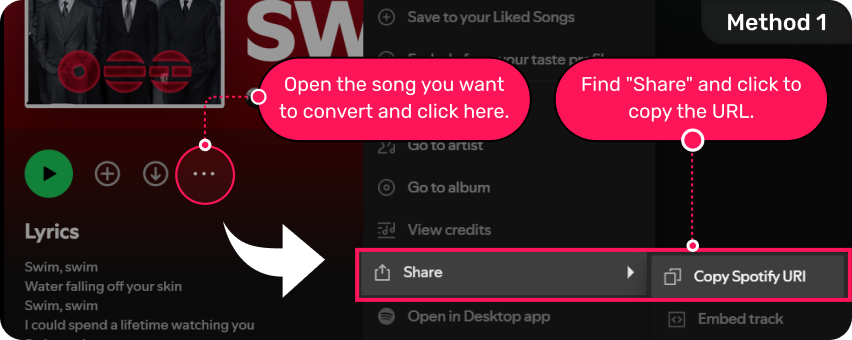
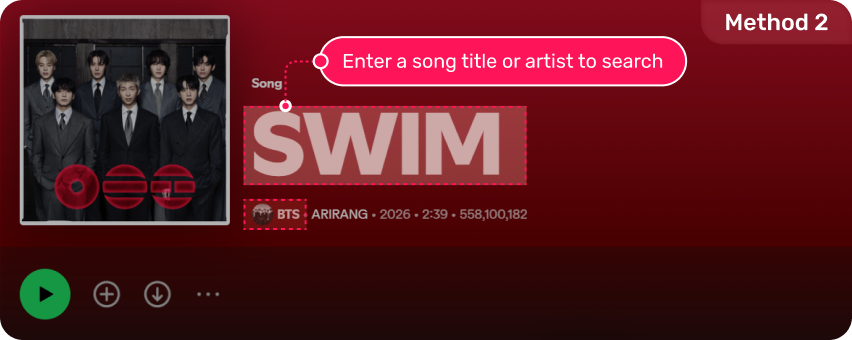

Parsing...
*If it takes longer than 1 minute, refresh and try again.


You’ve used free trials — only left.
Unlock Spotify Converter now and enjoy an exclusive 20% OFF for TikTok users!

Your 10 free conversions are reserved. Register and use the Desktop Version for a more stable experience.
Get 10 more on desktop or upgrade now for TikTok’s exclusive 20% OFF.

Why the Desktop Software Works Better
Some tracks are hard for browsers to handle — long playlists, protected songs, and unstable connections. The desktop software uses a more powerful engine to boost success rate and speed.
- 10 Free Conversions for TikTok users
- Higher success rate for protected tracks and long playlists
- Up to 5X faster conversion with batch converting
- Batch playlist download
- Keep ID3 tags & up to 320kbps output quality


*Sign up with your email first, then log in with the same account in the desktop software to automatically unlock your 10 free conversions.
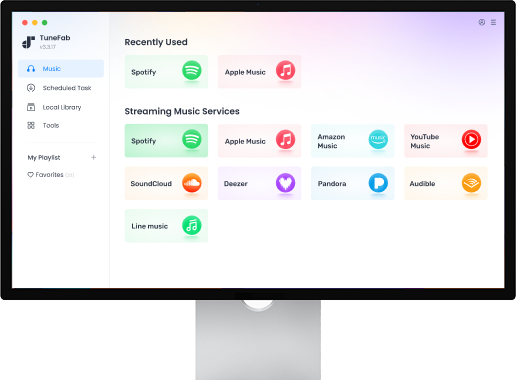
From Streaming Limitations to DJ-Ready Audio Tracks
Streaming platforms such as Spotify, Apple Music, Amazon music etc. are great for daily-life listening. However, most of them lock music tracks in compressed formats, which means unstable waveforms, limited compatibility, and no control over your files. Many DJs run into the same challenges when trying to mix streaming music with professional DJ software.
Here's how TuneFab helps DJs solving these common issues.


DJ Workflow Problem 1: Locked Audio Formats
Most streaming music platforms don't allow you to export tracks into standard audio files. Without formats like WAV, AIFF, or FLAC, mixing in DJ software can't work and your DJ sets are hard to finish.


Solution 1: Convert Tracks to WAV, AIFF, or FLAC
You need to convert streaming music into professional audio formats like WAV, AIFF, or FLAC. These are the standard directly into professional DJ software with stable waveforms for accurate beatmatching.


DJ Workflow Problem 2: Unstable Playback During Live Sets
Streaming music platforms don't support universal compatibility with popular DJ software. During a live performance, buffering, drop, or playback interruption can cause the energy of the whole set.


Solution 2: Use Stable Local Audio Files
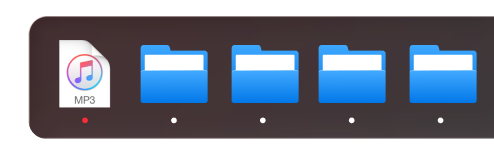
Many DJs avoid streaming into a live DJ performance by preparing local audio files in advance. With TuneFab's all-in-One Music Converter, streaming tracks can be downloaded and stored locally on your computer, which allows you to perform with full confidence during live without relying on internet connection.

DJ Workflow Problem 3: Limited Compatibility with DJ Software
Many DJ platforms like Serato, Traktor, or Virtual DJ don't support encrypted streaming audio formats and track structures. Streaming music often cannot be imported directly into those professional DJ tools.


Solution 3: Import DJ-Compatible Music Formats
After converting streaming music into formats such as WAV, AIFF, or FLAC, the tracks can be imported into popular DJ software, including Serato, Rekordbox, Traktor, Virtual DJ, and more.

DJ Workflow Problem 4: Playlist Preparation Takes Too Long
Building a DJ set often involves collecting tracks from playlists, organizing files, and preparing them for mixing. Handling large playlists manually will be time-consuming and can slow down the preparation process.

Solution 4: Batch Convert Entire Playlists
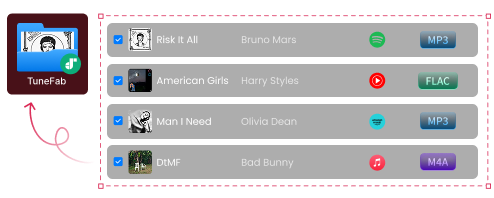
TuneFab supports batch conversion, which makes it possible to process multiple tracks or full playlists at once, making DJ set preparation faster and more efficient. Also, TuneFab keeps track information intact, including title, artist, artwork etc.
Preparing DJ sets should be simple, reliable, and fully under your control.
This is where TuneFab changes the workflow. By converting streaming music into high-quality audio formats with TuneFab All-in-One Music Converter, DJs can build a stable local music library and import their tracks directly into professional DJ software for mixing, remixing, or live performance.
Works with the DJ Software You Already Use
Once your tracks are converted into WAV, AIFF, or FLAC, they can be imported into most professional DJ software. With TuneFab All-in-One Music Converter, DJs can prepare their music libraries in formats that work smoothly across the most widely used DJ platforms.

Serato DJ
One of the most widely used DJ platforms for live performances and club setups. After converting streaming tracks with TuneFab All-in-One Music Converter, you can import them into Serato as standard audio files for waveform analysis, beat matching, and mixing.

Traktor DJ
Traktor is known for its advanced mixing features and creative performance tools. By converting streaming music into WAV, AIFF, or FLAC using TuneFab, DJs can easily add tracks to their Traktor libraries and prepare them for mixing or remixing workflows.

Virtual DJ
Virtual DJ is popular among both beginner and professional DJs due to its flexible setup and powerful mixing tools. Converted tracks from TuneFab Music Converter can be imported directly into Virtual DJ for stable playback and seamless transitions.

djay Pro
Djay Pro provides modern DJ features and integrates well with digital music libraries. Once streaming tracks are converted with TuneFab into DJ-compatible formats, they can be loaded into djay Pro for mixing, cueing, and performance.


Tip: If you're still deciding which platform fits your workflow, you may also find this guide helpful:
Many DJs also explore using different streaming platforms as their music source. Learn more about working with these platforms:
By exporting standard audio formats, TuneFab All-in-One Music Converter ensures your tracks are ready for a wide range of DJ and production workflows. No re-encoding errors. No unsupported format issues.
From Streaming to DJ-Ready Tracks in 3 Steps
Preparing a DJ set usually involves discovering tracks, organizing playlists, converting audio formats, and importing them into DJ software. With TuneFab All-in-One Music Converter, DJs can quickly convert streaming tracks into high-quality audio files that are ready for mixing. Here's how the workflow typically looks.


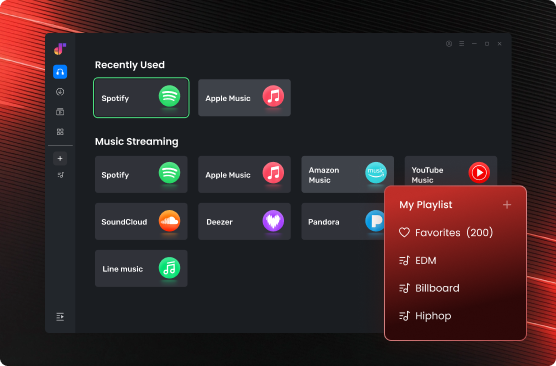
Discover Tracks on Streaming Platforms
Discover new tracks on streaming platforms such as Spotify, Apple Music, or Amazon Music, and build your own playlists of potential music tracks for upcoming DJ sets.

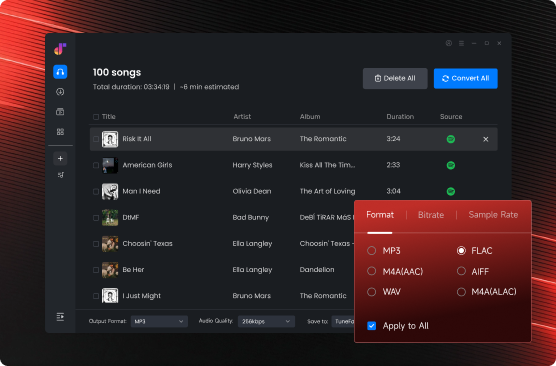
Export DJ-Friendly Formats with TuneFab
Once you've selected the tracks or playlists you want to use, launch All-in-One Music Converter and navigate to begin conversion. Choose high-quality output formats such as MP3, AAC, or FLAC. Simply adjust the output parameters, then click "Convert". After downloading, every track is ready in your local library and organized for your DJ workflow.

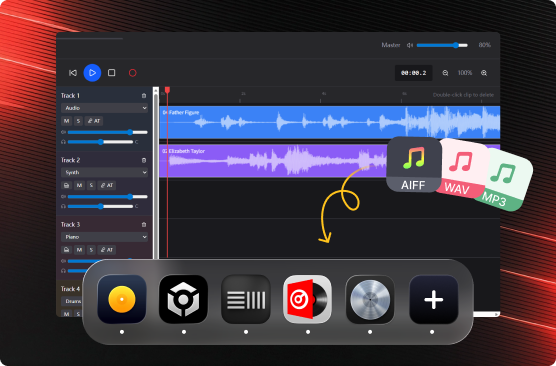
Import Music Tracks into DJ Software
Now, the music files are all ready to be imported into your DJ software. Most professional DJ applications support formats like WAV and AIFF, allowing them to analyze BPM, generate waveforms, and set cue points. Once imported, you can perform without relying on streaming connections.
Why DJs Prefer TuneFab Music Converter
Many music converters are designed for simple file format changes and streaming platforms like Spotify, Apple Music etc. But DJ workflows require much more, including high-quality audio formats, stable local files, and compatibility with professional DJ software. Here's how TuneFab All-in-One Music Converter compares with typical music converters when preparing tracks for DJ sets.
 Sup. AIFF, WAV, AIFF, FLAC export
 Often limited to basic formats
 Usually only support MP3
High-quality output designed for music workflows
Quality may be compressed
Often reduced bitrate
Convert multiple tracks or playlists at once
Limited batch support
Usually single-file conversion
Create local DJ library for performance
Depends on source files
Cloud-based files only
Support download from Spotify, Apple Music, Amazon Music, YouTube Music, Deezer, Pandora, SoundCloud
Usually file-based only
File-based only
Built for discovering, converting, and importing tracks
Not tailored for DJs
Not suitable for DJ workflow
Usually only support MP3
High-quality output designed for music workflows
Quality may be compressed
Often reduced bitrate
Convert multiple tracks or playlists at once
Limited batch support
Usually single-file conversion
Create local DJ library for performance
Depends on source files
Cloud-based files only
Support download from Spotify, Apple Music, Amazon Music, YouTube Music, Deezer, Pandora, SoundCloud
Usually file-based only
File-based only
Built for discovering, converting, and importing tracks
Not tailored for DJs
Not suitable for DJ workflow
How DJs Use TuneFab in Their Real Workflows
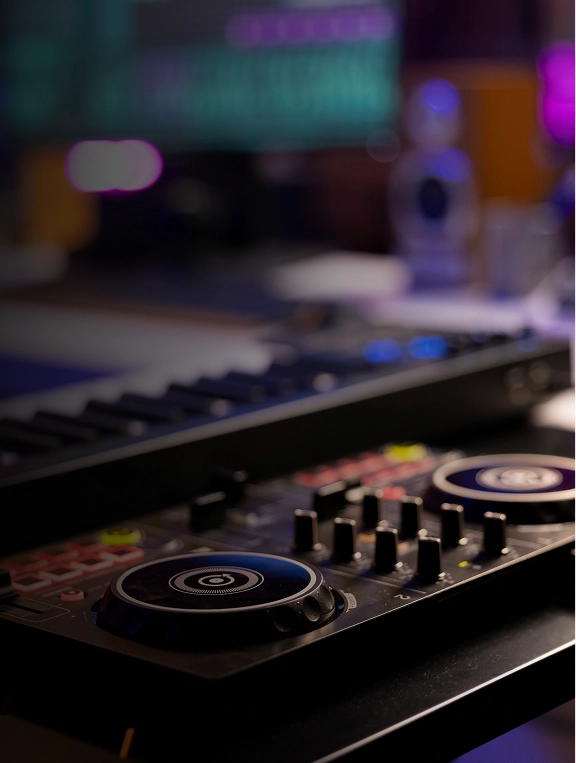
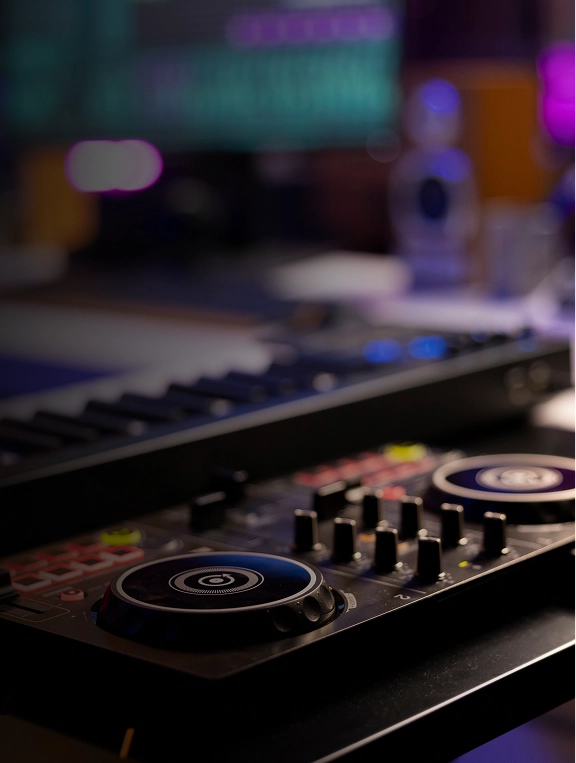

Club DJ Set Preparation
Club DJ, Miami
Alex performs weekly house and techno sets at clubs in Miami. He usually discovers new tracks through streaming playlists before selecting songs for his weekend sets.
Alex builds playlists on streaming platforms and then uses TuneFab AI Music Converter to convert selected tracks into WAV files. After conversion, he imports the files into Serato DJ to analyze BPM and prepare cue points and transitions.
"I find a lot of tracks on Spotify playlists first. Converting them with TuneFab lets me bring them into Serato and prepare my sets without worrying about internet issues."



Livestream DJ Performance
Livestream DJ, Los Angeles
Maya runs weekly livestream DJ sessions on YouTube and Twitch, mixing electronic and chill house tracks.
She discovers songs through YouTube Music and uses TuneFab Music Converter to convert playlists into FLAC files. The tracks are then imported into Virtual DJ for livestream mixing.
"For livestream sets I prefer local files. After converting my playlists with TuneFab, everything loads faster and the mix stays stable. Recommend it!"
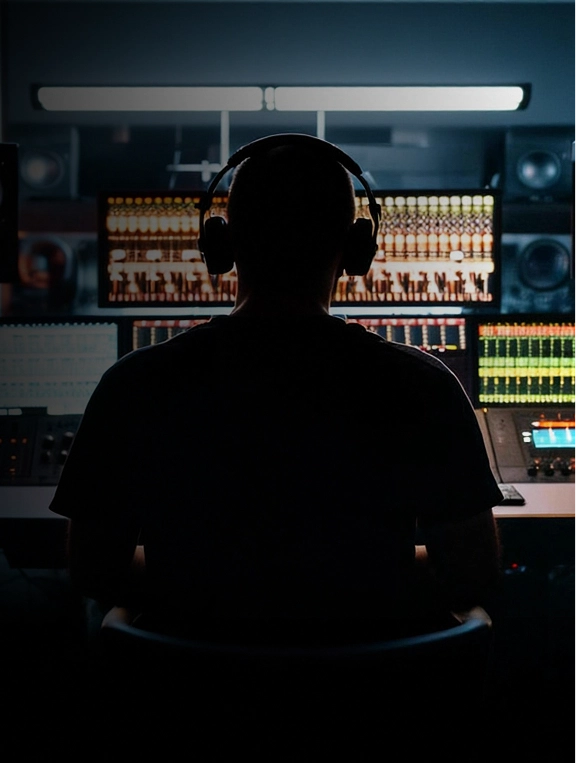
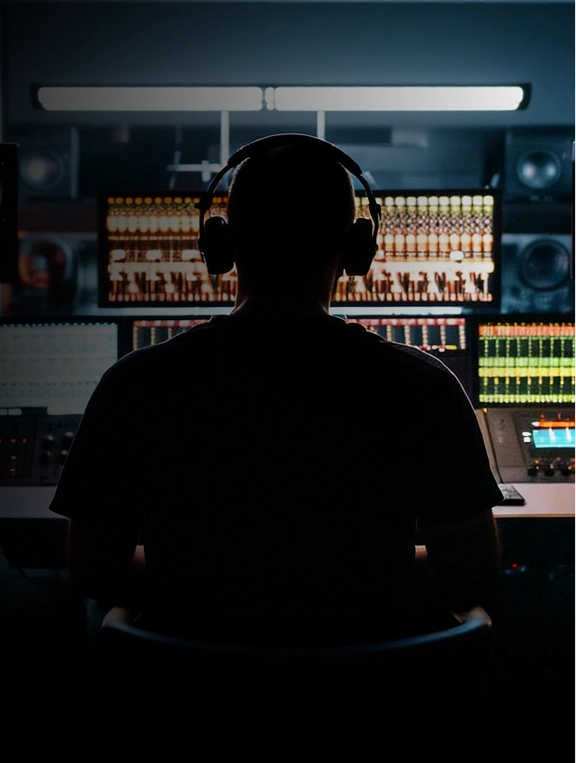
Remix & Mashup Production
Remix Producer, São Paulo
Lucas produces mashups and remix edits for dance music events and online releases.
He often discovers remix ideas while browsing Apple Music playlists. Using TuneFab All-in-One Music Converter, he converts tracks into AIFF files and imports them into Ableton Live for editing and remix production.
"Apple Music is great for discovering music. Converting the tracks to AIFF makes it easy to bring them into Ableton and start working on mashups. TuneFab helps me a lot."

FAQs about Music Converter for DJ
1. Can I use streaming music for DJ sets?
Most streaming platforms such as Spotify, Apple Music, Amazon Music etc. are designed for listening, not live performance. So they usually restrict how tracks can be exported or used outside the app.
Many DJs prepare their sets by converting streaming tracks into local audio files such as WAV, AIFF, or FLAC, which can then be imported into DJ software for reliable playback during mixing or live shows.
2. What audio format is best for DJ software?
The most commonly recommended formats for DJ mixing are:
- WAV – uncompressed, widely supported by DJ software
- AIFF – high-quality format commonly used in professional workflows
- FLAC – lossless compression with smaller file sizes
These formats maintain high audio quality and work well with DJ software such as Serato, Rekordbox, Traktor, and Virtual DJ.
3. Will converting music with TuneFab Music Converter reduce audio quality?
No. TuneFab is a professional music converter that can export music tracks in lossless formats such as WAV, AIFF, or FLAC, preserving the original audio quality as much as possible.
4. Can I import converted tracks into DJ software?
Yes. Once tracks are converted into standard audio formats like WAV, AIFF, or FLAC, they can be imported into most professional DJ software, including Serato DJ, Rekordbox, Virtual DJ, djay Pro etc.
Many DJs use TuneFab Music Converter as part of their set preparation workflow. By converting music into DJ-compatible formats, you can load them into your software and perform without worrying about streaming limitations.
5. Can I convert entire playlists with TuneFab at once?
Yes. TuneFab supports batch conversion, which allows you to convert multiple tracks or full playlists in one process. This is especially useful for DJs preparing a full set or building a local music library for mixing.
6. Why do DJs prefer local audio files instead of streaming?
Local audio files offer several advantages for DJ performance:
- No internet connection required
- More stable playback during live sets
- Full compatibility with DJ software
- Greater control over audio formats and file management
For live performances, reliability is critical, so that's why many DJs prefer working with local files.
7. Does TuneFab keep music track metadata?
Yes. Converted songs can retain important metadata such as track title, artist name, album artwork and more. TuneFab Music Converter helps keep your DJ library well organized and searchable within your DJ software.
Take Full Control of
Your Tracks
Stop relying on streaming limitations.
Prepare your sets exactly the way you want with TuneFab!

