


In today’s digital music world, SoundCloud has become a go-to platform for discovering and sharing fresh tracks. For Apple users, having your music in the right format is key for the best listening experience. M4A stands out as a preferred audio format due to its excellent sound quality and seamless compatibility with iPhones, iPads, and Macs. Now, the lack of direct downloading in M4A from SoundCloud can prove to be counterintuitive.
In this blog, we'll guide you to download SoundCloud to M4A effortlessly with a powerful desktop downloader, a versatile audio recorder, and an online downloader. Read on to find out the method that works best for you!
Read Also:
Soundcloud to WAV Downloaders: Rip SoundCloud to WAV Easily
4 Best Ways to Download SoundCloud to FLAC in 2025
How to Download Music from SoundCloud to AIFF (100% Working)
Method 1. Download SoundCloud to M4A with a Powerful Downloader
If you want to download SoundCloud songs or playlists as M4A files on your computer, TuneFab SoundCloud Music Converter is a must-have tool. With it, getting the format you need is no longer difficult. You'll be able to decide on the file format before downloading. Besides M4A, this tool also lets you download songs from SoundCloud to MP3, WAV, FLAC, and more high-quality audio formats.
Once the download is complete, you can transfer these songs to any other device for unlimited offline listening. Below you can find more highlights that make it the best SoundCloud to M4A converter.
Key Features of TuneFab SoundCloud Music Converter
- Download a wide range of audio content, such as singles, albums, playlists, and more on a Mac or Windows computer, without subscribing to SoundCloud
- Retain SoundCloud to M4A(AAC or ALAC codecs) and more lossless audio formats, including WAV, FLAC, MP3 (320kbps), etc.
- Save audio resources from SoundCloud in bulk, with a download speed of 35X or higher
- Preserve ID3 tags and metadata, including artist names, album covers/names/IDs, and more for seamless management
- Download SoundCloud by dragging & dropping within the versatile web player
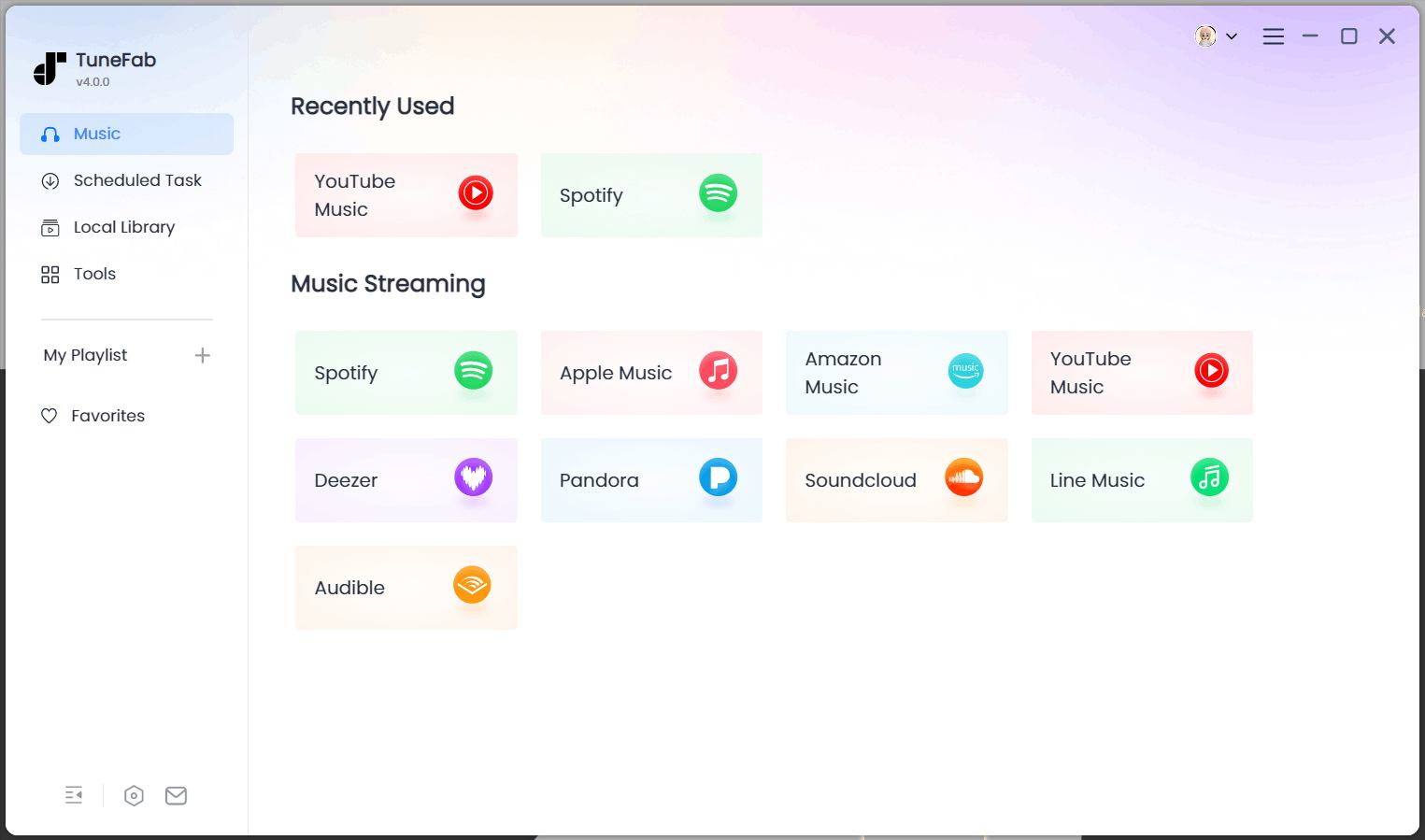
Step 1. Log in to the SoundCloud Web Player
Download, install, and launch the TuneFab SoundCloud Music Converter on your computer. Then, select SoundCloud and log into the built-in web player with your account.
Step 2. Add Tunes to Conversion List
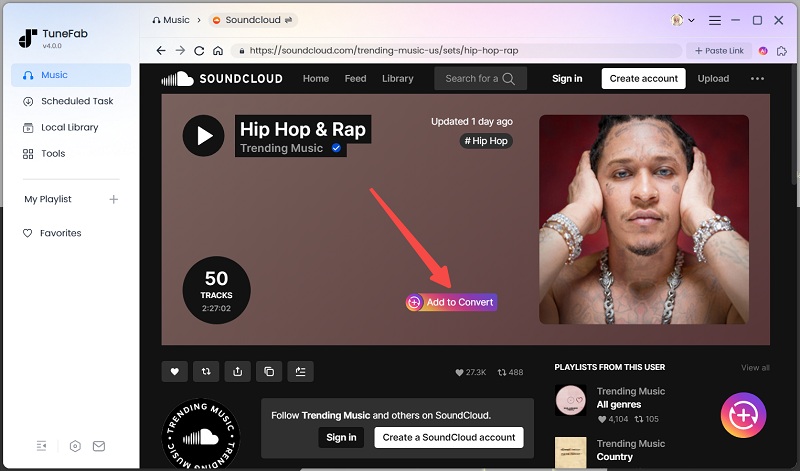
Browse or search for the audio you want to save. It supports keywords and URL searching. On the result page, select the matched title and drag & drop it to the conversion list on the right screen. Besides singles, you can also add playlists, albums, and podcasts for batch downloading.
Step 3. Set Output Format and Other Parameters
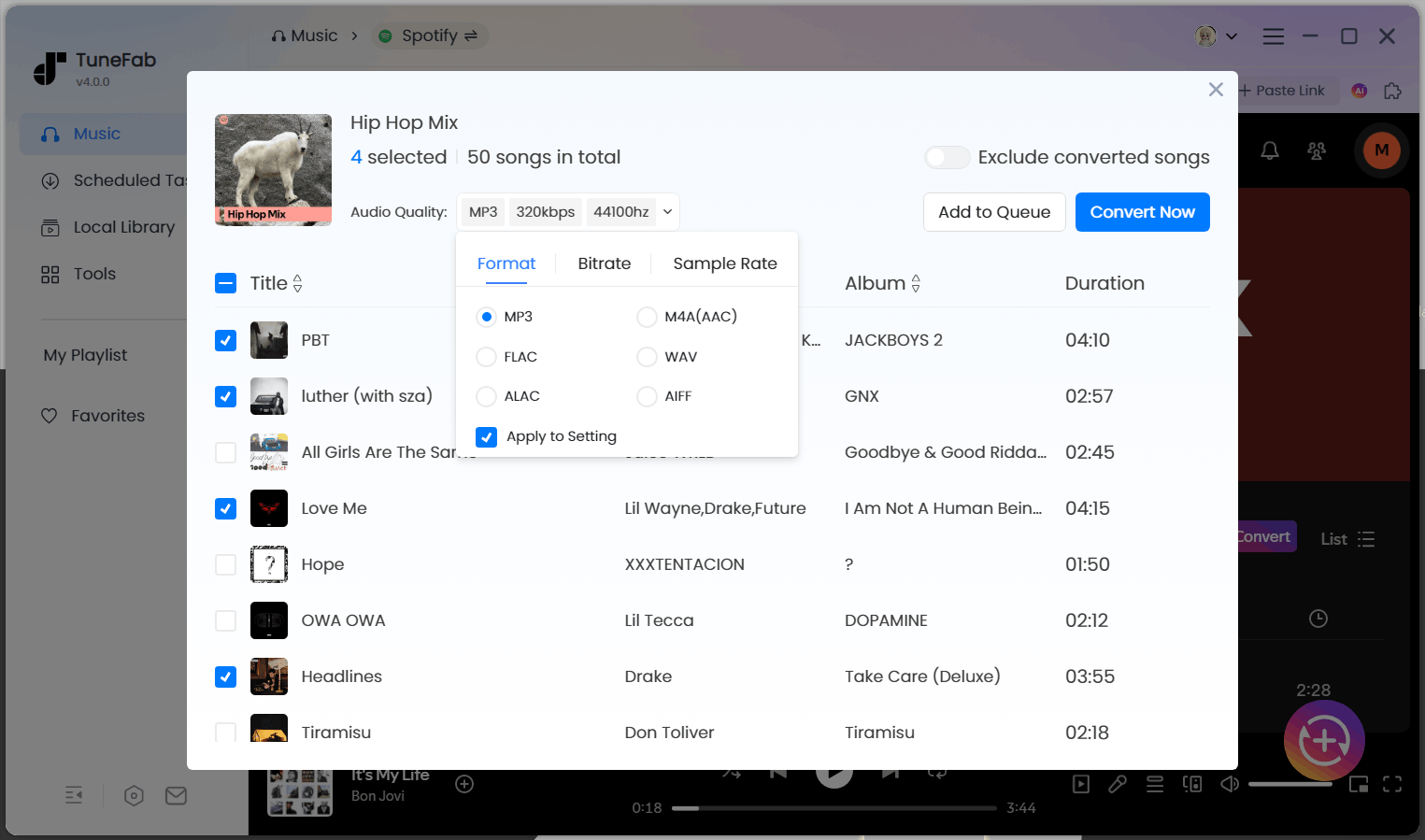
After parsing, you can set the output format and other parameters. Select "M4A" from the dropdown menu for any title and click "Apply to All". Then, click the 3-line icon, and you’ll be navigated to "Preferences" for presetting parameters such as output folder, bitrate, sample rate, output file name, folder archiving, etc.
If you want a balance between file size and sound quality, choose the M4A with AAC encoding. For lossless audio quality, select the M4A with ALAC encoding.
Step 4. Download and Check SoundCloud Songs
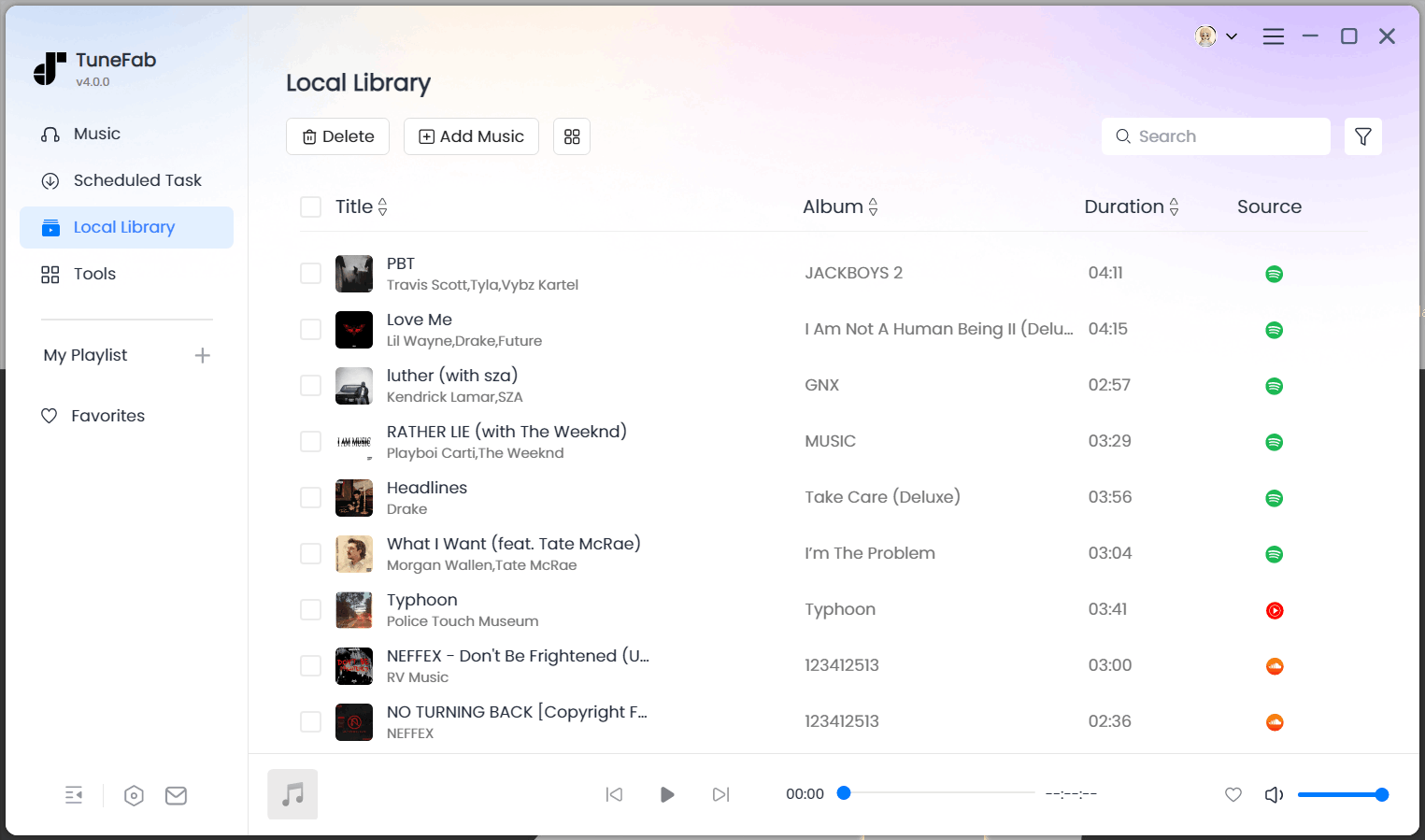
Back to the conversion list, click "Convert All", and TuneFab will start downloading the added titles. When it finishes downloading, you can check the files on your computer by going to the "Finished" tab and clicking the folder icon next to each title.
Method 2. Record SoundCloud to M4A with An Audio Recorder
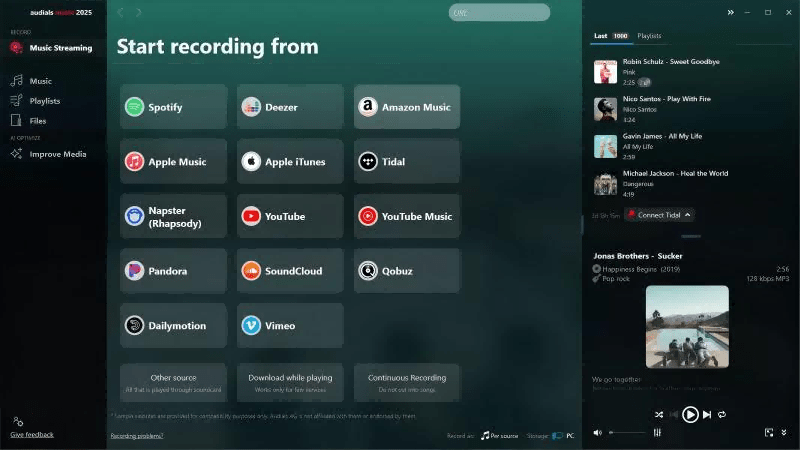
Many audio recorders support recording and outputting SoundCloud audio in the M4A format. It is the second method we will introduce: to record SoundCloud to M4A with Audials Music. As a versatile audio recorder, it can save music tracks as separate M4A audio files. Moreover, it automatically adds full ID3 tags, featured images, lyrics, etc. to each track. This makes it easy to manage your music collection across multiple platforms locally. Below you’ll find how to use it.
Step 1. Download and install Audials Music on your computer. Launch it and select M4A as the output format.
Step 2. Select SoundCloud as the desired streaming service and proceed with the appropriate settings like speed, audio quality, and more as instructed.
Step 3. Play the wanted music on the right panel, and Audials Music will auto-save the detected tracks as separate audio files.
Method 3. Convert SoundCloud to M4A Online
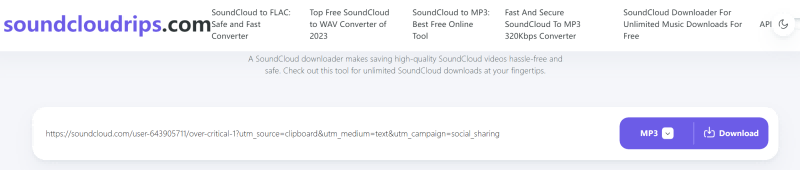
For users looking for a quick, no-installation solution, Soundcloudrips provides a free and convenient way to download SoundCloud tracks in various formats. The tool works directly in your browser, supports multiple audio formats (including MP3, M4A, FLAC, and more), and doesn’t require any account registration or software download.
The interface is user-friendly, and the download process only takes a few clicks. It's especially handy for saving single tracks quickly on both desktop and mobile devices.
While this tool is free and easy to use, it does contain ads, which may affect the overall user experience. For ad-free, high-speed downloads with better batch support, desktop software like TuneFab SoundCloud Music Converter is recommended.
Step 1. Go to SoundCloud and find the track you want to download.
Step 2. Copy the track’s URL from your browser.
Step 3. Visit soundcloudrips.com.
Step 4. Paste the URL into the input field on the homepage.
Step 5. Select “M4A” as your preferred format.
Step 6. Click Download to save the file to your device.
Which Is the Best Way to Download SoundCloud Songs to M4A?
The best method of downloading SoundCloud songs into M4A depends on your need for batch downloads, highest audio quality, ease of use, or portability. Below is the detailed comparison of the three methods that were introduced above.
| Feature / Method | TuneFab SoundCloud Music Converter | Audials Music Recorder | Soundcloudrips Online Converter |
| Supported Platforms | Windows, Mac | Windows | Any device with browser |
| Output Format Options | M4A (AAC & ALAC), MP3, WAV, FLAC, etc. | M4A | M4A, MP3, FLAC, OPUS, more |
| Batch Download | Yes, supports playlists & albums | No, records tracks individually | No, downloads single tracks only |
| Download Speed | Fast (up to 35X) | Real-time recording speed | Medium |
| Audio Quality | Lossless or near-lossless | Limited by source playback quality | Varies; may downgrade due to conversion |
| ID3 Tags & Metadata Preservation | Yes | Yes | Yes |
| Ease of Use | Easy, intuitive UI with drag & drop | Moderate, requires setup & recording | Very easy, paste URL and download |
| Ads and Safety | No ads, safe and secure | No ads, safe | Contains ads, risks of intrusive pop-ups |
| Best For | Users needing high-quality, batch downloads, full control | Users who want to capture audio live from any source | Users needing quick, one-off downloads without installing software |
FAQs
Can you upload M4A to SoundCloud?
Yes, M4A audio uploading is supported on SoundCloud. While uploading, make sure that your M4A file complies with the file-size and quality requirements of SoundCloud. The M4A format is among the most common audio formats, with almost all platforms supporting it, so you should have no issue using it for your tracks.
Why download SoundCloud music to M4A instead of MP3?
Being more efficient in compression and working losslessly at the same bitrate, M4A normally assures better sound quality than MP3. M4A is a native format on Apple devices like the iPhone, iPad, and Mac; this gives the M4A format an edge in playback and integration with iTunes and the Apple ecosystem.
Can I convert SoundCloud to M4A on my mobile device?
Yes. You can convert SoundCloud tracks to M4A files using online converters introduced in this post, but your experience may be greatly limited compared to desktop software. For best quality and batch downloading, a desktop converter like TuneFab is recommended.
Can I download full SoundCloud playlists to M4A at once?
Yes, with desktop tools like TuneFab SoundCloud Music Converter, you can batch download entire playlists or albums directly to M4A format.
Are online SoundCloud to M4A converters safe to use?
Hard to say. Many free online converters come with risks like intrusive ads or malware. Use reputable tools or desktop software to ensure safety and privacy.
Summary
This blog introduces 3 methods to download SoundCloud to M4A for unlimited playback. However, as powerful as Audials Music is, recording the tracks can still be time-consuming, while online converters often inundate you with malicious ads.
For a seamless downloading experience, the TuneFab SoundCloud Music Converter is the best solution. This ad-free tool enables you to save SoundCloud to M4A and lossless MP3, FLAC, WAV, etc. in batches. The intuitive interface and versatile web player also work together to save time. Try it now for a hassle-free downloading experience of SoundCloud music!

