

An audible converter performs to decrypt DRM encryption applied on Audible audiobooks formatted in AAX/AA format, enabling audiences to enjoy Audible books streaming and preserve them across devices even without accessing the Audible website or installing its apps. Hence, today’s blog has collected 8 reliable and best Audible converters for desktops users to convert the AA/AAX audiobooks to MP3 or other common formats so that you can download Audible books to MP3 player, your phone, PC, and other various devices for flexible playback.
In the following, you are able to go through the details of all aspects, including the converting speed, quality of converted files, ease of use, customization options, and so on to evaluate the best Audible converter for yourself. Now, let’s get started!
Related Reading:
How to Remove Audible DRM from AAX or AA Format (2 Ways)
How to Download Audible Books to Any MP3 Player [Complete Guide]
Part 1: What's the Best Audiobook Converter for Audible Files to MP3?
Basically, the best audiobook converter for Audible books should be qualified with great conversion speed, chapter info preservation feature, and is able to maintain lossless quality in order to deliver the best streaming experience to audiences. Before moving down to the details of the 6 best Audible converters, you can quickly check through the comparison table to quickly focus on the one you are interested in the most:
| Supported Output Format | Conversion Speed | ID3 Tags & Chapters | Require iTunes | Easy Operation | |
| TuneFab Audible Converter | MP3, M4A, FLAC, AIFF and WAV | Fast | Yes | No | Yes |
| Epubor Audible Converter | MP3, M4B | Fast | Yes | No | Yes |
| Libation | MP3, M4B | Fast | Yes | No | No |
| AudKit Audible Converter | MP3, AAC, M4A, M4B, etc. | Fast | Yes | No | Yes |
| ViWizard Audio Converter | MP3, WAV, and FLAC | Medium | Yes | No | Yes |
| AAX Converter Pro | MP3, M4A, and FLAC | Medium | Yes | No | Yes |
| InAudible Converter | MP3, WAV, M4B, and FLAC | Medium | Yes | No | No |
| Any Audiobook Converter | MP3, M4A, M4B | Fast | Yes | No | Yes |
• For users who desire an efficient way and best quality to decrypt Audible DRM and convert Audible books to MP3, TuneFab Audible Converter is perfect for you (also with free quotas equipped).
• If you are looking for easy operation with basic functions, Epubor Audible Converter, ViWizard Audio Converter can be reliable choices.
• If you consider faster speed to process Audible conversion, can't go wrong with AudKit Audible Converter. Its speedy performance should not let you down.
• To directly grasp Audible books from Audible official website, Any Audio Converter with the integration with Audible platform will be your best pick.
Part 2: List of 6 Best Audible Converters
Now, check more details on the 6 best Audible converters and select the most appropriate option to set free your Audible books and enjoy a flexible playback on all devices!
Top 1. TuneFab Audible Converter
TuneFab Audible Converter stands out at the top place of the ranking for its great ability to deliver you a pleasant user experience in all respects.
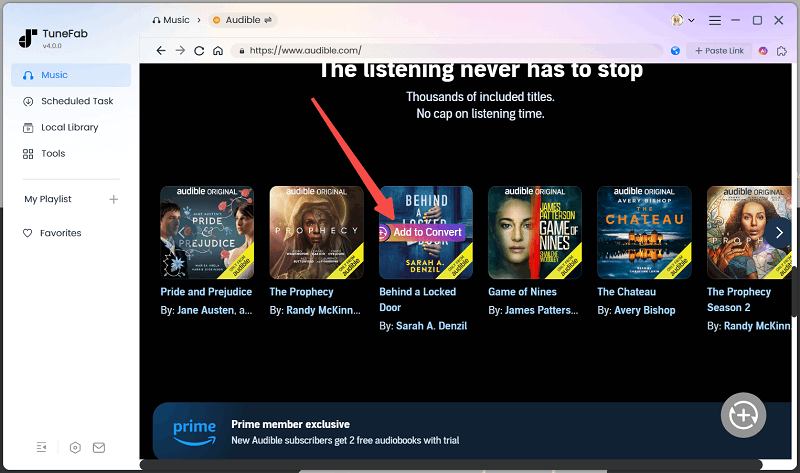
As an out-performing Audible DRM removal and AAX to MP3 converter, it can convert Audible AAX to MP3 and more mainstream audio formats with original quality and full chapter information preserved. The software is also embedded with the Audible platform, which allows you to search and download streaming audiobooks offline in common formats directly.
TuneFab Audible Converter is also equipped with a built-in audiobook splitter, which performs to help you cut a long Audible book into smaller audio clips by chapters, segments, and time for easier streaming and preservation.
In terms of UI design, the converter has a concise and simple interface that won't cost you much effort to get started. Easy operations like dragging and dropping files and batch conversion are available. To help you better manage the converted audiobooks, TuneFab Audible Converter can retain all ID3 metadata info. Then you can easily arrange the books by the author or narrator of the audiobooks.
Pros
- Multiple output formats available (MP3, M4A, FLAC, and WAV)
- A 60X faster speed without taking much time to wait
- Preserve 100% original sound quality
- Clear classification with ID3 tags
- Customization options available
- Embedded with the Audible website
- Built-in splitting mode to trim audiobooks by chapters, segments, time flexibly
Cons
- Only converts 2 full audiobooks for free
Price: $35.99 (Monthly Subscription)
Grab 10% Off Tunefab Now Using Discount Code: TFWELCOME
Learn more: TuneFab Audible Converter Review: Friendly and Really Fast
Top 2. Epubor Audible Converter
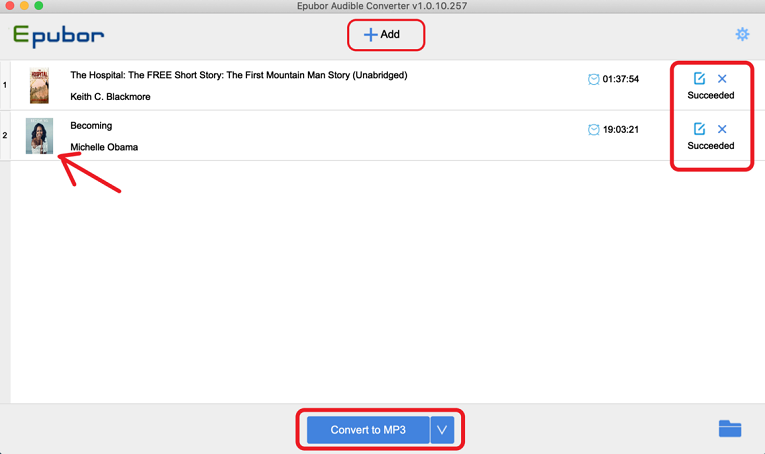
Epubor Audible Converter is an easy-to-use Audible converter. If you're looking for a simple program that does not demand much effort, you'll like it. Very similar to the previous TuneFab Audible Converter, it has a concise but informative interface, and you will immediately get the point of using it. Additionally, you won’t be asked to authorize your Audible account to process the Audible books to MP3 conversion at all. Simply browse and then batch import multiple Audible books to convert at once. Also, simple drag-and-drop file uploading is also supported.
It provides you with basic functions like easy DRM stripping from your purchased Audible audiobooks. During the DRM protection removal process, it can also convert Audible AA & AAX to MP3 or other mainstream formats like M4B. Meanwhile, Epubor Audible Converter will preserve the chapter info for every audiobook to ensure a convenient playback navigation after saving them offline. For sure, its cheaper subscription fee is also a reason leading to its popularity.
Pros
- Concise interface and easy operation
- Cover most of the users' needs
- Cheaper than some other Audible converters
- No iTunes or Audible authentication required
Cons
- Quality customization unavailable
- The splitting mode can only trim audiobooks by chapters
Price:$29.99 (Lifetime)
Top 3. Libation
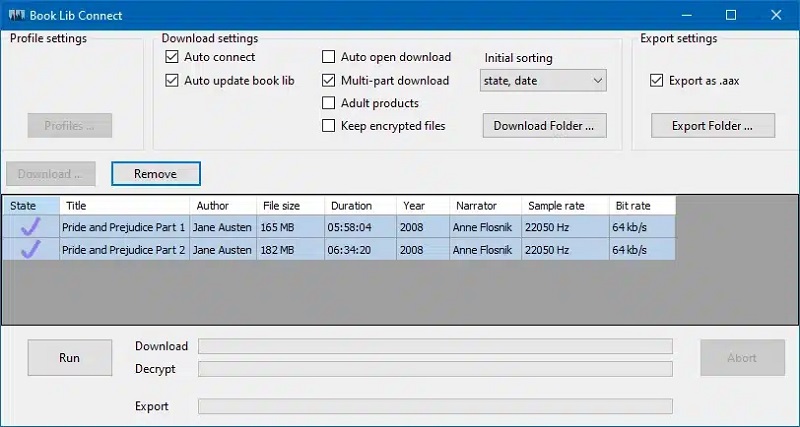
The cross-platform supported Audible converter, Libation on GitHub is a popular choice for many users who want to convert Audible books to DRM-free MP3 or M4B format without paying a penny. It is entirely free to use - without any hidden fees. This software can also decrypt DRM encryption to let you get DRM-free Audible books saved offline for playing on all devices with any media player without limitations.
Likewise, Libation can also detect ID3 metadata info, and also full chapters for converting together with the Audible books at the same time. This also ensures a more convenient playback and audiobook management offline, bringing you a better audiobook listening experience!
Pros
- Completely free to use
- Support converting DRM-protected audiobooks
- Able to detect and keep full ID3 as well as metadata info for every converted audiobook
- Cross-platform supported on Windows, Mac, and Linux
- Compatible with PDF attachments download, which are related to audiobooks such as guides, illustrations, or supplemental materials
Cons
- The downloaded audio files will be in large sizes
- The interface is not easy to grasp
- Risk of account suspension
Price: Free
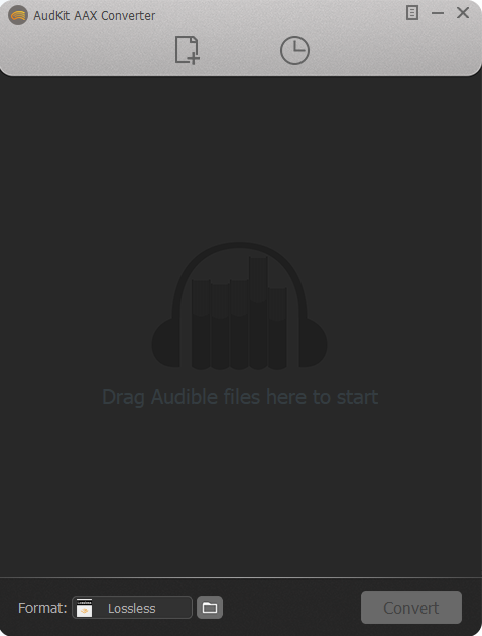
Top 4. AudKit Audible Converter
AudKit Audible Converter is a speedy Audible audiobook converter that suits users who desire higher efficiency to get a batch of Audible books converted within a short period. According to our actual test, the performance efficiency of the software can reach 60X faster while processing the multiple audiobooks conversion simultaneously (but not reaches the 100X speed as it says on its product page). Choosing the M4A format is a key to ensure such a great efficiency.
As one of the best Audible converters, AudKit Audible Converter also offers the hassle-free way to convert Audible audiobooks to MP3, with essential features like ID3 preservation and quality customization to deliver quality-guaranteed outputs for you. All in all, it is reliable audiobook converter you can give a try.
Pros
- Run at a faster 60X conversion speed
- Basic functions covered
- Quality customization available
- ID3 info preservation
- No need to install iTunes on the computer
Cons
- Interface is a bit outdated
Price: $45.95 (Lifetime)
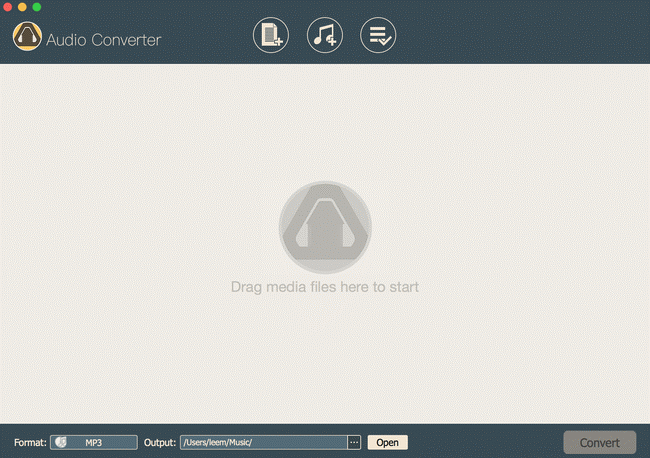
Top 5. ViWizard Audio Converter
ViWizard Audio Converter is also an intuitive Audible converter suitable for easy converting Audible books to DRM-free formats in good efficiency. It also performs in a reliable way to decrypt Audible DRM and convert Audible AA and AAX to MP3, WAV, and FLAC, enabling the audiobooks available to be streamed on different devices and media players. The converter also helps you keep chapters and ID3 tags for flexible playback and file management. However, pay attention to that you are required to install iTunes to sync with iTunes library in order to process a successful Audible books conversion.
Pros
- Cover all basic functions to convert audiobooks
- Be available to customize some parameters
- Process reliably to remove Audible DRM
Cons
- Need to work together with iTunes
- A bit slower than some other converters
Price: $49.95 (Lifetime)
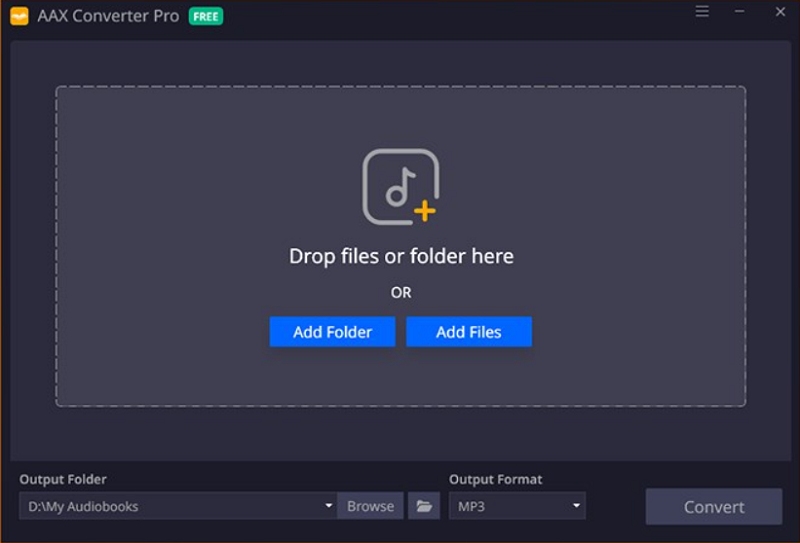
Top 6. AAX Converter Pro
Embedded with powerful audio decoding technologies, AAX Converter Pro is also a reliable and powerful AAX/AAX converter, which can decrypt Audible DRM protection and convert AAX/AA files to DRM-free audio formats such as MP3, M4A, and FLAC, to let you enjoy the Audible books playback offline in more flexible ways.
AAX Converter Pro can retain the original sound quality as the sources, also with ID3 info preserved offline. In addition, as all chapters will be kept, you will get the same convenient audiobook streaming experience offline.
AAX Converter Pro is also designed with an intuitive interface, making it easy for all beginners to get started. It takes only several easy taps to batch convert audiobooks without hassle. Using AAX Converter Pro can also save you much time, even if you get multiple hour-long Audible books to convert at once!
Pros
- Intuitive interface and functionality that make the converter straightforward to use
- Compatible with DRM-protected Audible books conversion
- Good sound quality can be retained
- Essential ID3 and chapter info can all be preserved
- Mainstream audio formats such as MP3, M4A, and FLAC supported
Cons
- Only available on Windows systems
- Sudden software crashes will happen
Price: Free
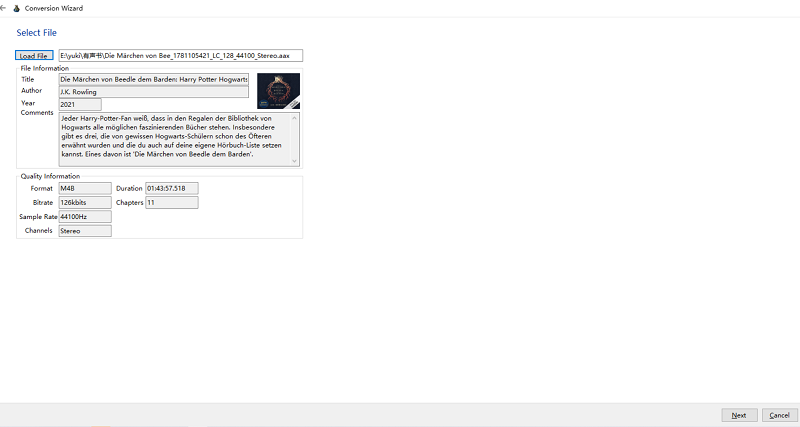
Top 7. InAudible Converter
If you are seeking a freeware, InAudible is the best free Audible converter designed to convert Audible AA & AAX to MP3 without paying a penny. Besides removing DRM from Audible audiobooks, InAudible Converter is also equipped with a variety of mainstream formats to output Audible books and enable you to transfer for preserving them on all devices. It will save all the metadata information for audiobooks after conversion. Additionally, the output quality can be customized, with the Samplerate up to 44100hz and Bitrate up to 128kbps to select. However, InAudible requires you to install two software packages (inaudible-NG's tables and FFmpeg), in order to convert audiobooks to mp3 successfully.
It needs to be noted that InAudible is not an official program and it doesn't have an official website if you need technical support. And some beginners may consider the operation process is somehow complicated. Due to these reasons, it may not be your first choice even though it costs no extra fee.
Pros
- Totally for free
- Too complicated for non-tech-savvy users
- Various mainstream output formats supported
Cons
- Too complicated for non-tech-savvy users
- Not available for downloading and using on other available platforms
Price: Free
Top 8. Any Audiobook Converter
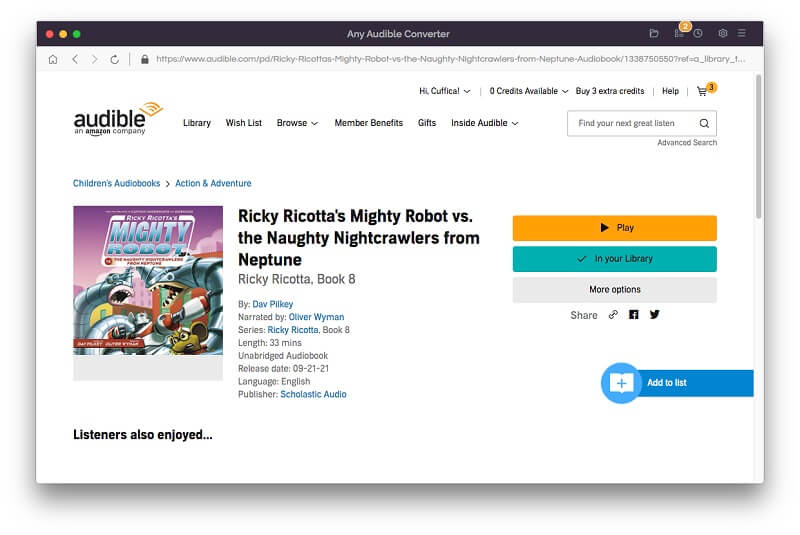
The final recommended Audible converters for desktops refers to Any Audiobook Converter, which has embedded the official Audible website to the software and delivers more convenient audiobooks conversion. With 60X faster speedy performance, this audiobook converter is able to perform efficiently to get your favorite audiobooks and podcasts on Audible/Audible Plus converted to mainstream formats just by taps. For sure, Any Audiobook Converter will preserve full ID3 as well as chapter info for every Audible books download, in order to keep your offline audiobook streaming and managing in the same convenient ways.
Any Audiobook Converter has released 34 global languages, helping users from around the world to use the software with ease. You can trust it for its efficient performance and also nice quality to output Audible files.
Pros
- Integration with Audible website
- Quick conversion speed equipped
- Full perseveration of ID3 and chapter info
- Quality is well guarantted
Cons
- Very expensive to subscribe
- Unavailable to adjust quality
Price: $129.9 (Lifetime)
Part 3: FAQs About the Best Audible Converters
Do I need an Audible account to use Audible converters?
A: It depends. Some Audible converters will require you to log in with your Audible account, so that they can access your library and detect the audiobook sources to convert them for you.
There are also other Audible converters that don't require this at all - you need to download purchased Audible AA/AAX files offline, and then you are able to drag them to process the conversion directly. Under this condition, you don't need to use any Audible credentials to convert Audible books at all.
Will the Audible converters keep chapters and ID3 tags?
A: For most Audible converters, keeping chapters and ID3 tags can be a very basic function, so they will provide such a feature to help. But for some free converters that can only deal with DRM-free audio file format conversion, they may not read such information and cause data loss while converting files for you.
If you don’t want to lose chapters and ID3 info while processing the Audible books conversion, you are recommended to use a professional tool like TuneFab Audible Converter, which will perfectly convert Audible AAX to M4A with full chapters as well as ID3 tags info preserved, bringing you the best offline streaming and managing experience.
Part 4: Conclusion
After going through these 8 best Audible converters, you will discover that they all perform with reliable functionality to remove DRM from Audible and convert audiobooks to MP3 or other mainstream formats. Now, select the best Audible converter for yourself based on your own demands for easier converting Audible books to MP3 offline!
TuneFab Audible Converter
Download any Audible books on Windows/Mac to MP3/FLAC with original and ID3 information preserved.

