


With more than 320 million tracks present on SoundCloud in 2024, the increasing numbers of artists joining the platform and changes in monetization models and copyright restrictions prevent many SoundCloud songs from being downloaded as universal files like MP3s. Even with SoundCloud Go+, however, one can only download tracks for offline listening through the app. So if one wants easy access and permanent ownership of their music, going for a SoundCloud to MP3 converter is a wise option.
This article will review the 9 best tools, including desktop software, free tools, online sites, and browser extensions to meet your different needs. Next, we will also discuss the features, pros, and cons of each option in detail to help you find the solution that suits you best.
- 1. TuneFab SoundCloud Music Converter 🔥 (Windows/Mac)
- 2. MusicVerter (Online)
- 3. SoundCloud Tool (Online)
- 4. SoundCloudMe (Online)
- 5. AddonCrop Soundcloud Music Downloader (Extension)
- 6. SaveFrom.net helper (Extension)
- 7. SoundCloud Downloader (Extension)
- 8. Audacity (Windows/Mac)
- 9. SCDL (Windows/Mac/Linux)
- Final Verdict: Which is the Best SoundCloud to MP3 Converter
1. TuneFab SoundCloud Music Converter 🔥 (Windows/Mac)
| MP3 Bitrate | Other Supported Format | Playlist Download | ID3 Preserved |
| Up to 320kbps | FLAC, WAV, M4A, AIFF | YES | YES |
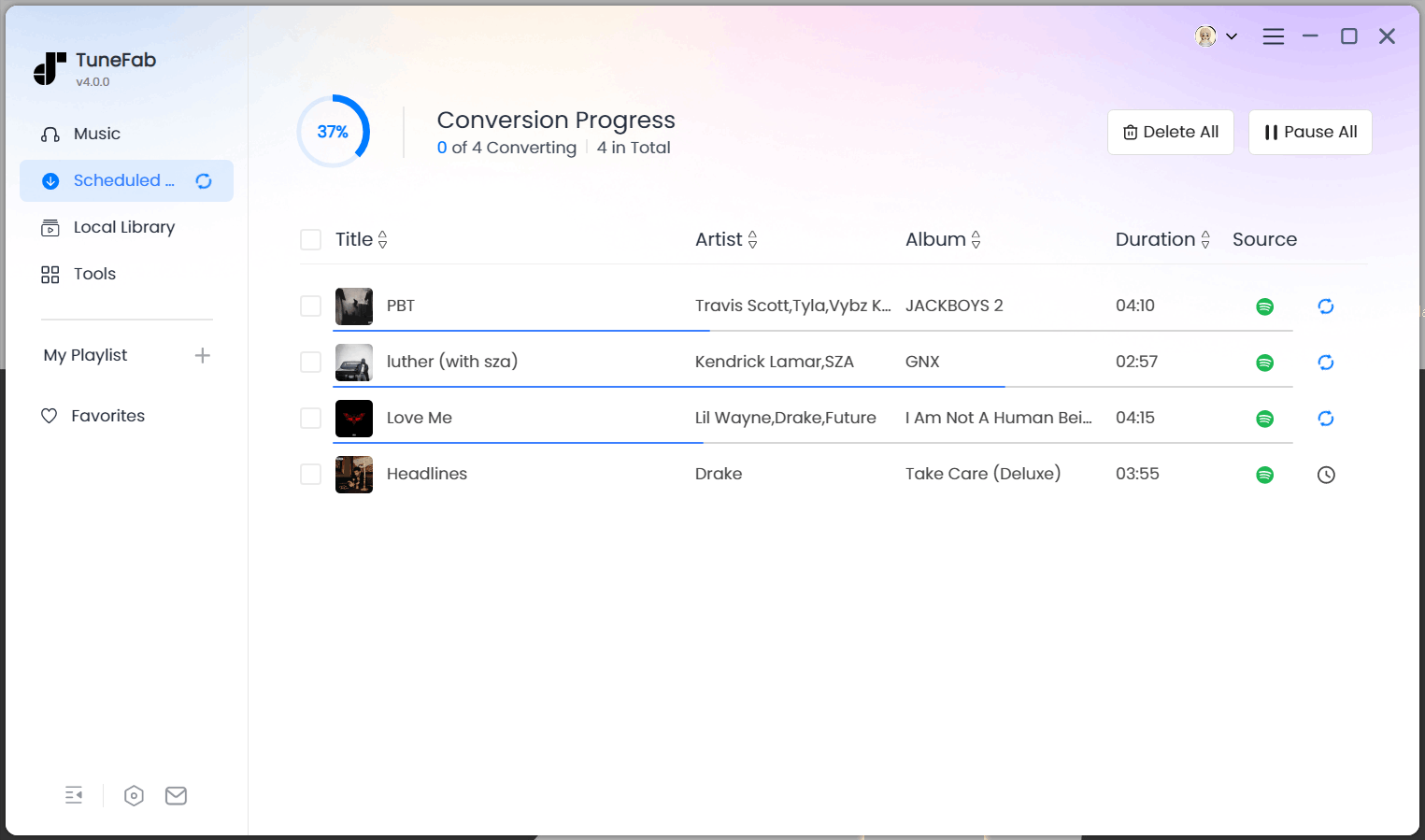
TuneFab SoundCloud Music Converter stands out as our top choice due to its fast conversion speed, excellent audio quality, and advanced download features. Unlike other options, this software is able to download SoundCloud playlists that include multiple tracks with one click. Additionally, thanks to its hardware acceleration, you can easily process SoundCloud to MP3 conversions at a 35X fast speed.
Even better, this converter can preserve the original ID3 tags, so you can effortlessly manage your music collection without any hassle. One of the best things is that you can use this converter even if you have not subscribed to SoundCloud. Therefore, it can be worth considering if you need the best SoundCloud to MP3 converter.
Here is a quick guide on how to download music from SoundCloud to MP3 using TuneFab SoundCloud Music Converter.
Step 1. Click the download button above to download TuneFab SoundCloud Music Converter. Install and open it on your computer.
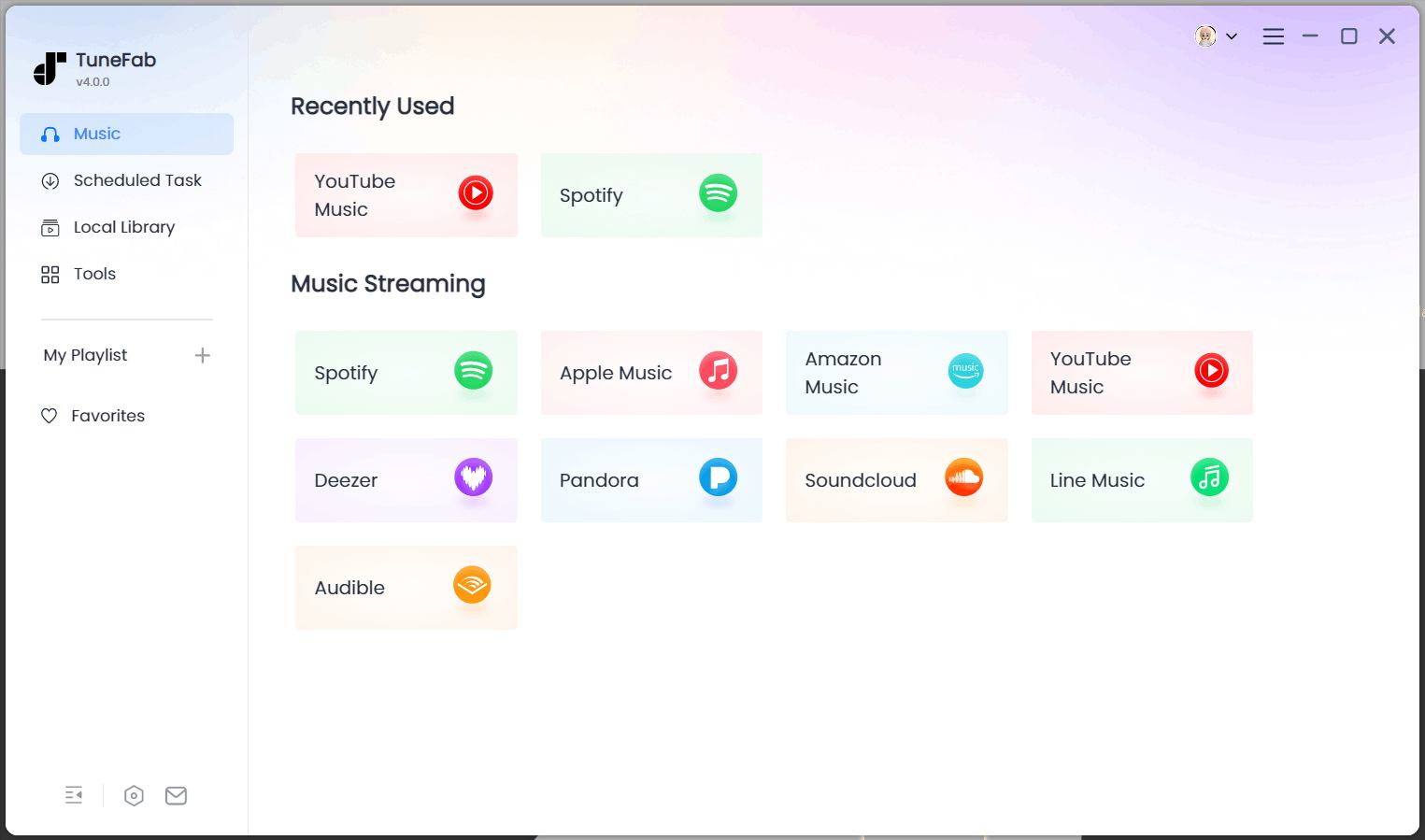
Step 2. Enter the SoundCloud service. No need to log in, but your success rate will be higher if you are logged in.
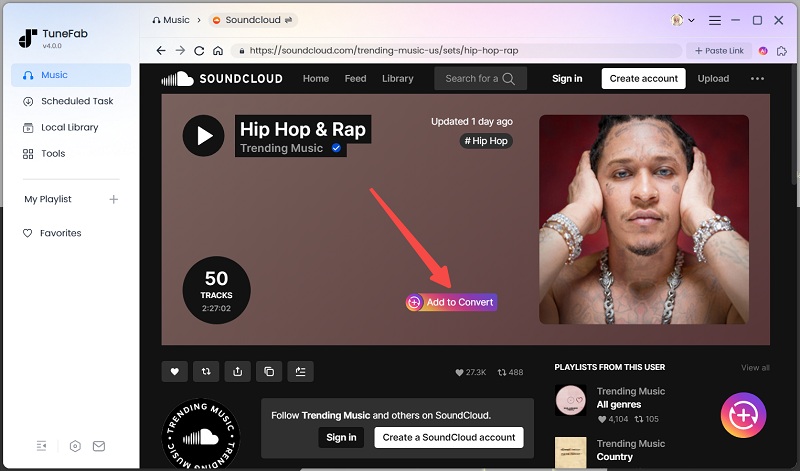
Step 3. The converter offers a built-in SoundCloud web player, so you can look for your favorite tunes on it. Then, click the "Add to Convert" button to add your preferred tunes.
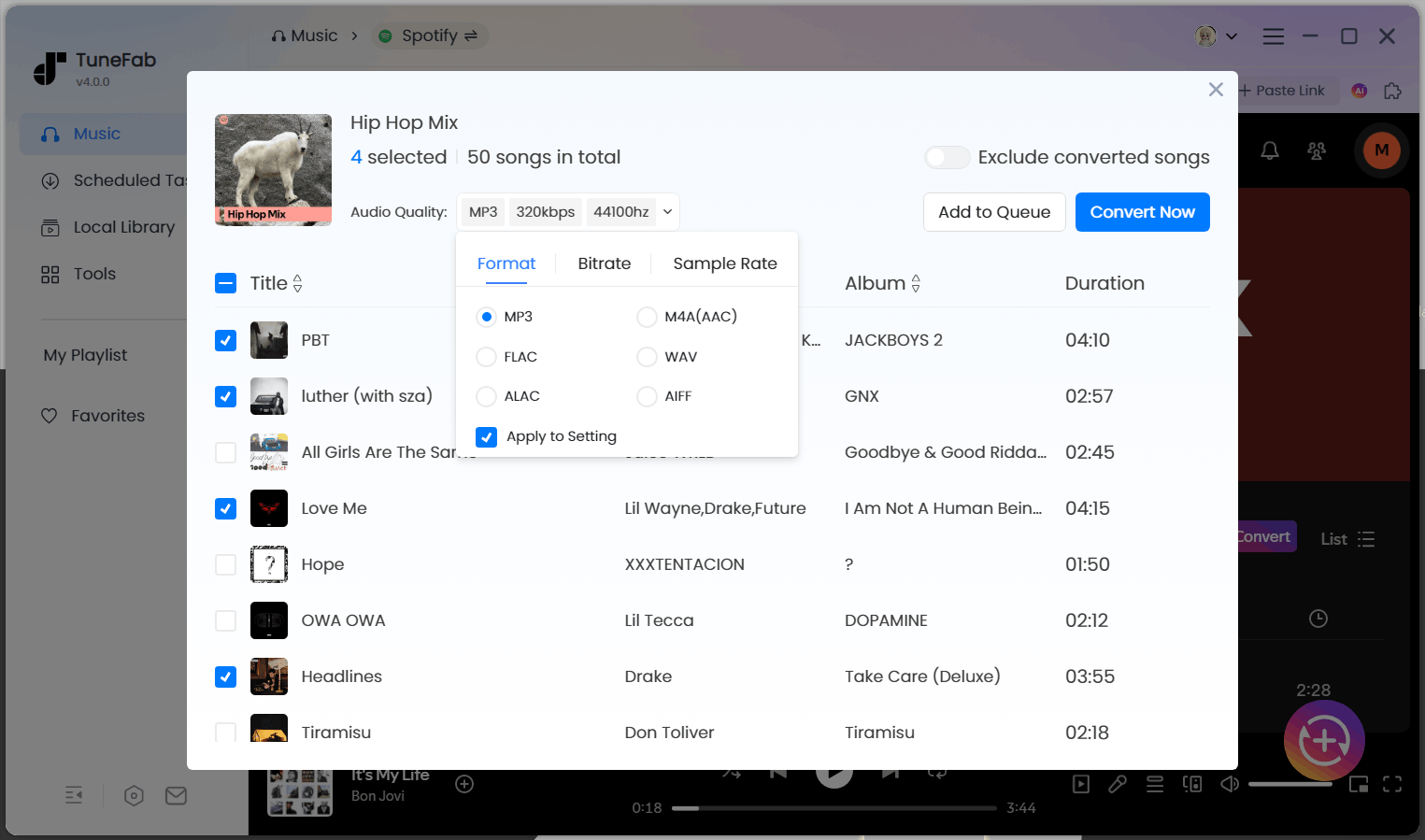
Step 4. Set the output format to MP3 and apply it to all songs. Also, set the bitrate and sample rate according to your needs.

Step 5. Click "Convert Now" to start converting all the selected SoundCloud songs to MP3. Wait for a few minutes and the successfully downloaded tracks will appear in the "Local Library" tab.
🙆♀️Pros:
- Download SoundCloud songs, albums, playlists, podcasts, audiobooks to MP3.
- Easy steps to convert SoundCloud songs in high quality, up to 320Kbps.
- Retain original ID tags including artist name, cover art, album name, and more.
- 35X super fast speed to batch download SoundCloud multiple songs at one time.
- Include a built-in SoundCloud web player for an easy download process.
- Save SoundCloud to MP3, WAV, and FLAC.
🙅♀️Cons:
- Need to download and install software on your Windows/Mac computer.
2. MusicVerter SoundCloud Downloader to MP3 (Online)
| MP3 Bitrate | Other Supported Format | Playlist Download | ID3 Preserved | |
| Free Trial | 128kbps | No | No | No |
| Premium Version | Up to 320kbps | FLAC, WAV, M4A, etc. | Yes | No |
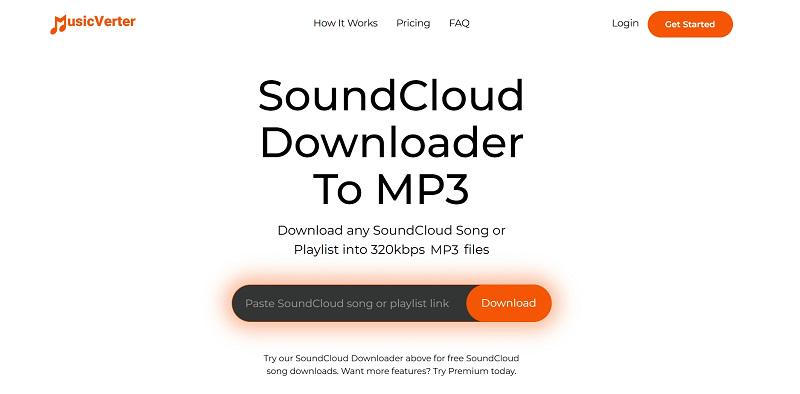
MusicVerter is also a viable option. This online converter doesn't require complicated recording steps or installing any software. Simply open the official website in your browser, copy and paste the music link, and you can download music from SoundCloud to MP3 for free. Moreover, there are no annoying pop-up ads during use, which is a common issue with many online tools.
While its free version is a great starting point, it does come with certain limitations, such as only outputting 128kbps audio quality, only supporting MP3 format, and not supporting batch downloads. If you need higher-quality audio or multiple file formats like 320kbps MP3, FLAC, and WAV, you will need to upgrade to MusicVerter Premium for $156 per year. This price may be a bit expensive.
🙆♀️Pros:
- Support downloading SoundCloud Go+ songs and playlists (Premium version).
- Offer a user-friendly and intuitive interface for anyone to get started.
- Include an ad-free conversion experience.
🙅♀️Cons:
- Can only get SoundCloud to MP3 for free without extra audio options to choose from.
- More features are only included in the Premium version.
- High subscription fee.
3. SoundCloudMate (Online)
| MP3 Bitrate | Other Supported Format | Playlist Download | ID3 Preserved |
| 128kbps | No | No | No |
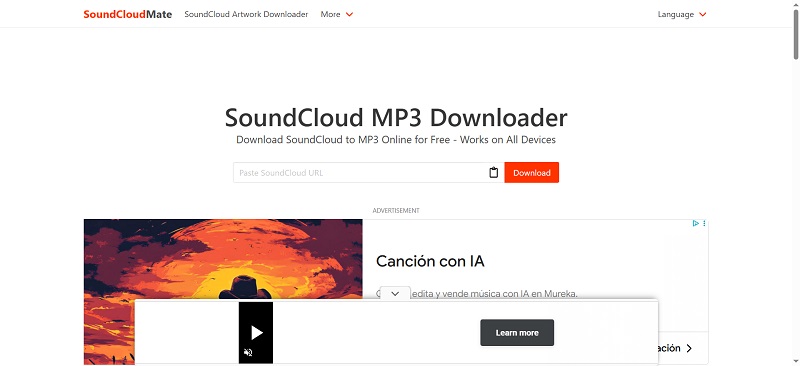
SoundCloudMate is another popular online SoundCloud to MP3 converter free. It is free and very easy to use. You just need to go to its official website and simply paste the music URL. Then this online tool will directly finish the rest, helping you download SoundCloud in MP3. Also, my favorite part is that there are no ads on the interface to disturb, offering a clean and friendly download experience.
However, it is a pity that it can only process one conversion at a time. If you intend to download multiple SoundCloud songs to MP3, then SoundCloudMate may not be an ideal option. In this case, tools like TuneFab SoundCloud Music Converter that support batch conversion might be the right one for your needs.
🙆♀️Pros:
- Online SoundCloud MP3 downloader for free.
- Offer a clean and intuitive interface with no ads.
- Require no software or app to get things done.
- Highly compatible with any device.
🙅♀️Cons:
- No support for batch conversion.
- Only convert SoundCloud to MP3 in 128kbps quality.
- Unable to parse the SoundCloud playlist link.
4. SoundCloudMe (Online)
| MP3 Bitrate | Other Supported Format | Playlist Download | ID3 Preserved |
| 128kbps | No | No | No |
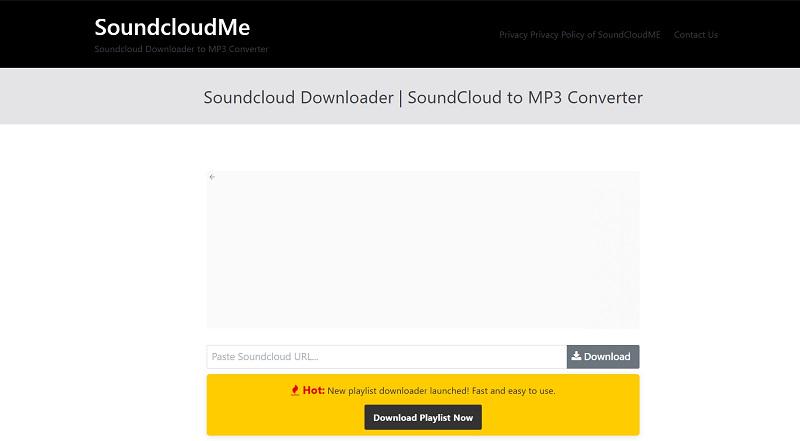
If you prefer not to download any software on your computer, you can also try using SoundCloudMe. With just the music URL, you can effortlessly handle SoundCloud conversion online. Moreover, this tool also retains the original names of your downloaded music, making it simple to organize your MP3 SoundCloud music collection for offline listening.
Unlike the previous two online SoundCloud to MP3 converters, SoundCloudMe includes many on-page ads, which can make the download process less user-friendly. In addition, although it claims to offer a SoundCloud playlist to MP3 converter, it still requires you to download the tracks one at a time. If these issues do not bother you, this tool is still worth a try.
🙆♀️Pros:
- No need to download any software or plugins to convert SoundCloud songs online.
- Support to parse the link of the SoundCloud playlist.
- Maintain original ID3 tags for download management.
🙅♀️Cons:
- Only support MP3 output format.
- Include many annoying on-page ads.
- Require downloading songs from a playlist one by one manually.
5. AddonCrop SoundCloud Music Downloader (Extension)
| MP3 Bitrate | Other Supported Format | Playlist Download | ID3 Preserved |
| 128kbps | No | Yes | Yes |
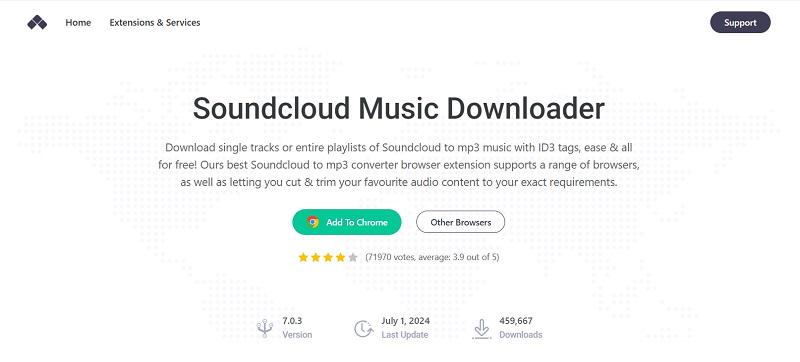
If you intend to download music directly through your browser, the AddonCrop SoundCloud Music Downloader extension may be your ideal choice. It is compatible with popular browsers such as Chrome, Edge, Opera, Yandex, Vivaldi, and Brave, enabling you to easily download songs from SoundCloud to MP3 format for free and automatically retain ID3 tags.
Also, whether it is downloading a single song or an entire playlist, it can be done easily. Just install the AddonCrop SoundCloud Music Downloader extension in a supported browser, access the SoundCloud music you want to convert, click the download button, and it will convert it to MP3 format.
🙆♀️Pros:
- Offer a SoundCloud playlist to MP3 converter Chrome extension.
- Convert SoundCloud music to MP3 with high quality for free.
- Highly compatible with several commonly used browsers.
- Download the original ID3 tags with SoundCloud MP3 tracks.
🙅♀️Cons:
- Not all SoundCloud tracks offer download buttons.
- This may include potential risky security risks based on user reviews.
- Adware from adrail.com will be added to your add-on.
- Only supports 128kbps instead of 320kbps as it claims
6. SaveFrom.net Helper SoundCloud Downloader (Extension)
| MP3 Bitrate | Other Supported Format | Playlist Download | ID3 Preserved |
| 128kbps | No | No | No |
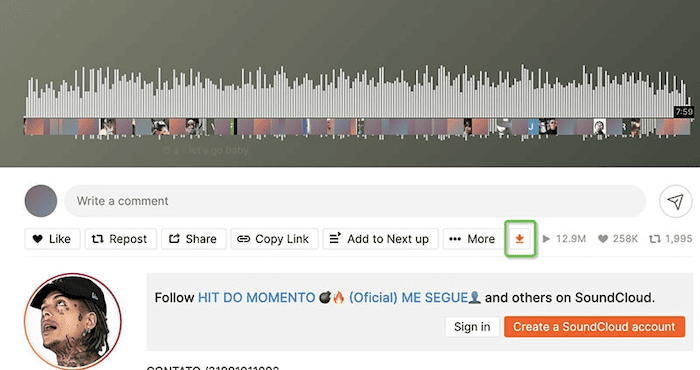
Another very useful browser extension is SaveFrom.net Helper, which supports downloads from several music streaming platforms, including SoundCloud. With it, you can see an orange download icon on the music page, so you can easily download music from SoundCloud to MP3 for free.
To use this Chrome extension successfully, you will need to download the Chameleon or OrangeMonkey extension first. Otherwise, you may not be able to start the conversion successfully.
🙆♀️Pros:
- Free to use.
- Support downloading music from SoundCloud, YouTube, Vimeo, and other streaming platforms.
- Download songs fast
🙅♀️Cons:
- No support for batch conversion. Requires manual download for songs from playlists.
- Unable to customize the output bitrate.
- Only supports 128kbps.
7. SoundCloud Downloader (Extension)
| MP3 Bitrate | Other Supported Format | Playlist Download | ID3 Preserved |
| 128kbps | No | No | No |
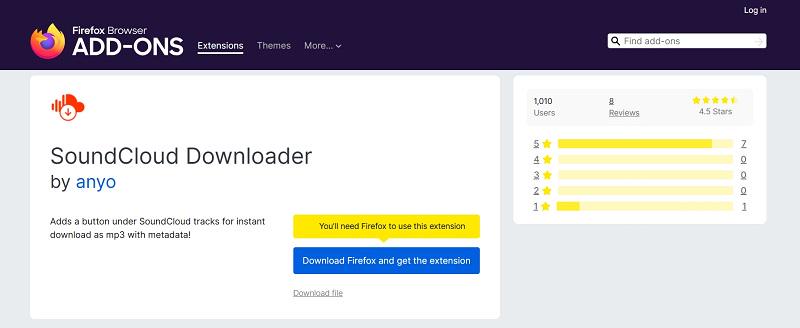
Finally, SoundCloud Downloader, as a Firefox extension, provides a fast and direct way for you to convert SoundCloud to MP3 directly within the browser. While it only allows you to download one track at a time, it thoughtfully adds metadata to the downloaded tracks, including cover art, artist, title, genre, year, description source URL, etc. It also normalizes the file name to make your music management more organized.
Moreover, this is a free SoundCloud MP3 downloader, so you don't have to pay or even log in to make the conversion. If you are a Firefox user looking for a simple and effective solution, this is undoubtedly the best converter for you.
🙆♀️Pros:
- Free Firefox add-on.
- Support for ID3 preservation
- No need to log in
🙅♀️Cons:
- Output MP3 SoundCloud in 128kbps quality.
- No support for batch conversion.
- Only compatible with the Firefox browser.
8. Audacity (Windows/Mac)
| MP3 Bitrate | Other Supported Format | Playlist Download | ID3 Preserved |
| Up to 320kbps | FLAC, WAV, M4A, etc. | No | No |
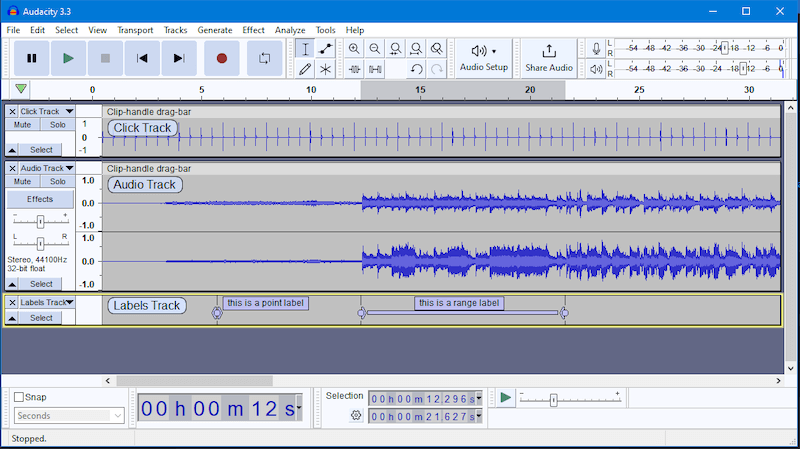
Many users looking for the best SoundCloud to MP3 converter often choose to use a screen recording tool as well. Audacity is a popular choice in this case. Although it is not specially designed for audio downloads, it can indeed convert SoundCloud music to MP3 through some steps. In addition, its powerful editing features enable you to easily trim, mix, and adjust the volume of audio, which is ideal for those who need to create new music.
However, compared to a dedicated SoundCloud MP3 downloader, the process of converting using Audacity is more complicated and cumbersome. You will need to manually set the recording and conversion parameters, which may require a certain learning curve.
🙆♀️Pros:
- Free and clean tool.
- Offer basic editing features for simple tasks like trimming, copying, pasting, and mixing.
🙅♀️Cons:
- Deliver a complicated process.
- Slow conversion speed.
- Unable to convert music from SoundCloud to MP3 in batches.
9. SCDL (Windows/Mac)
| MP3 Bitrate | Other Supported Format | Playlist Download | ID3 Preserved |
| Up to 320kbps | FLAC, WAV, M4A, etc. | No | No |
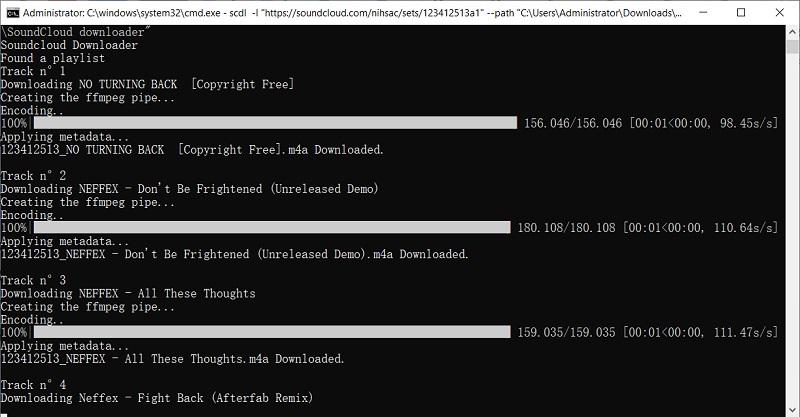
SCDL is a free, open-source command-line tool works for Windows, macOS, and Linux. By running this tool, you can download music directly from SoundCloud to the local machine in a high-quality MP3 format. Depending on the source file, scdl allows downloads of audio up to a bit rate of 320 kbps, making high-quality downloads rare given the majority of public songs are released in 128kbps. It is a quick and lightweight option for an end-user who prefers quick batch downloads devoid of any graphical interface.
Furthermore, scdl permits downloading whole playlists and albums (sets) from SoundCloud. It organizes the downloaded files into folders and also preserves essential file tags like track and artist names. With a few command-line arguments, users can specify folder locations where files should be downloaded, designate file-naming conventions, and decide on whether to download only public content.
Pros:
- Free and open-source, works on Windows, macOS, and Linux
- Supports single track, playlist, and album downloads
- Automatically retains metadata (track title, artist name)
- Can download high-quality MP3s (up to 320 kbps depending on source)
- Fast and efficient for bulk downloads via command line
Cons:
- No graphical interface – not beginner-friendly
- Cannot download content that requires login or a paid subscription (e.g., SoundCloud Go+)
- Requires Python and command-line familiarity to install and use
Final Verdict: Which is the Best SoundCloud to MP3 Converter
Choosing a reliable MP3 converter for SoundCloud is not about whether a particular converter "works" or is "broken." It should consider aspects like how easy it is to use, audio quality, platform compatibility, and user experience. Some important considerations include:
- Audio quality and output format: If you are particular about sound quality, look for a converter that offers at least 256 kbps or, preferrably, 320 kbps bitrate. For even better quality, some provide lossless formats like FLAC or WAV.
- Download types supported: Although most converters do fine with single-track downloads, it is imperative to choose a converter that can also download whole playlists or albums in case you plan to store a large collection of music.
- Preservation of ID3 metadata: Ideally, such apps shall automatically preserve or embed essential metadata such as track title, artist name, album, and cover art; this will help you in further organization of your music and displaying info about it inside your media player.
- Ease of use and set-up: Some tools might be complicated to install or use; for instance, those that run from the command line. If you prefer something lightweight and straightforward, go for a converter that offers a simple installation process and user-friendly interface.
- Ad-Free Experience – While ads may help keep some free services running, they can also lead to unsafe redirects or malicious content. To avoid unwanted risks, it's best to choose a converter that provides a clean, ad-free experience.
Let's go through the comparison table to pick the right one quickly.
| Type | Easy to Install/Use? | Output Quality | Output Format | Download Speed | Batch Conversion | Ad-free | Stable Performance | |
| TuneFab | Desktop Software | ✔ | Up to 320Kbps | MP3, WAV, FLAC, M4A, AAC, and ALAC | Fastest | ✔ | ✔ | ✔ |
| MusicVerter | Online | ✔ | Up to 320Kbps | MP3 | Medium | ✔ | ✔ | ✔ |
| SoundCloudMate | Online | ✔ | 128 kbps | MP3 | Medium | ❌ | ❌ | ❌ |
| SoundCloudMe | Online | ✔ | 128Kbps | MP3 | Medium | ❌ | ❌ | ❌ |
| AddonCrop | Extension | ❌ | 128kbps | MP3 | Fast | ✔ | ❌ | ❌ |
| SaveFrom.net helper | Extension | ❌ | 128Kbps | MP3 | Fast | ❌ | ❌ | ❌ |
| SoundCloud Downloader | Add-on | ✔ | 128Kbps | MP3 | Medium | ❌ | ✔ | ❌ |
| Audacity | Desktop Software | ✔ | Up to 320Kbps | MP3, FLAC, WAV, etc. | Low | ❌ | ✔ | ✔ |
| SCLD | Command-line tool | ❌ | 320Kbps | MP3 | Fast | ✔ | ✔ | ✔ |
Overall, all the options in the list are workable to convert SoundCloud to MP3. However, among them, TuneFab SoundCloud Music Converter stands out as the best option with no doubt. It can not only output 320kbps MP3 SoundCloud music, but also support converting the entire SoundCloud playlist with one click. Plus, TuneFab integrates a built-in SoundCloud web player, making it easy and intuitive to use.
More importantly, it is a safe converter with no ads, malware, or any potential risk. Therefore, it is advisable to start with its free trial if you are looking for the best SoundCloud to MP3 downloader.

