
×
   TuneFab Discord
Join 10,000+ TuneFab Fans on Discord
TuneFab Pandora Music Converter - Download Pandora Playlists in 320kbps

Best Pandora Music Downloader for Awesome Music Downloads

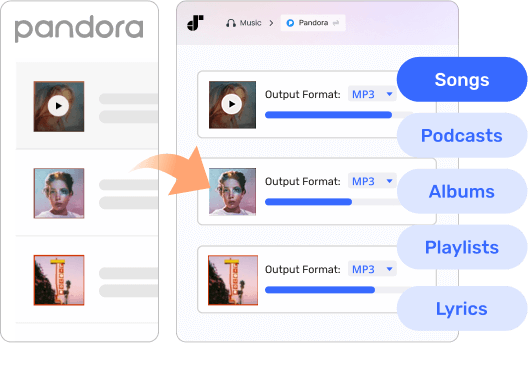
Download Pandora Songs, Podcasts, Albums, and Playlists

Download Pandora Songs, Podcasts, Albums, Playlists, and Lyrics

TuneFab Pandora Music Converter is able to download any music content from Pandora to MP3. No matter if you want to extract single tracks, songs from your favorite station, and even an entire album or playlist, this converter can help you with it efficiently and losslessly.

It also allows you to download lyrics in LRC format, so you can follow along with your favorite songs while listening offline.

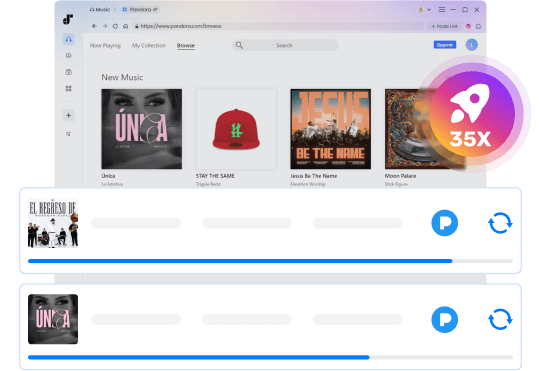
Convert Pandora Songs at 35X and Even Faster Speed

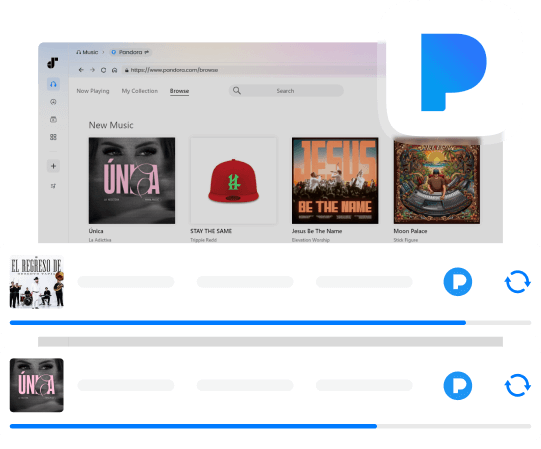
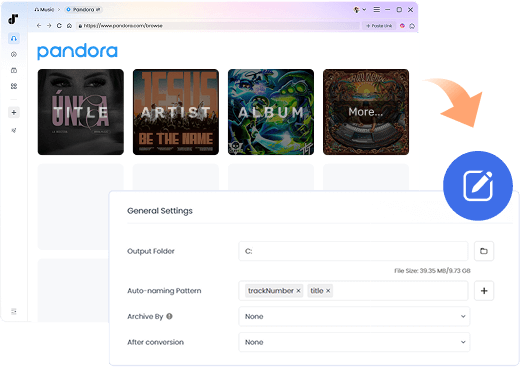
This music downloader is built with the Pandora web music player and lets you download music from Pandora simply by clicking buttons. It also supports batch downloading, so you can save entire playlists or albums in one go.

Supported by advanced hardware and GPU acceleration technologies, the download speed of TuneFab Pandora Music Converter can be boosted to at least 35X faster (real speed depends on the computer hardware and network condition).

Convert Pandora Songs at 35X and Even Faster Speed
No Music Quality Loss

Save All Tracks with No Sound Quality Loss

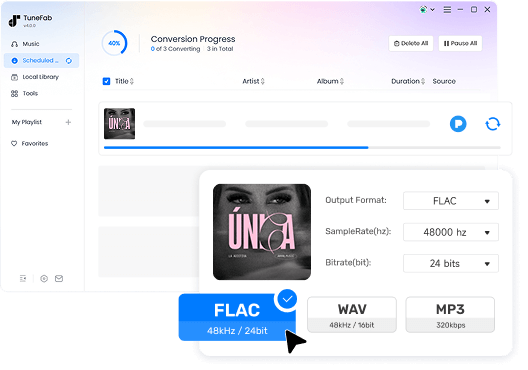
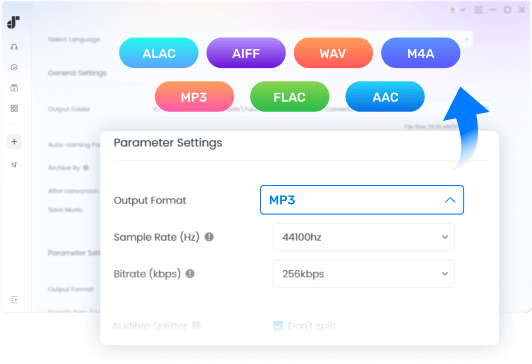
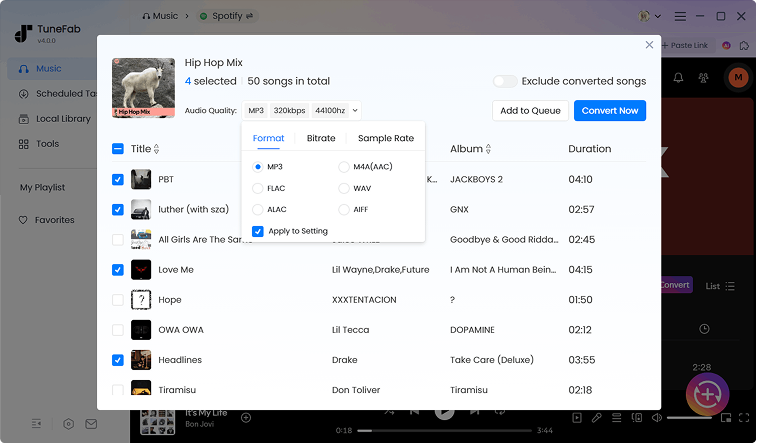
Grabbing original streaming tracks, TuneFab Pandora Music Converter converts and downloads Pandora songs without any quality loss. You can choose MP3 as the output format with up to 320 kbps bitrate and a 48,000 Hz sample rate for high-quality playback, or select lossless formats like FLAC or WAV to preserve the music exactly as it was streamed.

Whether you enjoy your music on headphones, speakers, or in your car, TuneFab guarantees the downloaded tracks retain their original richness and clarity, giving you complete control over how your music sounds offline.

Preserve Pandora Music ID3 Tags and Metadata Information

Original ID3 and metadata information of the songs or podcast episodes can be well preserved in the downloaded tracks. With the preserved song title, artist, album, and album cover, you can easily manage them. Even if you import them to your MP3 player, the ID3 information will be recognized and displayed correctly.

In addition, TuneFab provides a built-in ID3 Editor, allowing you to edit or add ID3 information such as album cover, album name, artist, release year, genre, and track number for your local audio files.

Preserve Pandora Music ID3 Tags and Metadata Information
Extract Pandora Music to MP3, M4A, FLAC, WAV, etc.

Extract Pandora Music to MP3, M4A, FLAC, WAV, etc.

This Pandora music downloader is designed to parse Pandora streaming music and re-encode it to common digital formats. You can choose to download Pandora songs to MP3/FLAC/WAV/AIFF/M4A/ALAC/AAC. It also comes with a built-in Format Converter, allowing you to convert your local audio files (e.g., FLAC to MP3) easily whenever needed.

With Pandora music in common formats like MP3, you can freely listen to them offline on your MP3 player, car player, or other devices.

Extra Essential Features

Intuitive Interface

Intuitive Interface

A stupid-simple UI design makes it easy to use for everyone.

Full Compatibility

Full Compatibility

It works smoothly and flawlessly on both Windows and macOS.

Multi-Language Support

Multi-Language Support

It supports English, Japanese, German, French, and Chinese.

Built-in Music Player

Built-in Music Player

Play and manage your downloaded songs or other local audio files directly within the integrated music player.

Download Task Managery

Download Task Manager

Easily track your downloads with prompts for failed tasks, total download count, and completion sound notifications.

Proxy Settings

Proxy Settings

Set up a proxy to access music content from different regions and ensure smooth downloads anytime.

Full Compatibility

Free Lifetime Upgrading

Free to get every major release and every latest version.

Always Improving

Always Improving

Frequently release new features, improvements, and promptly deal with bugs.

Reliable Technical Support

Reliable Technical Suppor

TuneFab focuses on Pandora updates and upgrades instantly to ensure higher conversion success rate.

How to Download Pandora Music to MP3?

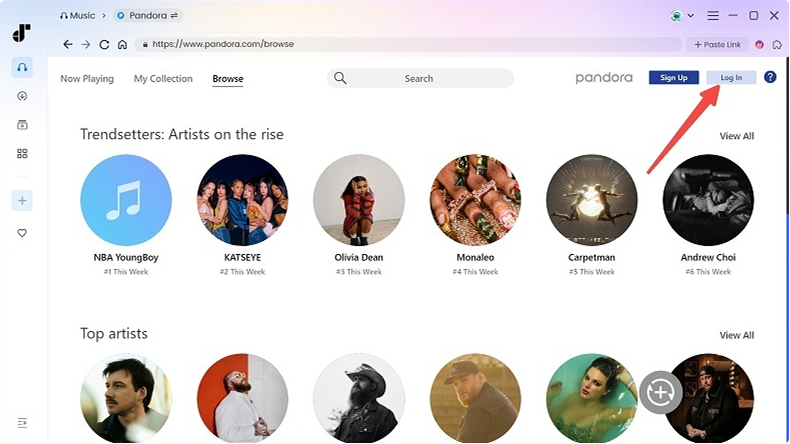
Log in to Pandora
Step 1. Log in to Pandora and navigate to the song or playlist you want to download.
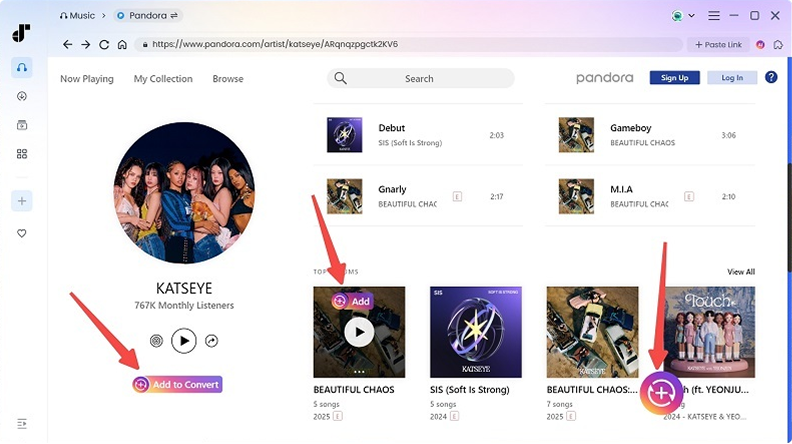
Add Pandora Music to Convert
Step 2. Click "Add to Convert" to add music for conversion.
Change Output Settings and Convert
Step 3. Hit the "Convert Now" button and all tracks will start downloading.

What Our Users Say

Jennifer Smith
Jennifer Smith

LOVE this software! I was trying to download music from Pandora to my MP3 player but I just couldn't play the downloads from the Pandora app. Thankfully, this Pandora music downloader lets me download Pandora songs to MP3 on my computer so that I can easily move them to my MP3 player and listen to music on it.

Will Parton
Will Parton

Great app. Can really download music from Pandora to MP3 in original quality. Also gives options to select the output format, and customize sample rate and bitrate.

Stephen Allen
Stephen Allen

Easy to use. I enjoy the magic add buttons on the embedded web player. It feels like you are downloading songs directly on Pandora. The download speed is impressively fast. And music downloaded from TuneFab Pandora Music Converter is common MP3. I can play it even though I travel around the world.

Frequently Asked Questions

1. What are the system requirements of TuneFab Pandora Music Converter?

For Windows: Windows 11/10/8.1/8/7 (64 bit)
For Mac: Mac OS X 10.15 or higher

2. Can I download Pandora songs for free?

Yes. TuneFab Pandora Music Converter lets you download music from Pandora for free. But there are some limitations on the free trial version.

3. What are the limitations of a free trial version?

The trial version of TuneFab Pandora Music Converter only allows you to convert 3 songs for free (the same limit applies to other supported platforms). Once the free quota is used up, you will need to purchase a license to continue using the program

4. How to activate TuneFab Pandora Music Converter?

Launch the software and a status window will pop up, log in to the account center with your email address and license key into the appropriate boxes. Hit "Update account status" after logging in.

5. Can I use the software on two or more computers?

Yes. The TuneFab account center lets you manage devices logged in with your license code easily. To do that, just install and log in to the software on a new computer, enter the TuneFab account center, hit "Manage devices" and rest the old computer.


Try TuneFab Pandora Music Converter Today

Install this Pandora music downloader to batch download your favorite songs from a station or all songs from a playlist. Enjoy Pandora songs freely from now on!

System Requirements:

Windows 7 or later on 64bit required.
Mac OS X 10.15 or higher

Ratings:

4.3/5

try_star

1- Month: starting at $25.95
1-Year: starting at $79.95 ($6.66/mon)
Single Lifetime: starting at $99.95

Supported Formats:

MP3, WAV, FLAC, AIFF, M4A (AAC and ALAC codecs)

Click here to check full software updated history >>

What Converters Others Are Using

TuneFab Spotify Music Converter

TuneFab Spotify
Music Converter

Built-in web player to convert Spotify to MP3 320kbps with easy clicks

Try It Free Try It Free
TuneFab Deezer Music Converter

TuneFab Deezer
Music Converter

Unlock protection from Streaming Apple Music to MP3

Try It Free Try It Free
TuneFab Pandora Music Converter

TuneFab Pandora
Music Converter

Download songs from Pandora albums or stations without losing quality

Try It Free Try It Free
streamer
Back to top